 By the NAXTECH team · Published 26 Apr 2026 · Updated 12 Jul 2026 · Hands-on with v1.0
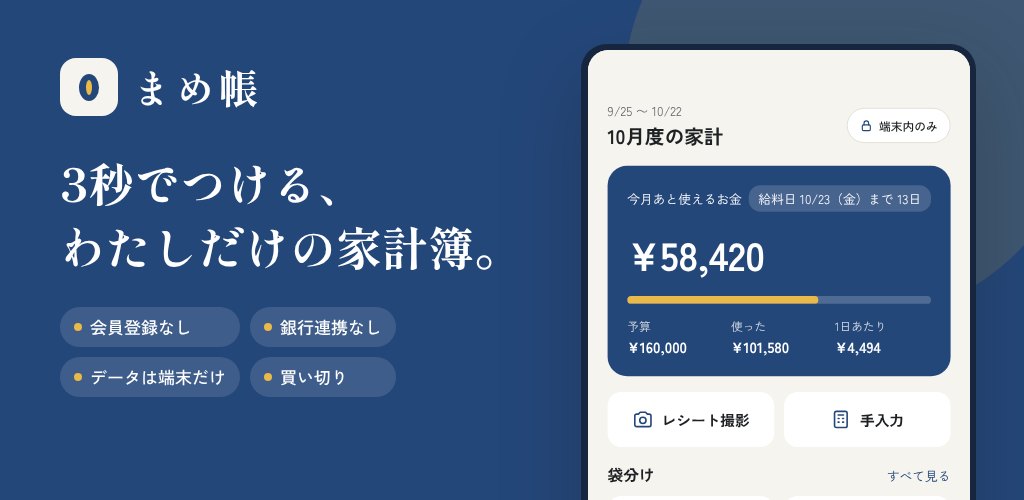
It is the end of the month, you have a pocket full of receipts, and the budgeting app you downloaded wants your bank login and an account before it will let you write down a single 300-yen coffee. For a lot of people in Japan that is the wrong trade: the whole point of a household account book is a quick private note of where the money went, not a data-sharing agreement. まめ帳 (Mamecho) was built for that instinct.
まめ帳 is a household account book that lives entirely on your phone. There is no sign-up and no login, and the app ships with the INTERNET permission stripped out at build time, so at the OS level it simply cannot send anything anywhere.
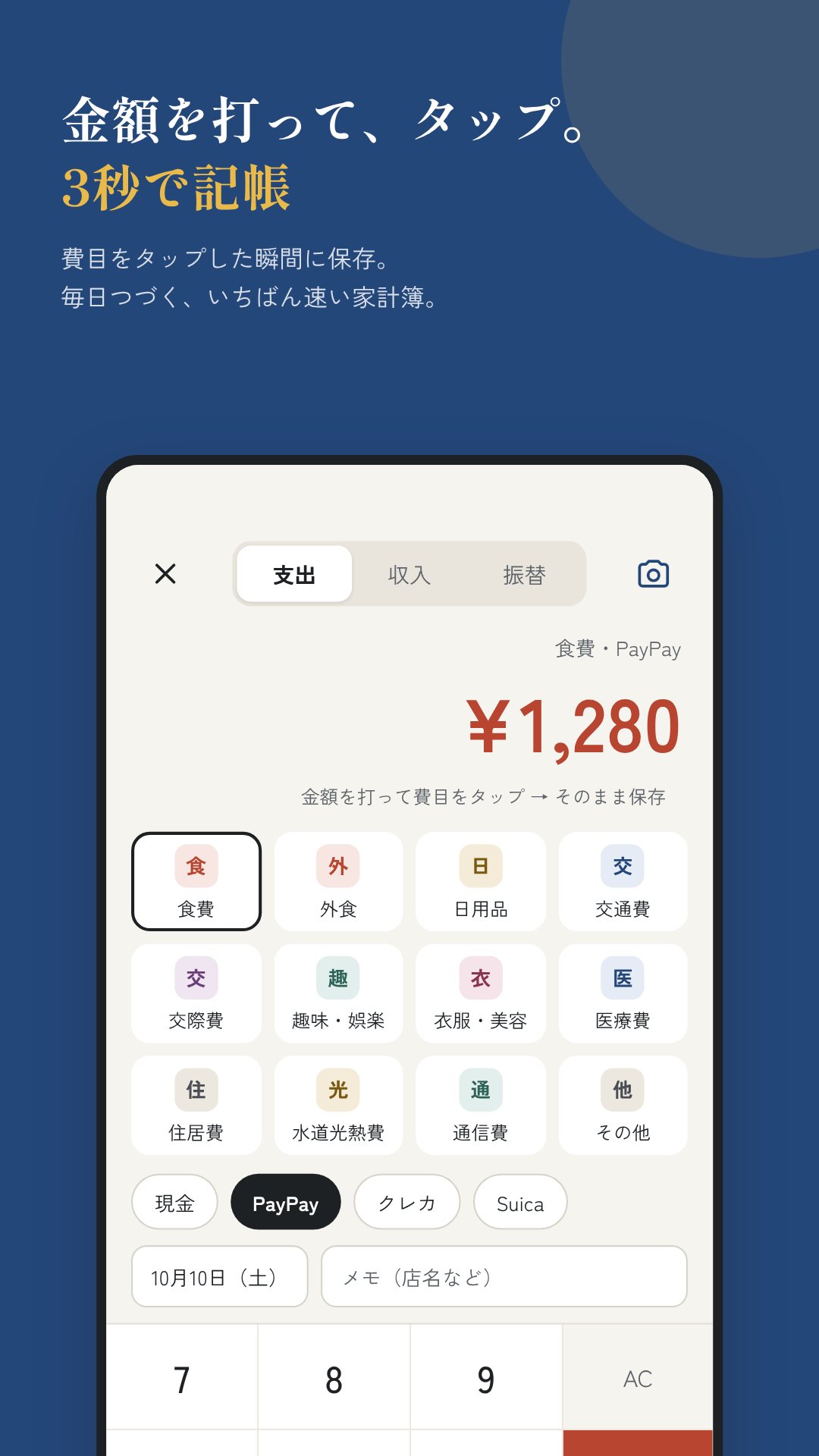
The home screen is built around speed. Type an amount, tap a category, and the entry is saved — roughly three seconds per record. Spending can be logged against four kinds of account — cash, bank, e-money and credit card — and the balance on the home screen is "money on hand", with any unpaid credit-card total already subtracted. There is no bank linking by design; you nudge each balance by hand, which is what keeps the app fully offline.
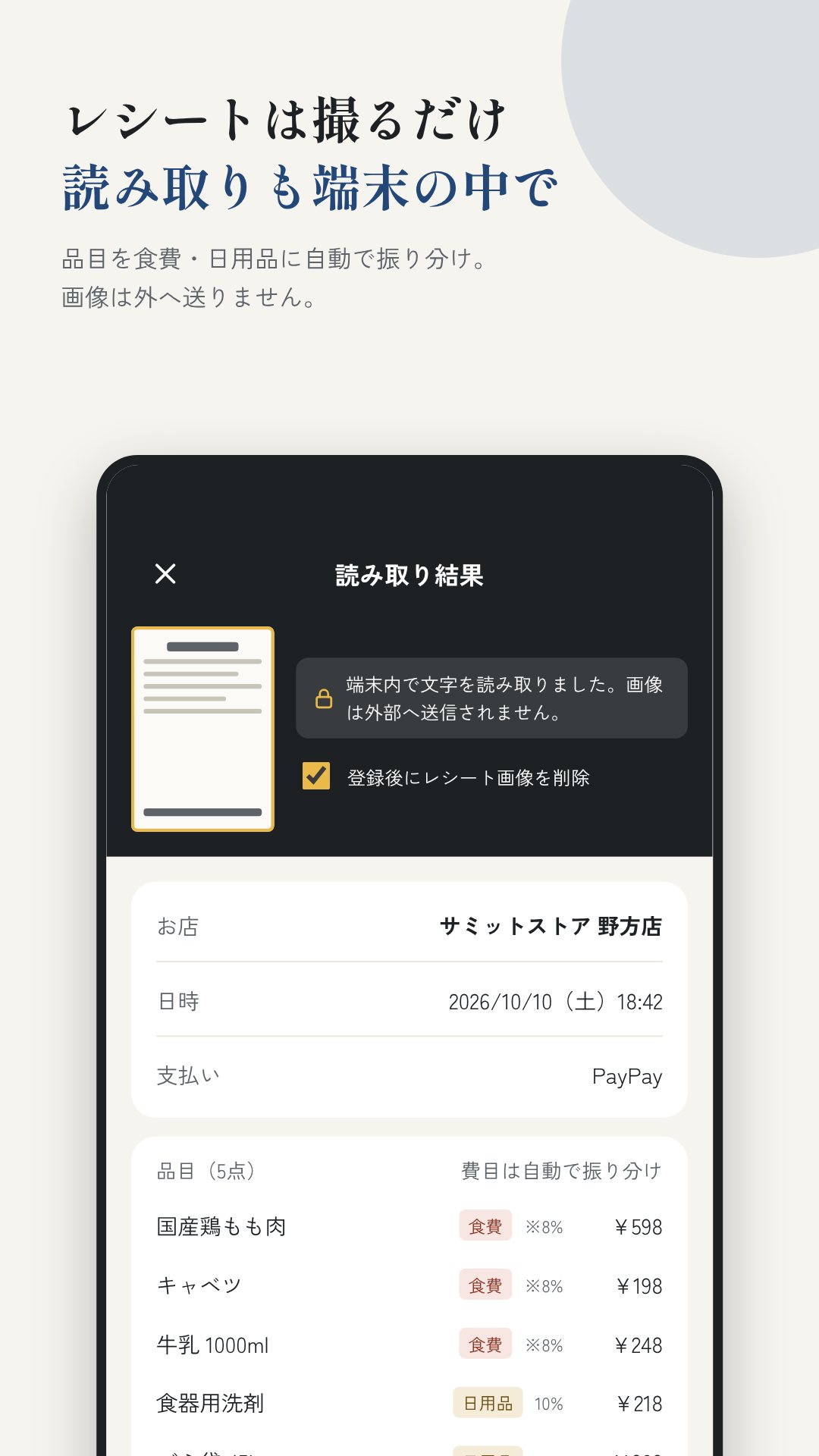
Point the camera at a receipt and まめ帳 reads it with an on-device OCR model — the Japanese text-recognition model is bundled into the app, so nothing is downloaded and nothing is uploaded. It pulls out the store name, date, total and line items, guesses a category for each item (food, daily goods, medical), and flags the reduced 8% consumption-tax rate on items marked 軽減. It even picks up the payment hint on the slip — PayPay, credit or cash — and spots over-the-counter medicine for later.
Instead of a calendar month, まめ帳 runs on your pay period: the "month" is payday to the day before the next payday. You split that budget into envelopes — food, daily goods, eating out, whatever you use — and the home screen shows what is left in each, the total still available, and a rough per-day figure, flagging any envelope you go over. For the lumpy stuff there are two more tools: fixed costs, which schedule recurring payments at any monthly interval, and special expenses & bonuses, which turn a year of big one-off outlays into a simple monthly savings target.
The reports tab breaks each pay period and each year down by category with percentages and a monthly spending graph, so you can see where the money actually goes. まめ帳 also keeps a tax-deduction memo aimed squarely at Japan: it totals your medical expenses toward the deduction threshold (¥100,000, or 5% of income under ¥2M), compares them against the self-medication route for over-the-counter medicine, and records furusato nozei donations, warning you when you pass six recipients and need a full tax return. Dates can be shown in the Japanese era (wareki), and national holidays are calculated on-device for 2000–2099.
Because nothing lives in the cloud, まめ帳 gives you solid ways to move your own data. Backups are written to a .mame file encrypted with AES-256-GCM (the key derived by PBKDF2-HMAC-SHA256 over 100,000 iterations), and you choose where it is saved. To move between phones there is device-to-device QR transfer: the encrypted backup is shown as a series of QR codes and read by the other phone's camera, with no network involved. And the whole app can sit behind an app lock using Face ID, fingerprint or your device PIN.
まめ帳 is a record-keeping and estimation tool, not tax advice; the deduction figures are guides to help you prepare, and the final numbers belong on your tax return. Because it is fully offline, your data is only as safe as your backups — set a backup password you will remember and keep a copy somewhere safe.
Yes. The INTERNET permission is removed at build time, so every entry, backup and calculation stays on your device with no communication at all.
Yes. On-device OCR with a bundled Japanese model reads the store, date, total and items, suggests a category, and flags the reduced 8% consumption-tax rate.
No. There is no bank linking; you adjust each account balance by hand, which is what keeps the app completely offline and private.
Yes. It totals medical expenses toward the deduction threshold and records your furusato nozei donations so the figures are ready at tax time.
 By the NAXTECH team · Published 23 Mar 2026 · Updated 19 Oct 2026 · Hands-on with v1.0

You remember a simpatia your grandmother swore by — but was it meant for the waxing moon or the waning one, the morning or the night? Get the timing wrong and the whole ritual feels off. That doubt is exactly the gap Simpatias e Lua was built to close.
The app is a pocket companion for the folk tradition of simpatias (sympathetic rituals), banhos de ervas (herbal baths), the quebranto or evil-eye check, and the psalm of the hour. It reads today's moon phase and the current shift, then surfaces the ritual that fits — and it does all of it on your device, with no connection required.
The home screen is a Lunar Radar that computes the moon with real astronomy, offline: the phase (Nova, Crescente, Cheia or Minguante), the illumination percentage, and a playful "money power" score — 99 at the Full Moon, 96 while waxing, 85 on the New Moon, 72 on the waning moon. Each phase carries a line of guidance and an "avoid" note, so a waning moon nudges you toward cleansing baths and cutting debts rather than starting something new. The disc is even hemisphere-aware: lit on the left while waxing in Brazil, on the right in Portugal.
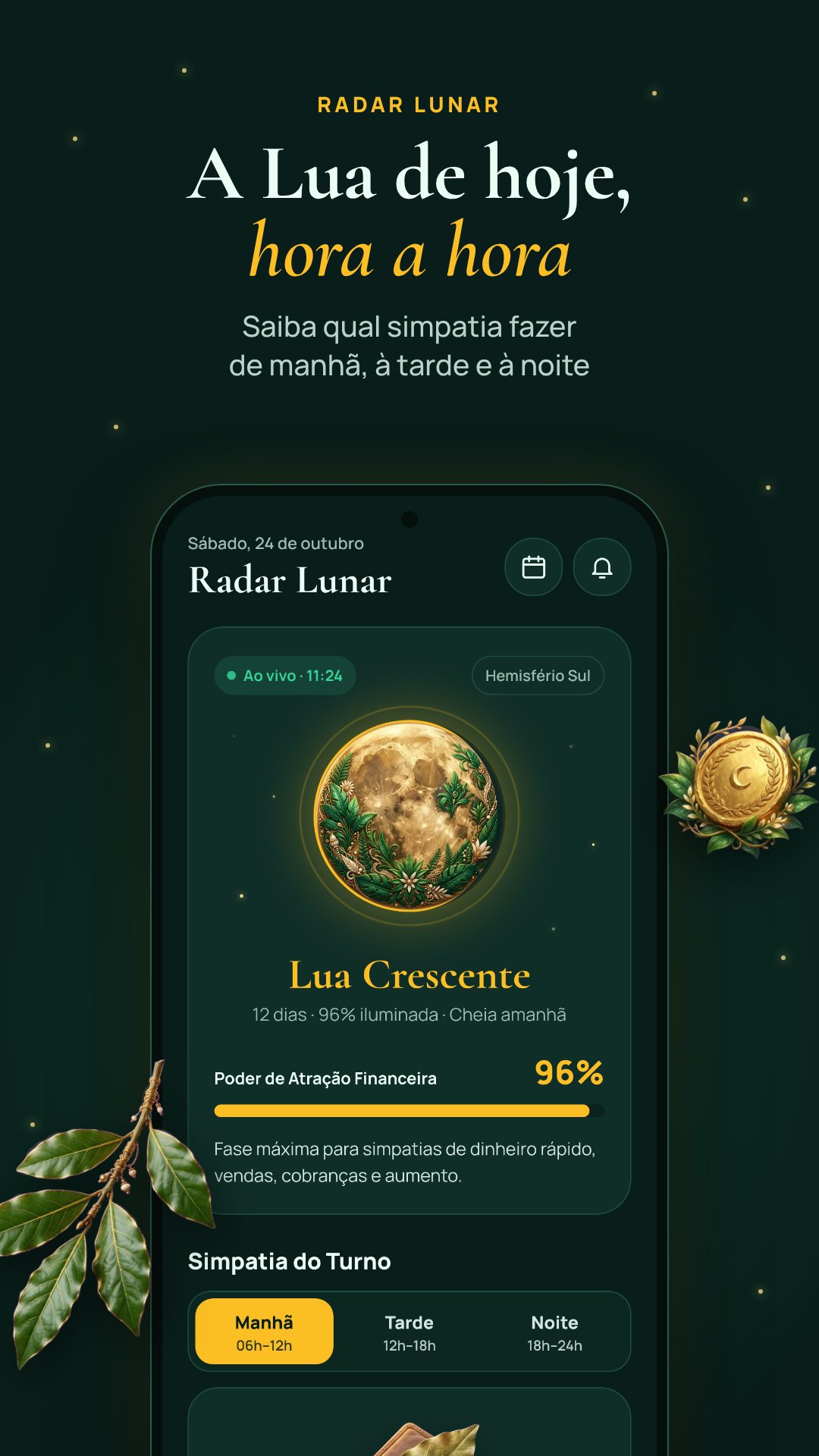
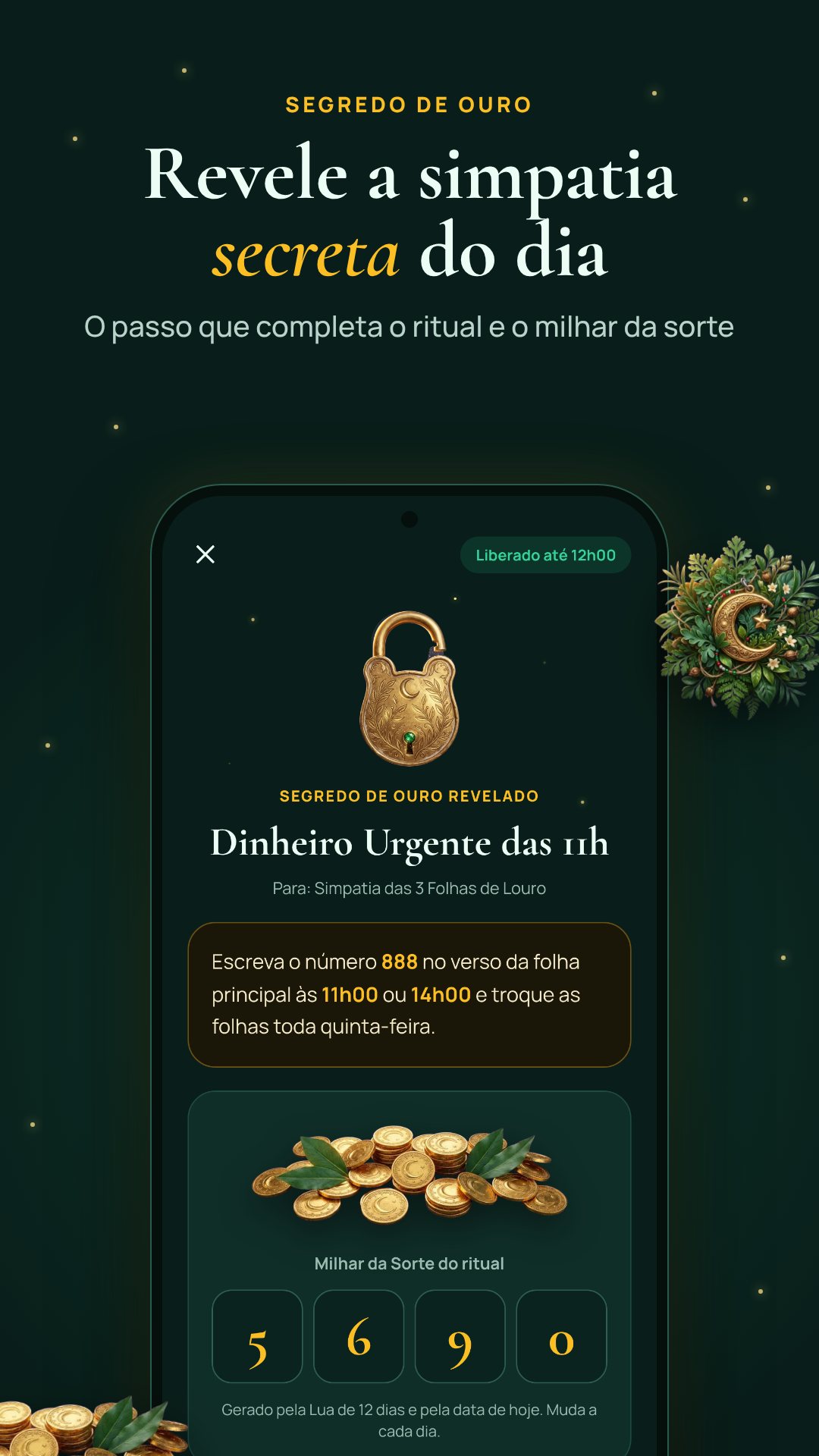
The day is split into three shifts — Manhã (06h–12h), Tarde (12h–18h) and Noite (18h–24h) — and for each one the app picks the best Simpatia do Turno: a ritual whose ideal moon phase and time slot line up with right now. Every simpatia carries a short summary, the exact ingredients (three dried bay leaves, a gold or red pen, your everyday wallet…), numbered steps and a traditional tip. Browse the full library by category — Dinheiro, Amor, Trabalho and Descarrego (money, love, work and cleansing) — search a keyword like louro or canela, filter to only the rituals that suit the current phase, and star your favourites.
Simpatias e Lua runs entirely offline, remembers your region and interests, keeps a diary with a streak, and can send up to three daily reminders plus an alert when the moon changes phase. A clear disclaimer stays in view: this is folk tradition, kept for faith and entertainment, and does not replace medical, financial or legal advice. The lucky numbers are generated, never predictions. The app is free, ad-supported, with optional rewarded unlocks for "golden secret" ritual variants.
Yes. The moon maths, the ritual library, the baths, the quebranto test and the psalms all run on your device, so nothing waits for a connection.
It matches each ritual's ideal moon phase and daily shift to the current moment, then surfaces the best fit as the Simpatia do Turno.
Yes. It ships pt-BR and pt-PT editions, and the moon disc is drawn for the right hemisphere in each country.
Yes, it is free to download with ads, and offers optional rewarded unlocks for extra ritual secrets.