Thai Bible: an offline Scripture reader that tracks every chapter you finish
 By the NAXTECH team · Published 31 Jan 2026 · Updated 6 May 2026 · Hands-on with v1.0
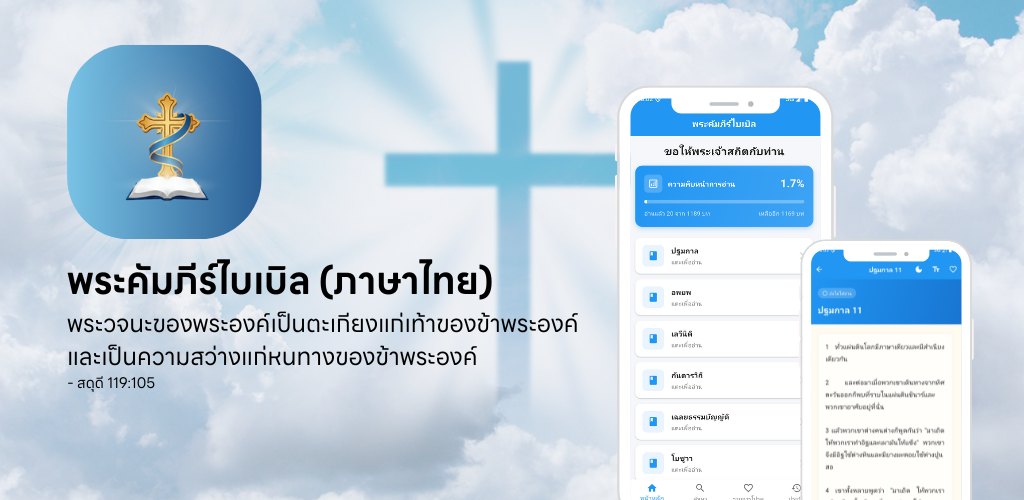
Thai Bible at a glance
- What it is
- A Thai-language Bible reader built for daily devotion, offline.
- Platform
- Android · the full text is bundled on the device, no account needed.
- Price
- Free, supported by a light banner ad.
- Core tools
- Browse by book · full-text search · reading-progress tracker · favorites · reading history.
- Reading comfort
- Adjustable font size, day (sepia) and night modes, selectable text.
- Best for
- Thai readers who want to read, search and finish the Bible on their phone.
You open your Bible app on the bus, lose signal in the tunnel, and the passage you were halfway through simply will not load. For anyone who reads Scripture on the move, that gap between a connected app and a book you can always open is the whole problem. Thai Bible (พระคัมภีร์ไบเบิล) was built to close it.
Thai Bible is a fully offline reader for the Scripture in Thai. Every book and chapter is bundled inside the app in a local database, so the text opens the instant you tap it — on a plane, in a tunnel, on a mountain trail — with no connection and no sign-in. It greets you each morning with ขอให้พระเจ้าสถิตกับท่าน, "may God be with you," and then stays out of the way so you can read.
Browse the whole Bible, book by book
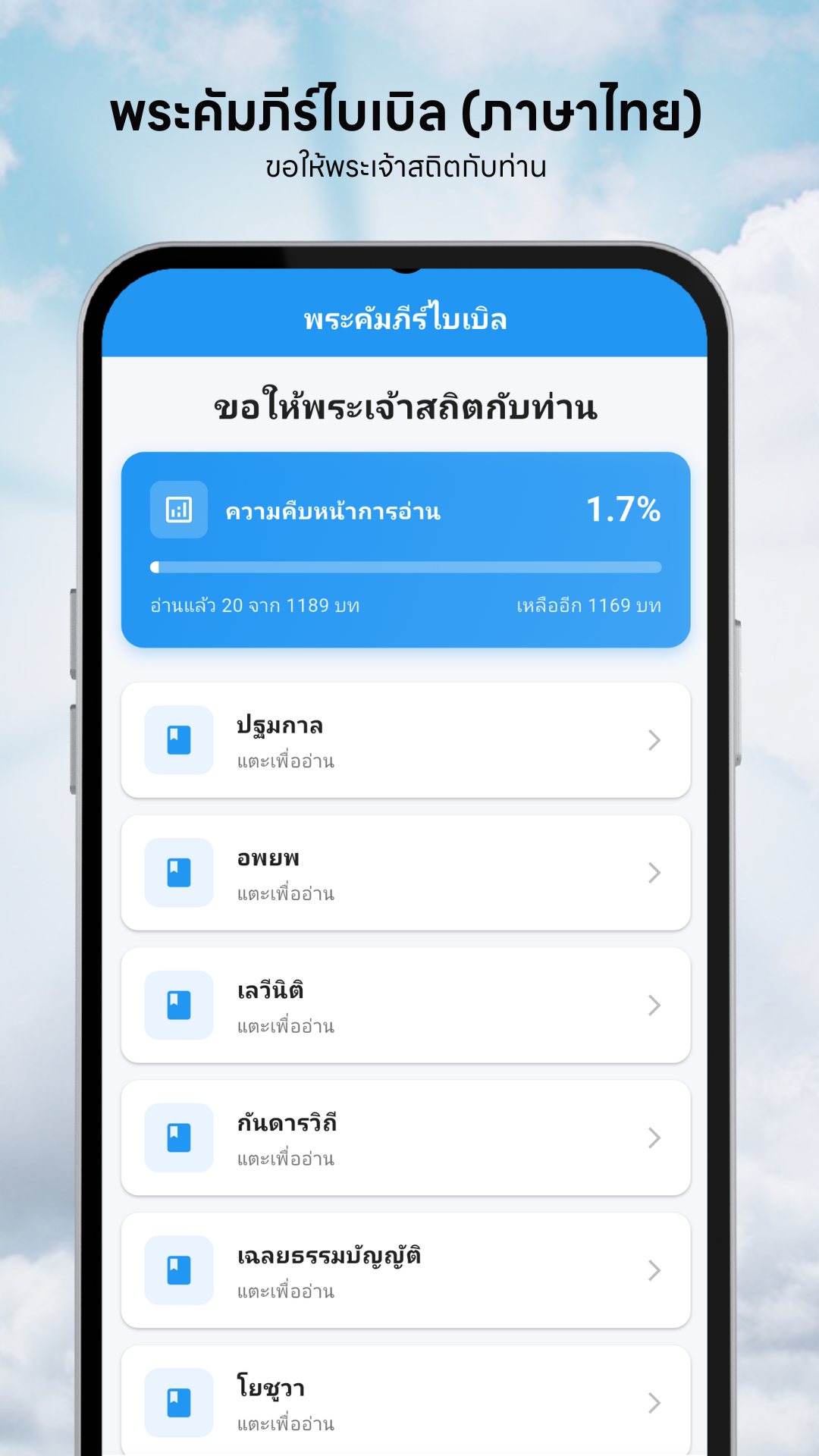
The home screen lists the books of the Bible as clean, tappable cards. Choose a book and you get its chapters in order; tap a chapter and the passage opens in a calm reading view with a justified column and generous line spacing. Nothing to download first, nothing to configure — the whole library is on your device from the moment you install.
A reading-progress tracker that counts for you
This is the feature that keeps you coming back. A card at the top of the home screen shows how far through the whole Bible you are — a percentage, a progress bar, and a plain count of chapters read out of the total, plus how many are left. You never tick anything manually: the moment you open a chapter, Thai Bible marks it read and advances the bar. Over a year of daily reading, that quiet counter turns "someday" into a visible, finishable goal.
Search every verse, not just the titles
The search tab looks inside the Scripture itself. Type a word or phrase and it scans both chapter titles and the full body text, returning every passage that contains it with a live result count — so a half-remembered line is a few keystrokes away, even offline.
Keep your place with favorites and history
- Favorites — tap the heart on any passage to save it; your favorites are kept in order, newest first, for the verses you return to.
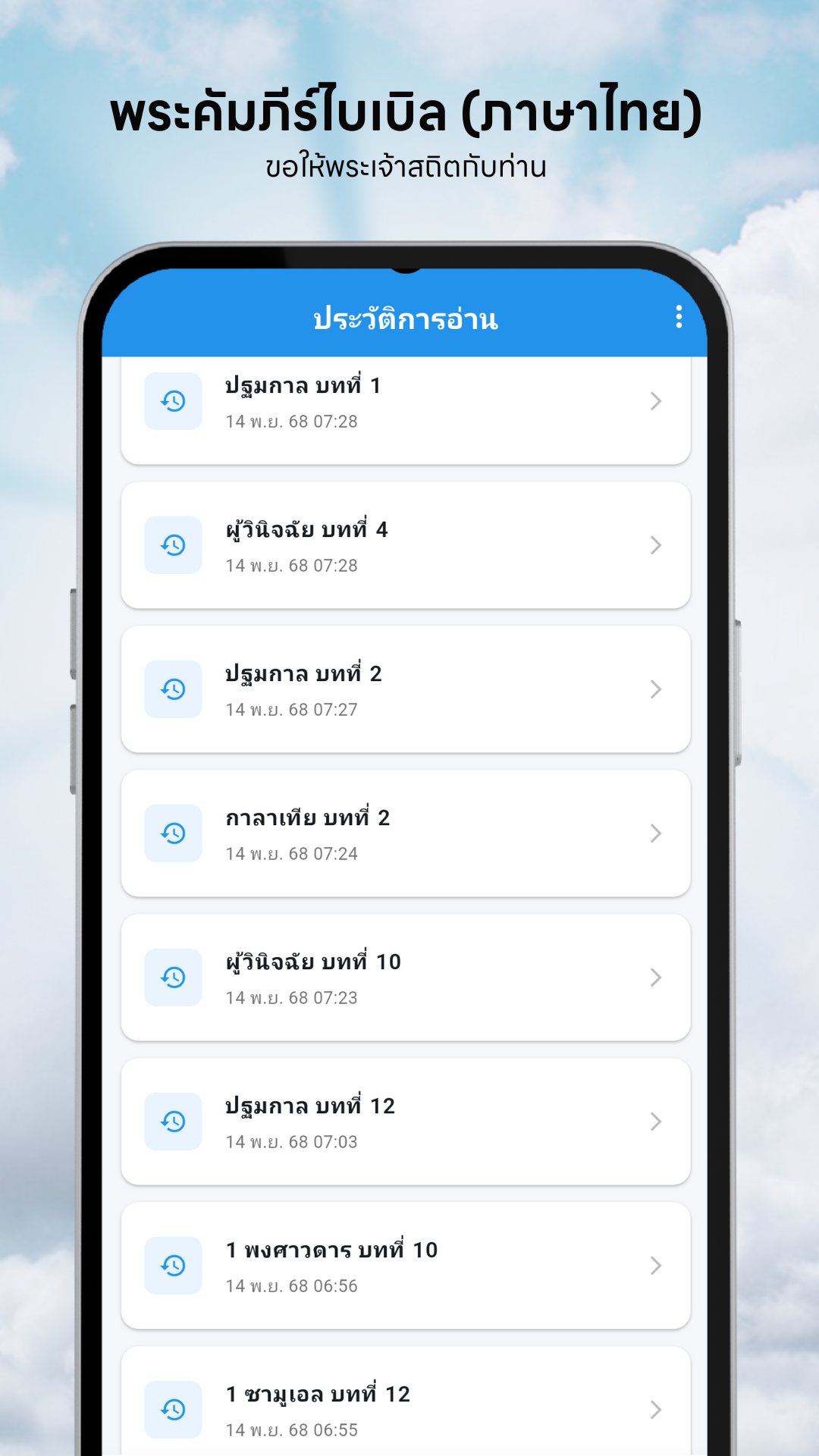
- Reading history — the app remembers the last chapters you opened and stamps each with the date you read it, shown in the Thai Buddhist calendar (e.g. 15 พ.ย. 2567). Clear the whole history with one tap for a fresh start.
- Pick up where you left off — between the progress tracker, history and favorites, you never have to remember which chapter was next.
Read the way your eyes want to
Open any passage and the reading controls sit in the top bar. Drag the font-size slider anywhere from 14 to 28 points and your choice is remembered next time. Switch between a warm sepia day mode and a dark night mode that is kind to the eyes after dark. And because every passage is selectable text, you can press-and-hold to copy a verse straight into a message or your notes.
Free, light and private
Thai Bible is free, supported by a single modest banner — and even that is considerate: the app shows no ads on your first reading session of the day, and only begins showing the banner from the second screen you open. It also requests no special permissions — no camera, no location, no contacts — because everything it needs is the text already on your phone.
How to start a daily reading habit with Thai Bible
- Open the app and read the greeting, then check the progress card to see where you are in the Bible.
- Tap a book on the home screen and choose the next chapter in order.
- Set the font size and switch to night mode if you are reading in the dark.
- Tap the heart to save a verse that speaks to you, or press-and-hold to copy it.
- Come back tomorrow — your history and the rising progress bar show you exactly where to continue.
Frequently asked questions
Does Thai Bible work offline?
Yes. The complete Scripture is bundled inside the app as a local database, so every book, chapter and search works with no internet connection and no account.
How does the reading-progress tracker work?
Each chapter is marked read automatically the moment you open it, and the home screen shows your percentage, chapters read out of the total, and how many remain.
Can I search for a specific verse?
Yes. The search tab looks through both chapter titles and the full passage text and lists every match, all on your device.
Is Thai Bible free, and are there ads?
It is free. A single banner helps support it, but your first reading session of the day is ad-free and the banner only appears from the second screen onward.