Discount Calculator: stack two discounts and see the real price you pay
 By the NAXTECH team · Published 12 Apr 2026 · Updated 18 Sept 2026 · Hands-on with v2.0

Discount Calculator at a glance
- What it is
- A shopping calculator that stacks two discounts, adds tax, and shows the final price.
- Platform
- Android · works fully offline, no account needed.
- Price
- Free with ads · one-time in-app purchase removes them.
- Core tools
- Stack two discounts · add tax · receipt breakdown · compare two deals · savings tracker.
- Currencies & languages
- 20 currencies · 10 languages · comma or dot decimals.
- Best for
- Sale shoppers, coupon stackers and anyone checking "is this really cheaper?"
The sign says 30% off, there is a coupon for another 10%, and tax goes on somewhere — so what do you actually hand over at the till? Most people guess, and most guesses are wrong, because a second discount does not come off the original price. Discount Calculator was built to settle that question in a couple of taps, standing right there in the aisle.
It is a focused shopping calculator with four screens: Calculate, Compare, Savings and Settings. Everything runs on your device, with no sign-in and no connection required, so the math is ready before the cashier is.
Stack two discounts the way the till does
Type the original price, then tap the first discount and an optional extra discount from the chip rails. The key detail is that the second discount comes off the already-reduced price, not the original — exactly how stacked coupons work in a shop. The result card shows what you pay, how much you saved, and the single equivalent percentage: a 30% then 10% stack is 37% off, not 40%. The rails cover every 5% from 5% to 95%, plus tax presets of 4, 7, 10, 15 and 20%, and you can save your own custom rates in Settings so your local numbers are one tap away.
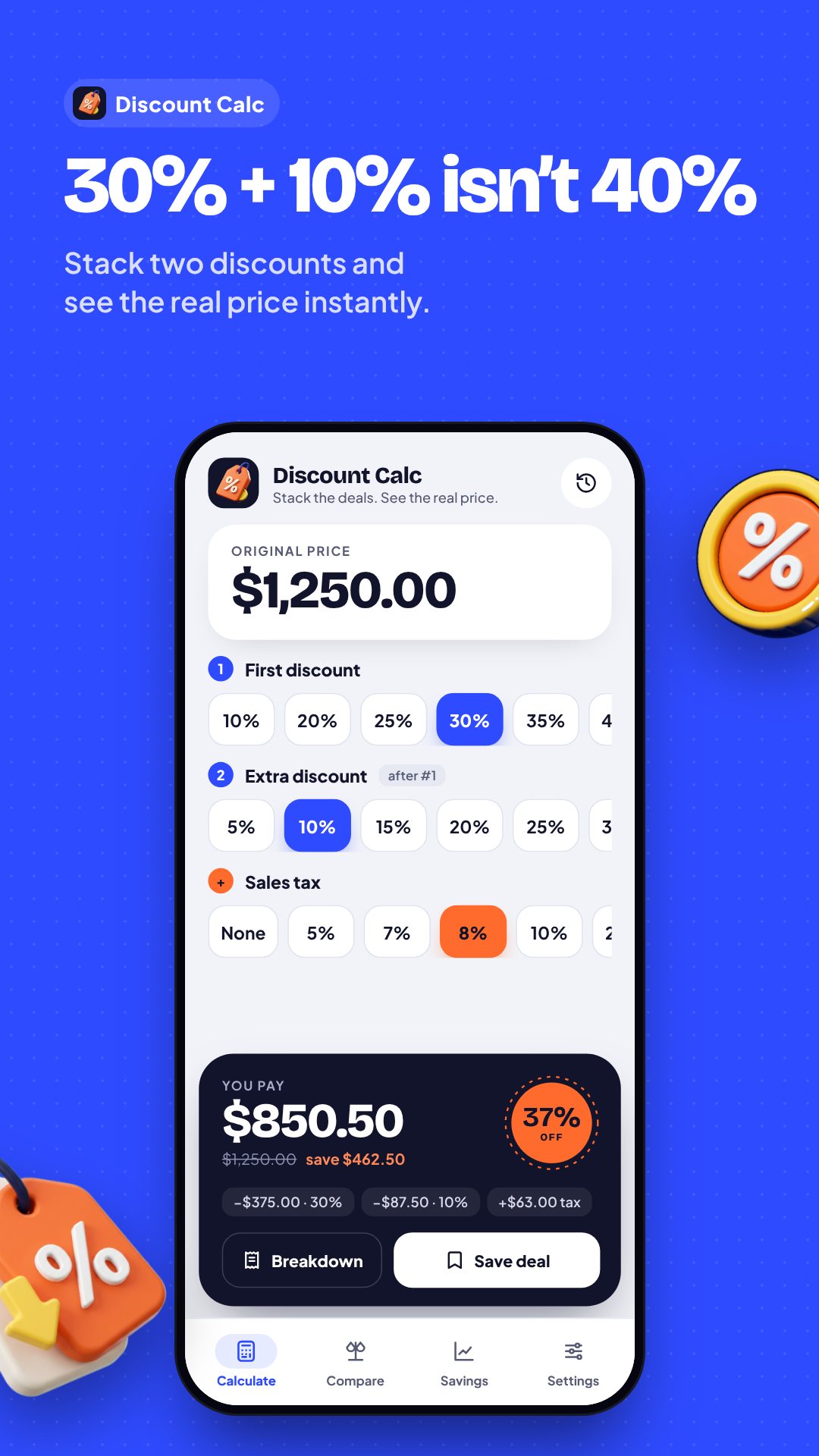
Tax lands where it belongs
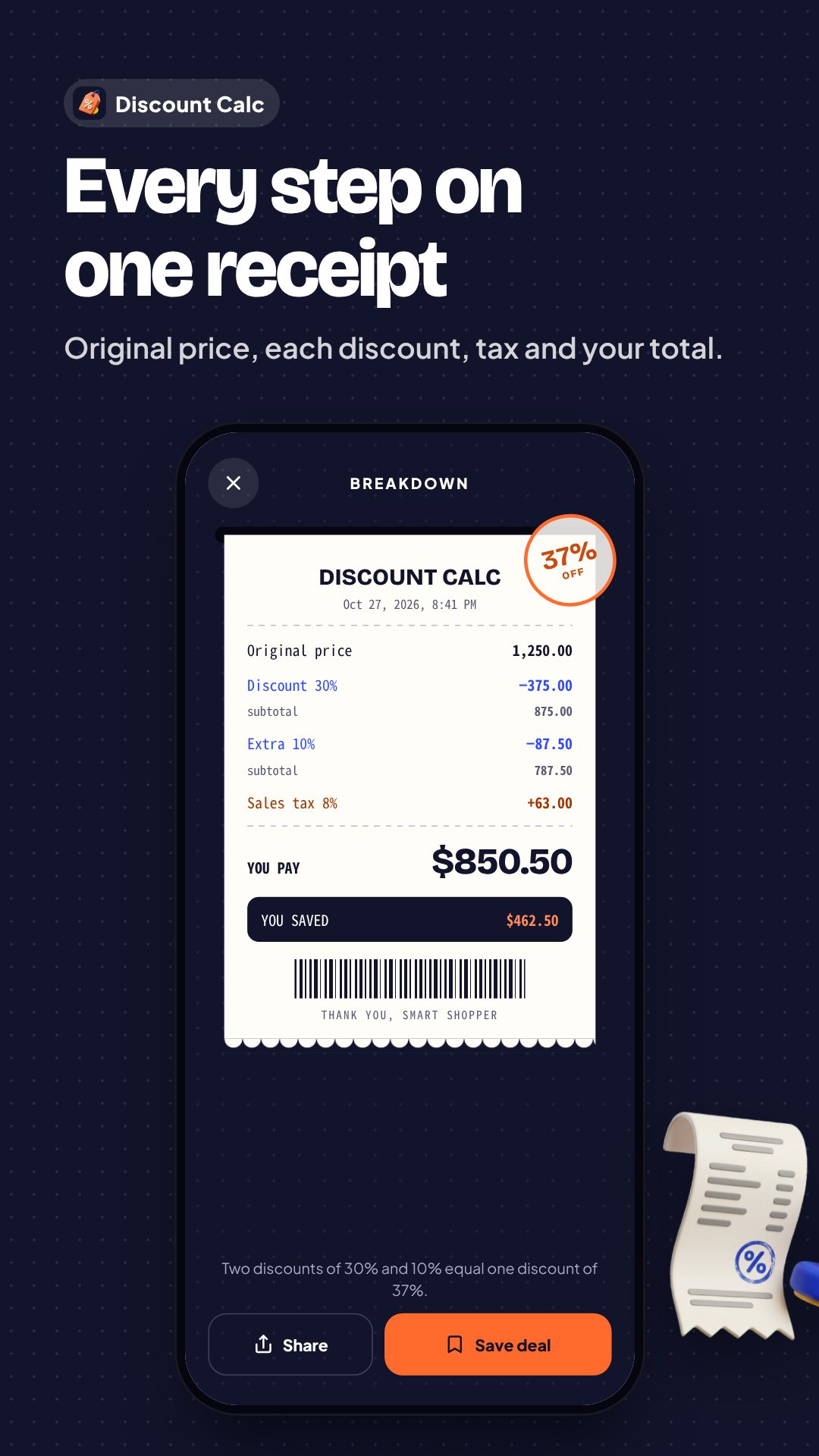
Sales tax, VAT or GST is applied after both discounts — never before — so the total matches the real receipt. Tax is counted separately from your savings, because tax you pay is not money you kept. Tap Breakdown and the app lays out a proper receipt: original price, each discount with its running subtotal, the tax line, the final total, and a plain sentence noting that "two discounts of 30% and 10% equal one discount of 37%." Share that breakdown as text in a tap, or save the deal.
Compare two offers and track what you keep
The Compare screen takes two prices with one discount each and crowns the genuinely cheaper one, telling you the exact gap — with a "Close call!" note when they are almost level. Every deal you save flows into Savings, which totals what you kept today, this week, this month and this year, with your average discount, your best deal and a by-month view. Reuse any saved deal back in the calculator, or clear your history whenever you like.
How to stack two discounts with Discount Calculator
- Open Calculate and type the original price from the tag.
- Tap the first discount percentage you see in store.
- Tap an extra discount — it comes off the already-reduced price.
- Add your local sales tax, VAT or GST if it applies.
- Read You pay and the single equal percentage, then Save the deal.
Built for real shopping, anywhere
Discount Calculator speaks 10 languages and formats money in 20 currencies, from USD and EUR to THB, JPY, INR and AED, handling zero-decimal currencies correctly. It accepts a comma or a dot as the decimal separator, offers a round-to-whole or fixed-decimal option, and gives a light haptic tap as you pick a rate. Nothing leaves your phone.
Good to know
The app is free and supported by ads, with an optional one-time purchase to remove them. Discount Calculator is a shopping aid for everyday price math; always check the final figure on your receipt, as local rounding and tax rules can vary.
Frequently asked questions
Does the second discount stack on the full price or the reduced one?
On the reduced price. The extra percentage comes off the already-discounted amount, just like the till, and the app shows the single equivalent percentage off.
Can I add sales tax or VAT?
Yes. Tax is applied after both discounts, and you can save your local rates so they are one tap away on the calculator.
Does it work offline?
Yes. Every calculation runs on your device with no account, so it works with no connection at all.
Is Discount Calculator free?
Yes, it is free with ads, and a one-time in-app purchase removes them.