 By the NAXTECH team · Published 26 May 2026 · Updated 3 Sept 2026 · Hands-on with v1.0
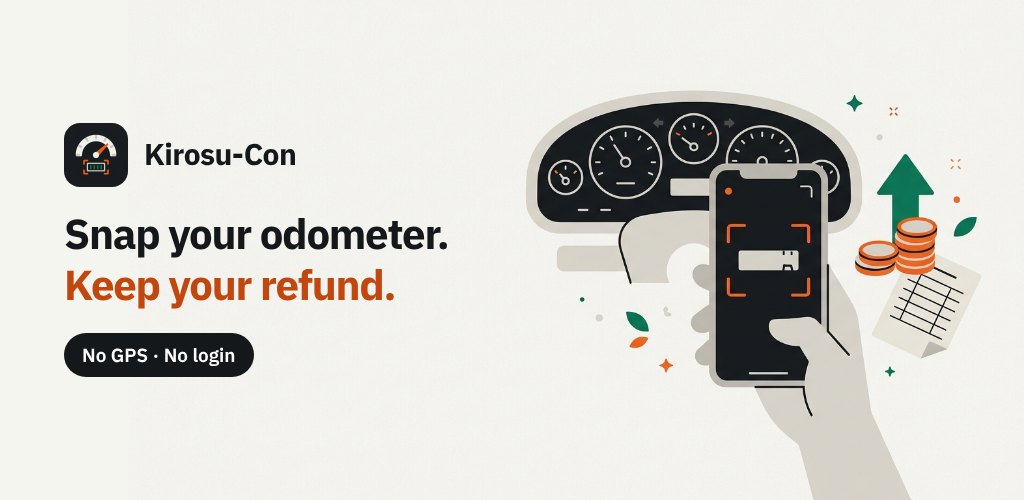
Your car insurance gave you a low-mileage discount, and in twelve months an adjuster will want a photo of your odometer to decide how much money comes back. Drive under the number you agreed to and the refund is bigger; drift over it and it shrinks — but nobody tells you, mid-year, how close to the line you actually are. Kirosucon (키로수콘) was built to answer that one question from a single photo of your dashboard.
Kirosucon is a Korean mileage app built around an odometer scan: point the camera at the dashboard, and on-device OCR reads the total-distance number straight off the cluster. From that one figure it tracks your 마일리지 특약 (mileage-discount) refund and builds the 국세청 업무용승용차 운행기록부 — the National Tax Service business-vehicle driving logbook — ready to export. Everything runs on the phone, with no account and no location access.
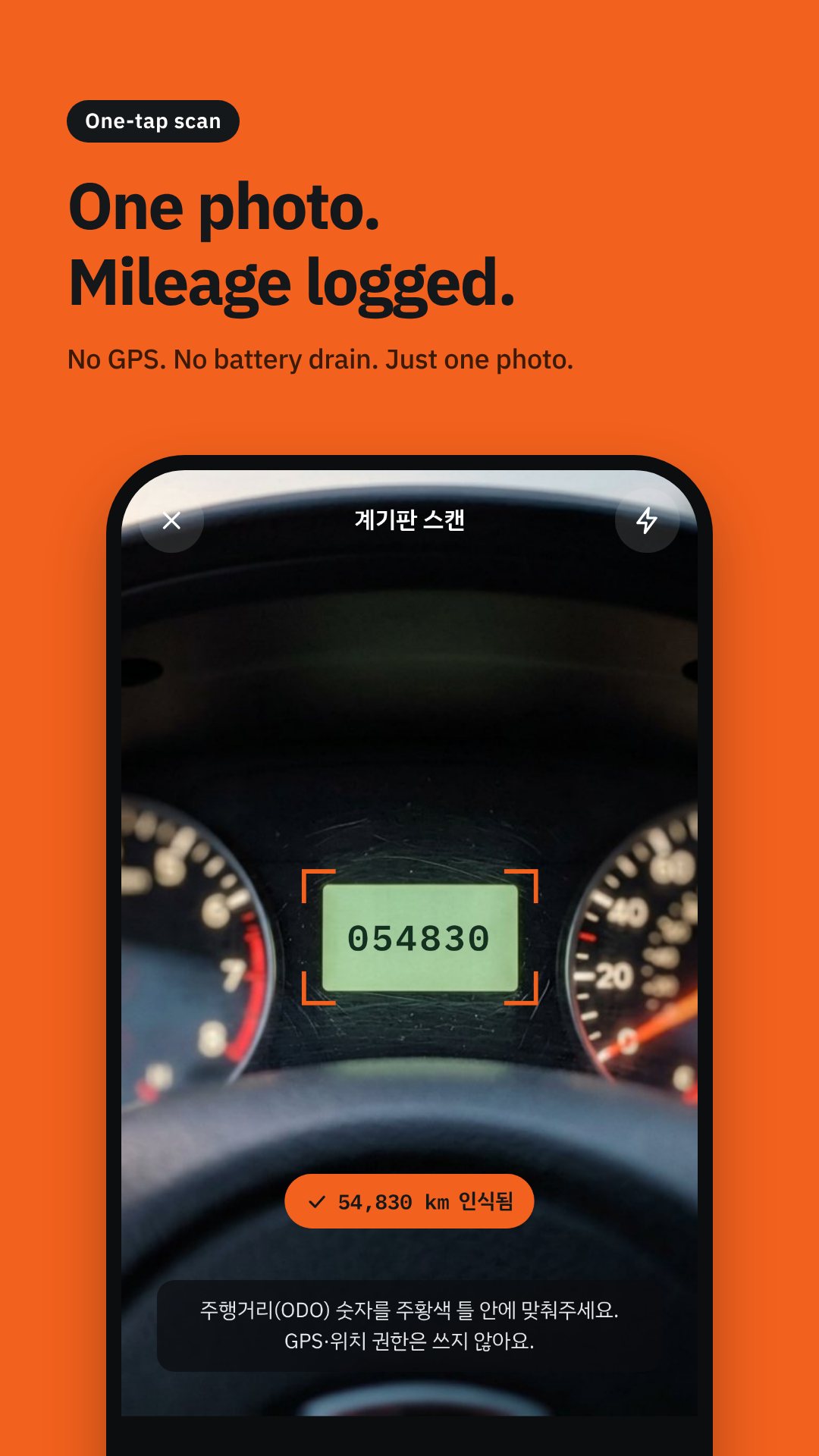
A dashboard photo is full of numbers that are not the odometer — the speedometer marks (20, 40 … 220), the clock at 08:12, the trip meter at 12.4, the coolant gauge. Kirosucon's parser throws those out on purpose: anything with a decimal point or a colon is rejected, and it quietly repairs the misreads OCR makes inside a run of digits — O becomes 0, I or l becomes 1, S becomes 5, B becomes 8. It keeps only 3-to-7-digit candidates, accepts a thousands comma like 54,830, and when it knows your last reading it picks the nearest value that is higher than before, within a sane 50,000 km jump. If every candidate is lower than last time, it stops and asks you to confirm instead of silently saving a wrong number. Text recognition is Google ML Kit running on the device, so nothing leaves the phone, and there is a manual keypad whenever a reading is dirty or the camera is not handy.
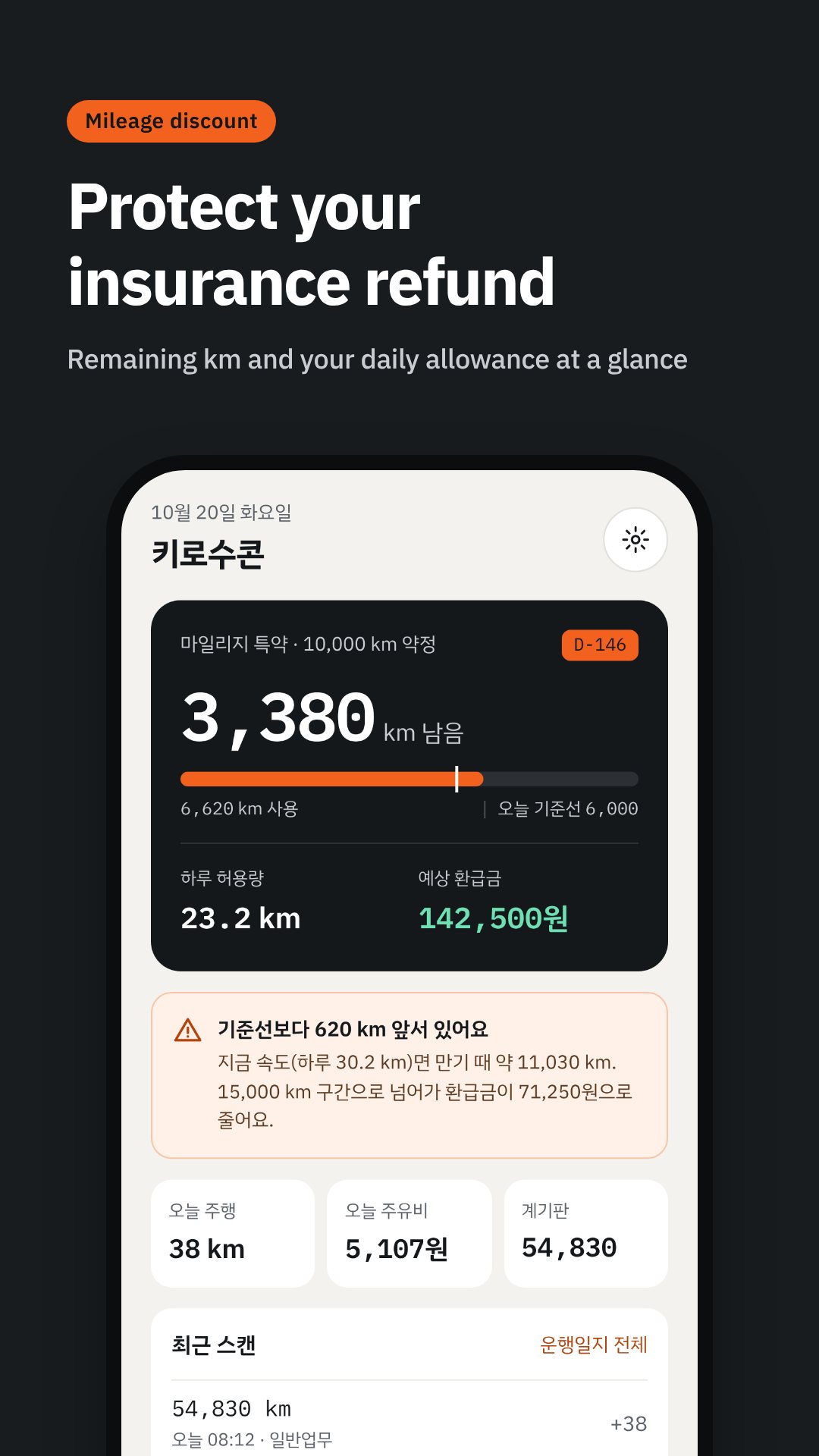
Set your policy start date, your premium and the mileage you contracted — Kirosucon offers the usual tiers of 3,000 / 5,000 / 10,000 / 15,000 km. The home screen then shows used and remaining distance, and a baseline: the kilometres you could have driven by today if you spread the contract evenly across the year. Drive less than the baseline and you are on track; more, and the app says you are ahead of pace. It projects your year-end distance from your current daily rate, tells you how many kilometres a day you have left, counts down the D-day to expiry, and estimates the refund for both your contract and your projected mileage. The rate table is an average of the published tiers from four big insurers — Samsung Fire, Hyundai, DB and KB — so every figure is clearly labelled an estimate, never a promise.
Tag each drive as commute (출퇴근), business (일반업무) or personal (개인), and Kirosucon assembles the NTS 업무용승용차 운행기록부 for the tax year — the exact nine columns of the form, down to separate commute and general-business distance columns and the 업무사용비율 (business-use ratio) totalled at the bottom. Personal kilometres are excluded from that ratio, and the very first cumulative reading since your policy began is kept out of the logbook while still counting toward your insurance quota. Export it as an Excel (.xlsx) or PDF file and share it straight to your accountant.
OCR depends on your camera and the lighting on the cluster; a clean, straight shot reads best, and you can always type the number in. Refund percentages are estimates drawn from published insurer tiers, not a quote — confirm the figure with your own insurer. Kirosucon stores your driving records only on your device; the only network use is ads and the optional purchase to remove them.
Yes. The odometer OCR, the refund maths and the tax-logbook build all run on your device, and your records are saved only on the phone.
Only the camera, for the odometer scan. There is no login, no phone number and no location (GPS) access.
No. They are estimates averaged from the published tiers of four major insurers, and every screen that shows them says so — check your real figure with your insurer.
Yes. Kirosucon builds the 업무용승용차 운행기록부 in its official nine-column shape and exports it as an Excel or PDF file.
Get Kirosucon on Google Play →
 By the NAXTECH team · Published 23 Apr 2026 · Updated 2 Sept 2026 · Hands-on with v1.0
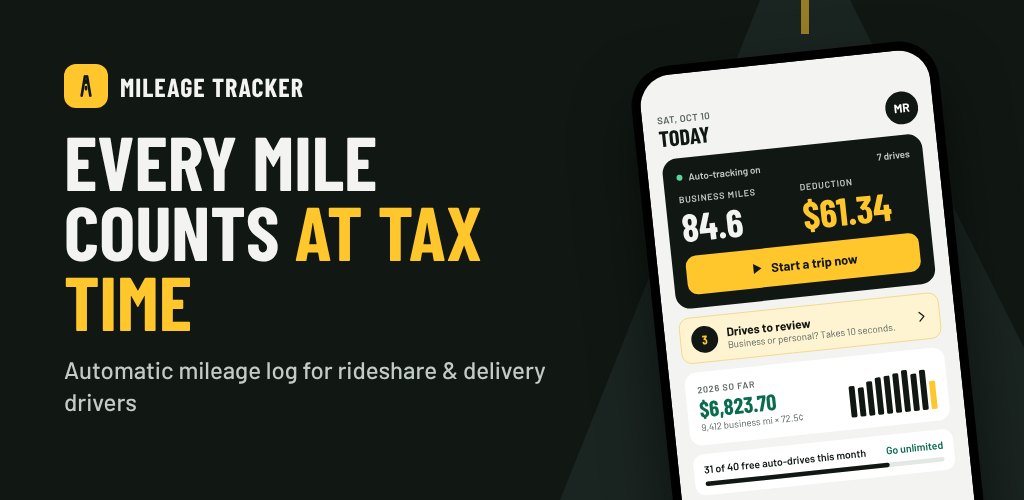
It is tax time, and you are staring at a year of driving you never wrote down. You know every mile you drove for Uber and DoorDash was a real deduction — but without a log, the IRS does not care, and you end up paying tax on income the mileage should have wiped out. Reconstructing it from memory is painful and, frankly, a guess. Mileage Tracker exists so that log writes itself while you drive.
Mileage Tracker is an automatic mileage log built specifically for rideshare and delivery drivers. It detects when you start driving, records the route by GPS, lets you mark a trip business or personal with a single swipe, and keeps a running IRS deduction total — all on your device, with no account to create and nothing uploaded.
Leave the app closed and drive. A foreground service keeps GPS alive and watches for motion: a trip starts once you are moving at roughly 15 mph for a couple of confirmed readings, and ends automatically after you have been stopped below walking-to-car speed for about four minutes. It filters out noisy GPS — rejecting impossible jumps and low-accuracy fixes — so a recorded route reflects the road, not a scatter of pins. The free plan captures up to 40 auto-detected drives a month; Pro lifts the cap.
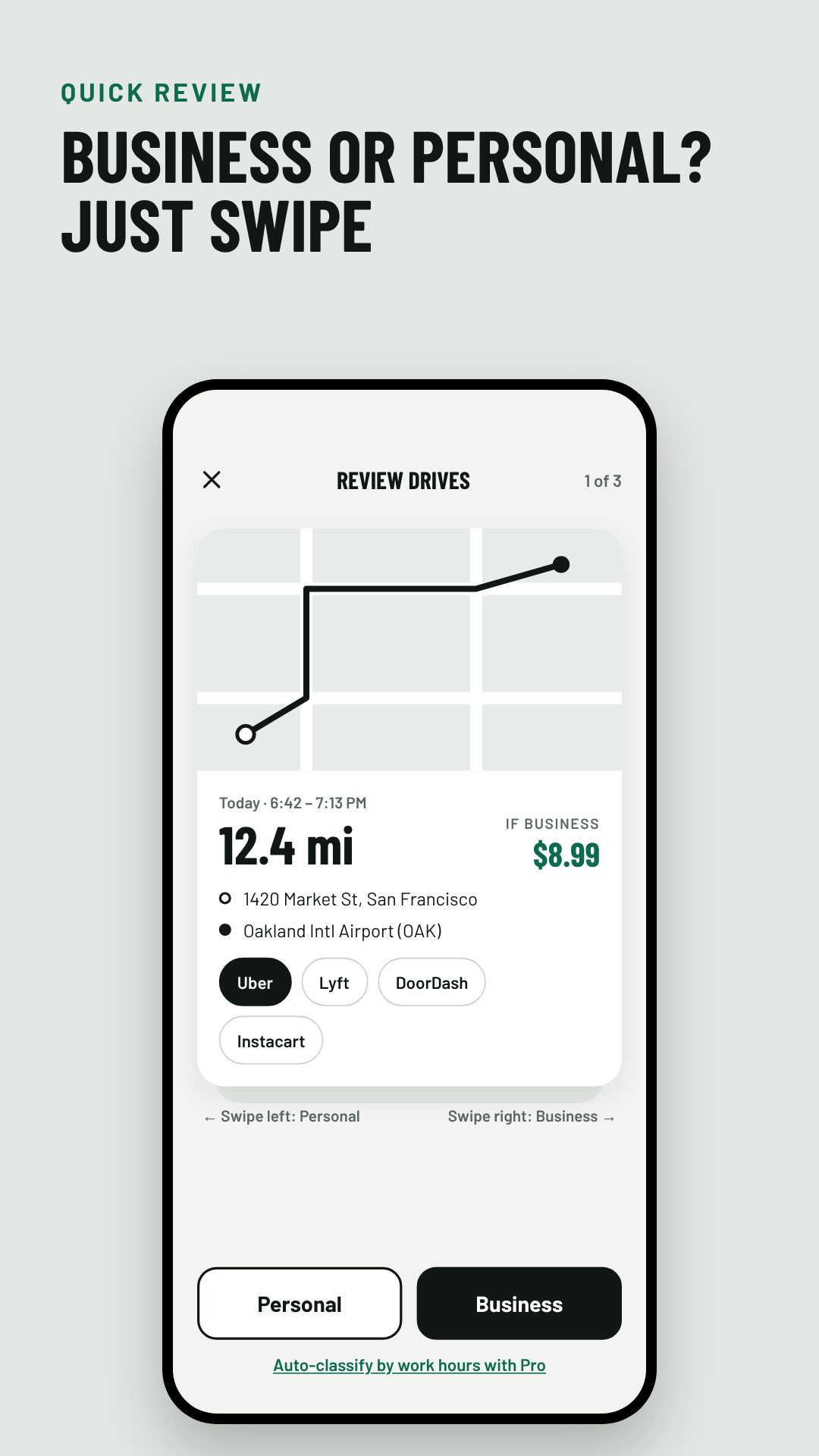
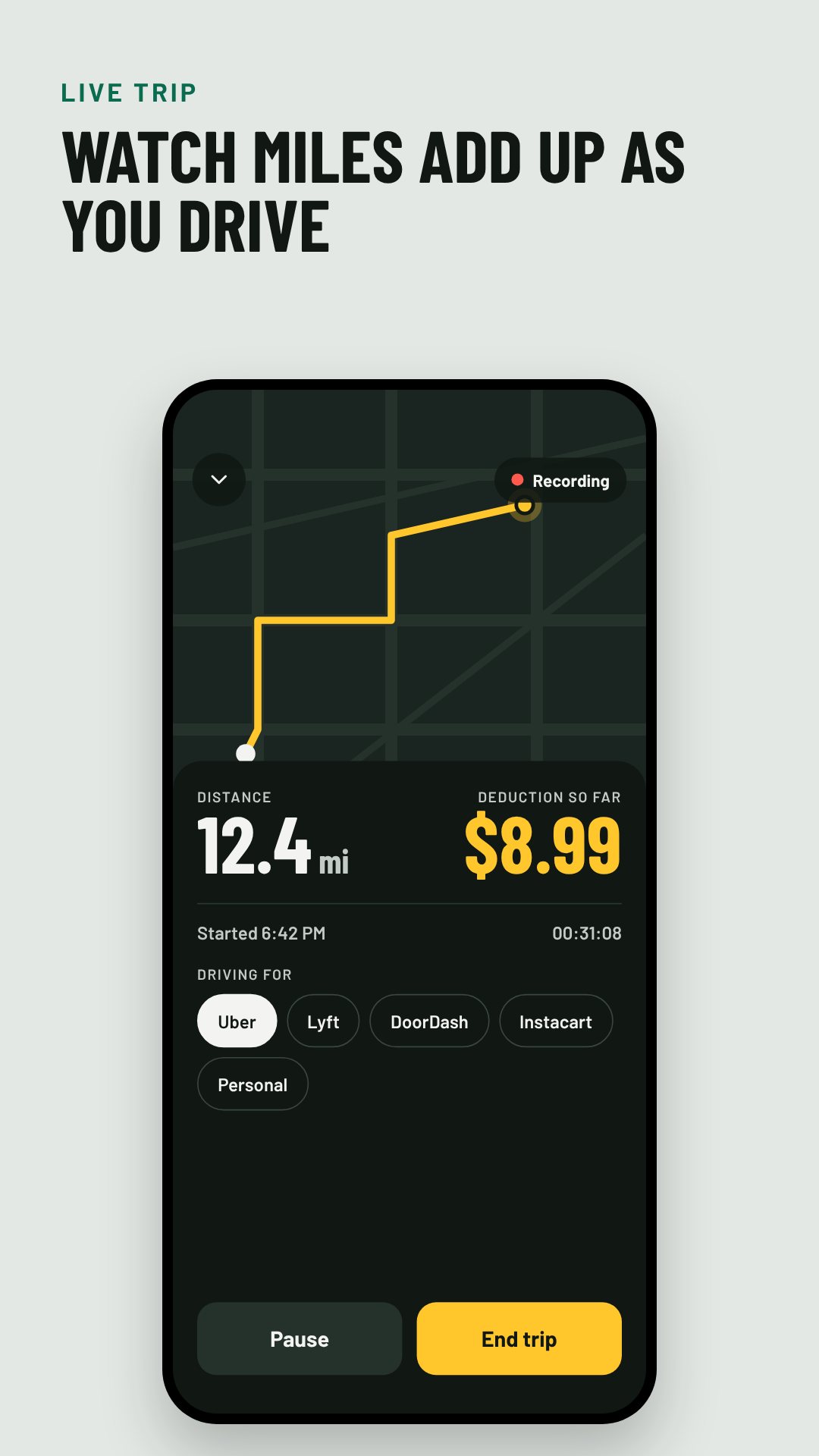
Recorded drives land in a review deck as cards, each showing the mapped route and the addresses. Swipe right for Business, left for Personal, and the next card slides up behind it. On a business trip you can tag which gig app it was for — the list covers Uber, Lyft, DoorDash, Uber Eats, Instacart, Grubhub, Amazon Flex and Spark Driver — and that purpose flows straight into your log as "Uber driving" or similar. Pro can auto-classify by your work hours so most trips are sorted before you even open the deck.
Every classified trip feeds a proper mileage log built around the fields IRS Publication 463 asks for: the date, miles, where you went and the business purpose, plus yearly totals. Business miles are multiplied by the correct IRS standard mileage rate for that tax year — the app ships with 2024 (67¢), 2025 (70¢) and 2026 (72.5¢) built in — so your deduction is never a rough estimate. The Reports screen shows the running total, business miles by month, your business-use percentage, and even quarterly estimated-tax due dates.
When it is time to file, export the whole year as a PDF mileage log or a CSV — both generated entirely on device and shared through the normal Android share sheet, straight to your accountant or tax software. The CSV carries every field, from start and end times to the gig app, vehicle, odometer readings and per-trip deduction, with a separate expenses section underneath.
There is no sign-up and no cloud. Your trips, routes and receipts live in a local database on the phone and are never uploaded — the only network use is ads and the optional purchase. You can back up and restore your data yourself from Settings.
Automatic detection relies on your phone's GPS, so background location must stay allowed for drives to record on their own. Mileage Tracker helps you keep a compliant log and estimate a deduction; it is not tax advice, and the standard mileage rates are the IRS figures for US filers. The app is free with ads, and an optional Pro subscription removes limits and adds auto-classification.
Yes. Everything runs on your device with no sign-up, and your trips are never uploaded — the only connection is for ads and the optional purchase.
A background service watches GPS and starts a trip once you reach about 15 mph, then ends it automatically after you have been stopped for a few minutes.
The IRS standard business rate for each tax year — for example 70¢ per mile in 2025 and 72.5¢ in 2026 — applied only to trips you mark as business.
Yes. Export any year as a PDF mileage log or a CSV and share it directly from your phone to your accountant or tax software.