 By the NAXTECH team · Published 7 Apr 2026 · Updated 11 Sept 2026 · Hands-on with v2.0
You are about to factory-reset your phone, or an app you rely on has just vanished from the Play Store — and you realise the install you have is the only copy you will ever get. Android keeps every app you own locked away as a system file you cannot simply copy. APK Extractor exists to hand that file back to you, cleanly and in seconds.
Point it at any app on your device and it writes a real, installable APK to your own storage. No root, no cable, no desktop — just your phone and a tap. Everything runs on device, so you can archive an app on a plane or at a client site with no connection at all.
The Apps tab lists everything on your device. Search by name, filter to User apps only, System apps only or all of them, and sort by name, size, last-updated or install date. Tap Extract and APK Extractor copies the app straight into the /storage/emulated/0/APKExtractor folder, naming the file after the app, its package and its version so your archive stays readable months later.
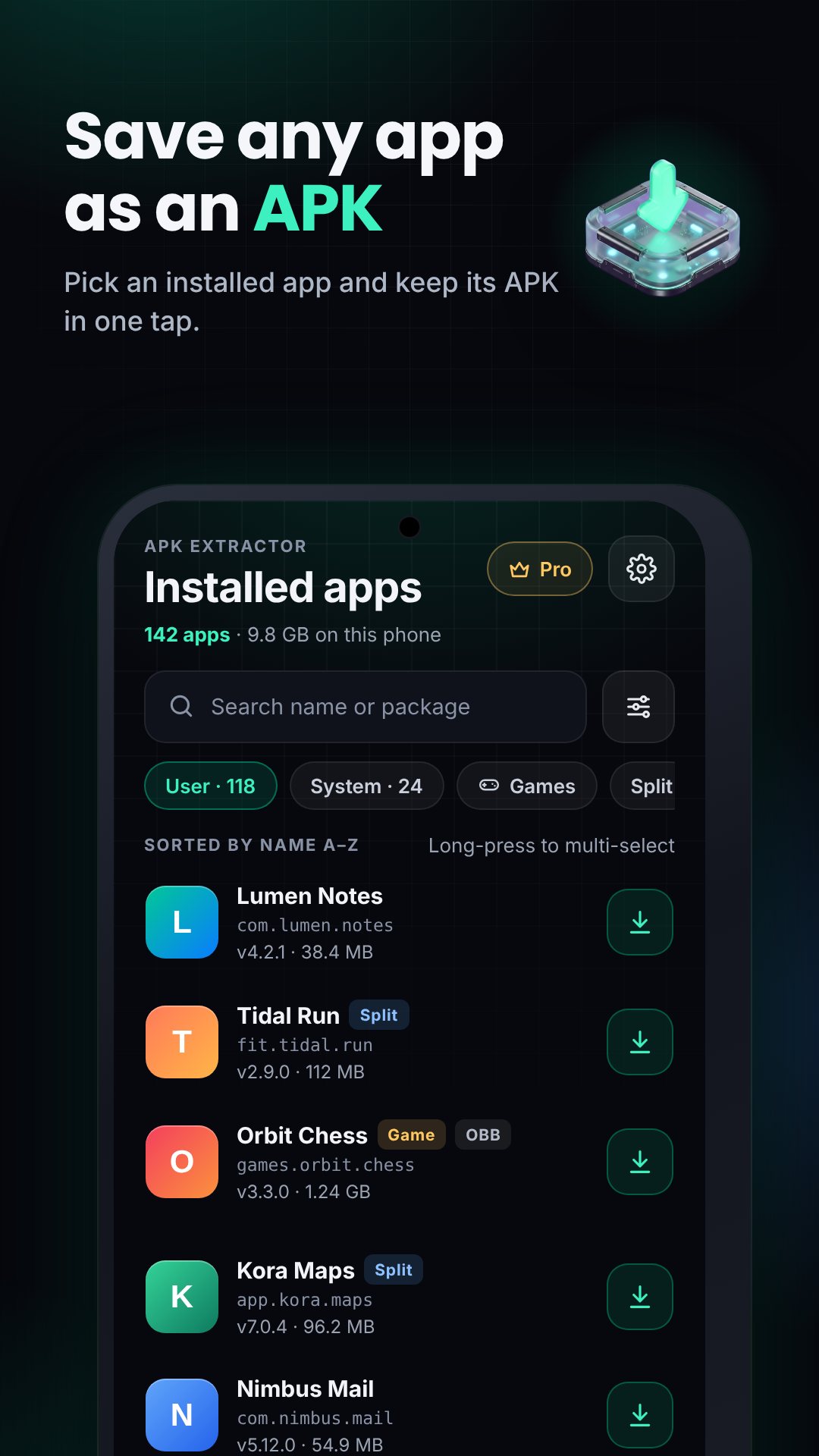
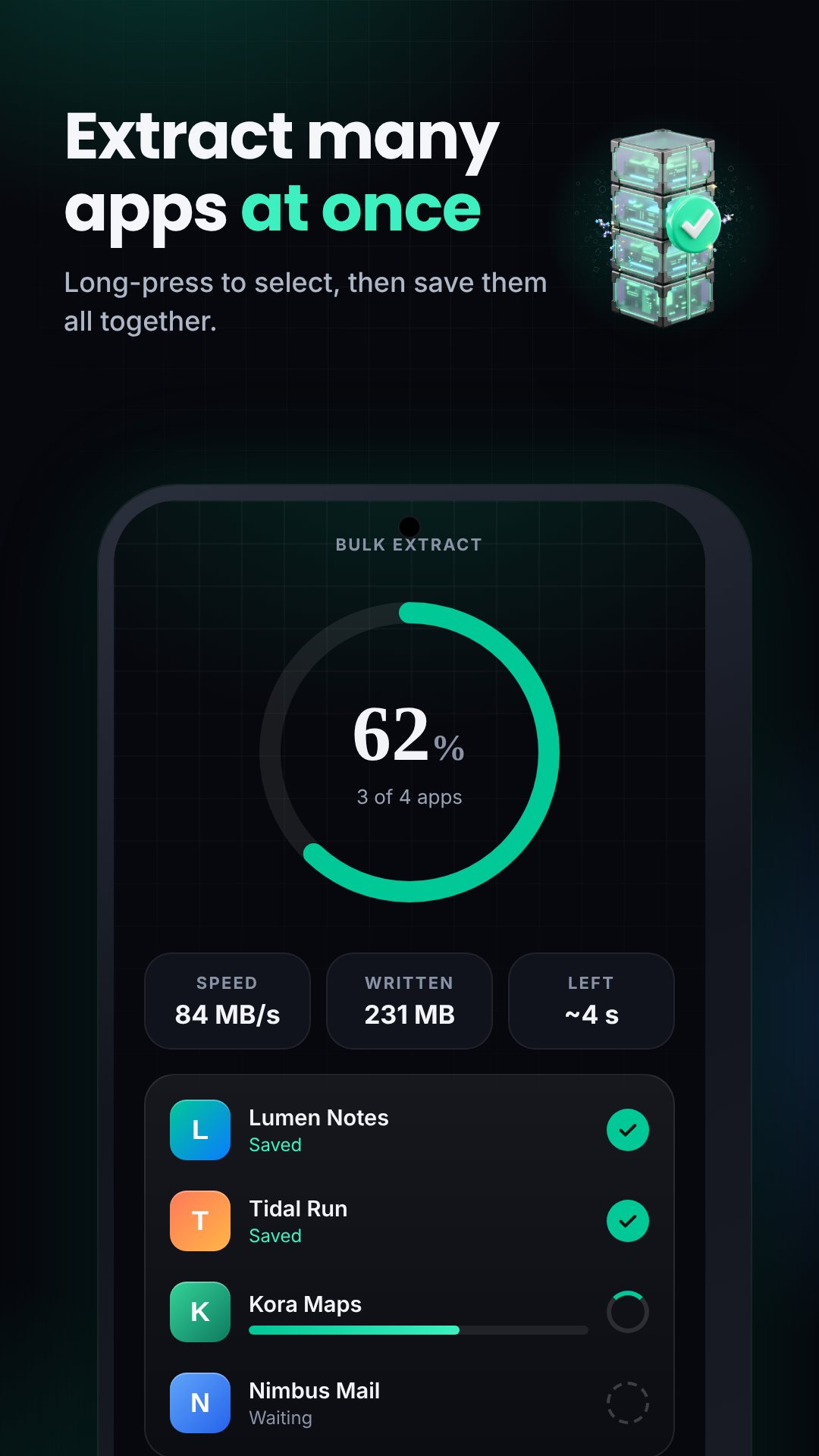
Most new apps ship as split App Bundles, which is exactly where simpler extractors fall over. APK Extractor detects a split install and packages the base.apk together with every split — language, density and ABI parts — into a single .apks archive, the format that modern installers understand. A plain single-APK app is saved as a straight .apk. Either way you get a file that will actually install again.
For games and large apps, Full backup (APK+OBB+Data) zips the base and splits alongside the app's Android/obb expansion files and its Android/data folder into one archive, and reports exactly how many bytes came from each. When Android's scoped-storage rules block the OBB or data folder, the app tells you plainly rather than failing silently, so you know what made it into the backup.
Tap Inspect contents on any APK and APK Extractor opens it across five tabs without you ever unzipping a thing: a Summary of total entries and compressed-versus-uncompressed size, Native libs grouped by ABI, the DEX files with a real class count read from each one's header, the Resources broken down by bucket, and a full Files tree. The detail screen adds the package, version name and code, min and target SDK, install and update dates, the source paths of every split, and the app's SHA-256 signing certificate and declared permissions.
.apk, .apks and backup .zip you have made, newest first.APK Extractor asks for only the permissions it needs to read installed packages and write to public storage — it even strips out the media-access permissions that bundled libraries try to add. There is no sign-in and nothing is uploaded; the app is free and supported by ads, with a short rewarded ad gating the heaviest batch and full-backup jobs so the rest stays unlimited.
Saving to public storage needs Android's "all files access" permission, which the app requests on first launch. On Android 11 and newer, copying another app's OBB or data folder can be blocked by the system; APK Extractor backs up what it is allowed to and flags the rest. Extract and keep apps you have the right to — your own builds, open-source apps and personal backups.
No. It reads your installed apps and writes APKs to your own storage without root or a PC — only Android's all-files storage permission.
Yes. It bundles the base APK and every split into a single .apks archive, and saves ordinary apps as a plain .apk.
In the APKExtractor folder on your internal storage, named by app, package and version, and listed in the app's Extracted vault.
Yes, it is free and ad-supported, with a short rewarded ad only on bulk extract and full-backup jobs.