Solfeggio Bowl: a singing-bowl & Solfeggio frequency app that generates every sound on your phone
 By the NAXTECH team · Published 2 Jun 2026 · Updated 25 Aug 2026 · Hands-on with v1.0
Solfeggio Bowl at a glance
- What it is
- A relaxation and sound-bath app built around Solfeggio tones, binaural beats and playable singing bowls.
- Platform
- Android · works fully offline, no account needed.
- Price
- Free, with ads and optional in-app purchases.
- Sound engine
- Every tone is synthesised on your device — the app ships no audio files.
- Core features
- 13 frequencies · 5 brainwave bands · 3-layer mixer · 7 singing bowls · 6 guided rituals.
- Languages
- English and Korean.
- Best for
- Sleep, focus, calm and meditation at home.
It is late, the house is finally quiet, and you reach for a frequency app — only to find it is really a wrapper around a few streamed loops that stall the moment your signal drops. If you have tried to drift off to a 528 Hz tone and been interrupted by a buffering spinner or an ad that needed the network, you know the gap this app was built to close.
Solfeggio Bowl takes a different approach: every sound you hear is generated on your phone in real time, so there is nothing to download and nothing to stream. Pure Solfeggio tones, binaural and isochronic beats, four ambient soundscapes and seven singing bowls are all synthesised on device at 44.1 kHz — which is why the whole thing runs offline with no account.
A Solfeggio frequency library, organised by what you want
The library carries 13 frequencies — the nine classic Solfeggio tones (174, 285, 396, 417, 528, 639, 741, 852 and 963 Hz) plus 111, 432, 777 and 888 Hz — and groups them by goal rather than by number, so you browse under Sleep, Calm, Focus or Wealth instead of guessing. Each tone plays as a seamless ten-second sine loop, and the wealth and luck frequencies carry an honest note that they are rooted in belief traditions, not a promise.
Binaural beats, with an honest note about headphones
On top of any tone you can layer a brainwave beat across five bands — delta, theta, alpha, beta and gamma — in either binaural or isochronic mode. The app watches your audio output and knows when headphones are plugged in: binaural beats need both ears, so when you are on the phone's speaker it suggests the isochronic pulses that still work out loud. It is a small detail that most frequency apps skip.
A three-layer mixer that crossfades live
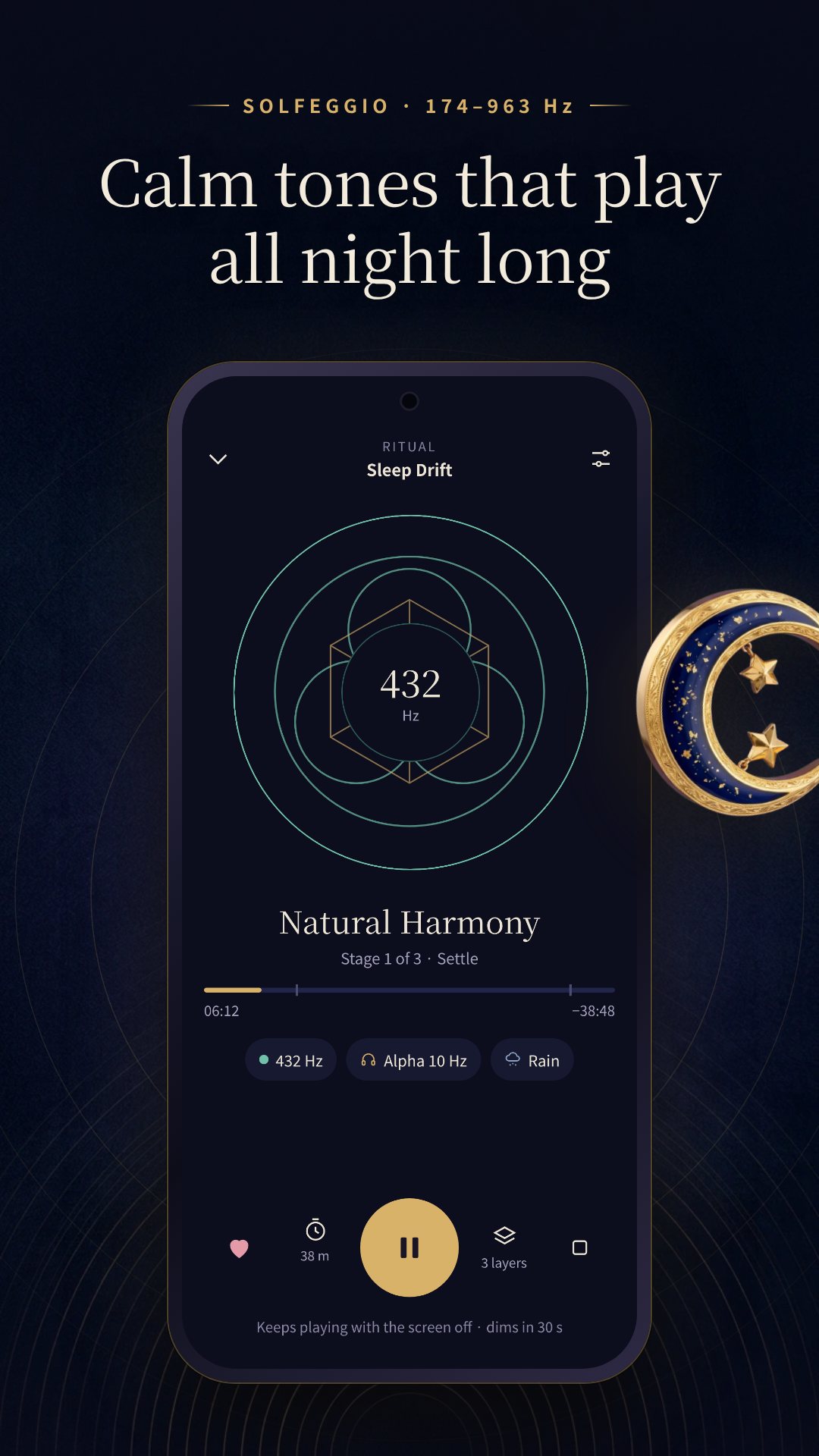
The mixer stacks up to three layers — a frequency, a brainwave band and an ambient soundscape (rain, ocean, fire or forest) — each with its own volume. Changes crossfade into a session already playing, so you can tune the blend without a gap of silence, then save it as a preset to reopen later.
Singing bowls you actually play
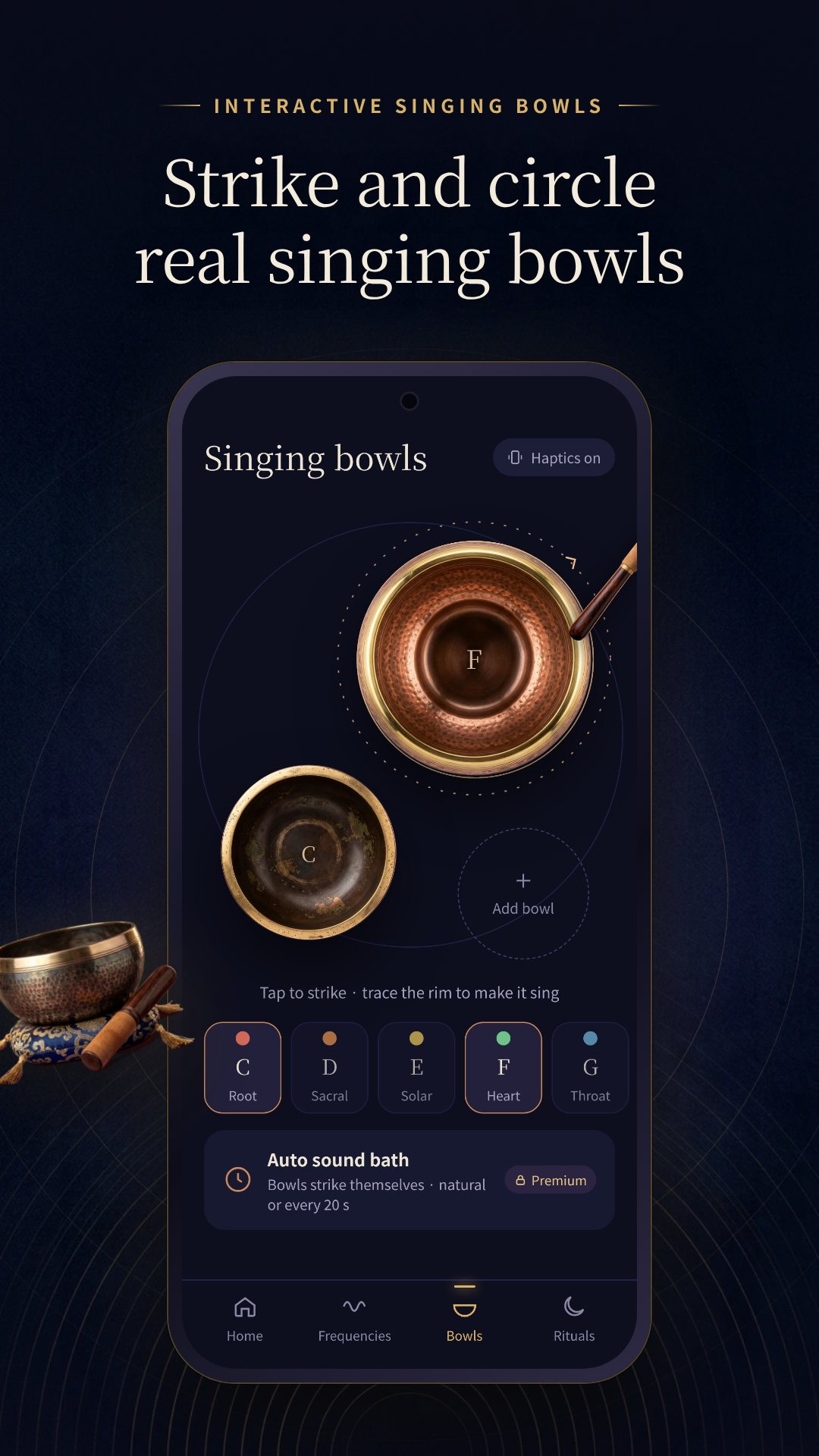
The bowls are interactive, not a recording. There are seven bowls tuned to the chakra scale, from a C root bowl at 130.81 Hz up to a B crown bowl at 246.94 Hz, cast in bronze, copper and brass. Tap a bowl to strike it, or trace its rim to make it sing, and strikes answer with a gentle haptic tick. Premium adds an automatic sound bath that strikes the placed bowls on a pace you set.
Guided rituals and a sleep timer
When you would rather not build a mix yourself, six guided rituals — Sleep, Morning, Reset, Focus, Bath and Unwind — run in timed stages that shift the blend as they go. The Sleep ritual, for example, settles for ten minutes on 432 Hz over rain, drifts for thirty on a deep 174 Hz delta layer, then fades. A sleep timer (15, 30, 45, 60 or 90 minutes, or "end with the ritual") stops playback for you, and daily reminders can nudge you into a morning or night session.
Built to keep playing, and to stay offline
Sessions keep running with the screen off, with lock-screen and media-button controls through a proper media session, so a bedtime tone does not stop when the display sleeps. Premium users also get a home-screen widget that jumps straight to their favourite bowls.
Good to know before your first session
Solfeggio Bowl is for relaxation and entertainment — it is not a medical device and makes no health claims. Binaural beats are felt best through headphones; on speakers, switch to isochronic mode. The app is free with ads and offers optional in-app purchases that unlock every frequency, band, bowl and ritual.
How to build your first sound bath
- Pick a goal on the home screen — Sleep, Calm, Focus or Wealth — to see the matching frequencies.
- Open the Mixer and choose a frequency, then add a brainwave band (plug in headphones for binaural, or stay on isochronic for the speaker).
- Layer in an ambient soundscape — rain, ocean, fire or forest — and balance the three volumes.
- Tap Bowls and strike or trace a bowl to drop a chakra note over the mix.
- Set the sleep timer and let it play with the screen off.
Frequently asked questions
Does Solfeggio Bowl work offline?
Yes. Every tone, beat, soundscape and bowl is generated on your device, so the whole app runs without a connection and without an account.
Do I need headphones?
Only for binaural beats, which need both ears. The app detects your output and suggests isochronic pulses when you are on the phone's speaker.
Can the Solfeggio frequencies heal or make me money?
No. The app is for relaxation and entertainment only; the wealth and luck tones come from belief traditions and are not a promise or a medical treatment.
Is Solfeggio Bowl free?
Yes, it is free to download with ads, and offers optional in-app purchases that unlock the full set of frequencies, bands, bowls and rituals.