Lucid Dream Control: train your mind to notice you are dreaming
 By the NAXTECH team · Published 11 Apr 2026 · Updated 26 Jun 2026 · Hands-on with v2.0

Lucid Dream Control at a glance
- What it is
- A complete lucid-dreaming trainer: reality checks, a dream journal, induction techniques and sleep cues.
- Platform
- Android · journaling, speech-to-text and interpretation run on device.
- Price
- Free, with ads; optional premium unlocks nighttime dream cues.
- Core tools
- Reality Checks · Dream Journal · MILD & WBTB · Dream Cues · Dream Interpretation · Learn lessons.
- Languages
- 17, including English, Spanish, Hindi, Japanese, Korean and Thai.
- Best for
- Beginners chasing a first lucid dream and practitioners keeping a serious journal.
You wake up certain you were just flying, or being chased down a street that does not exist — and within a minute the whole thing has drained away. That is the frustration every would-be lucid dreamer knows: the dreams are vivid, but you are never awake inside them, and by breakfast you cannot even recall them. Lucid Dream Control was built to close both gaps — to sharpen recall and to train the single habit that flips a dream lucid.
Rather than one gimmick, it assembles the techniques the community actually uses — reality checks, a fast dream journal, the MILD and WBTB induction methods, and gentle audio cues during REM — and ties them together with progress tracking so the practice sticks. The core runs on your device, so your journal and its analysis never leave the phone.
Reality checks that become a reflex
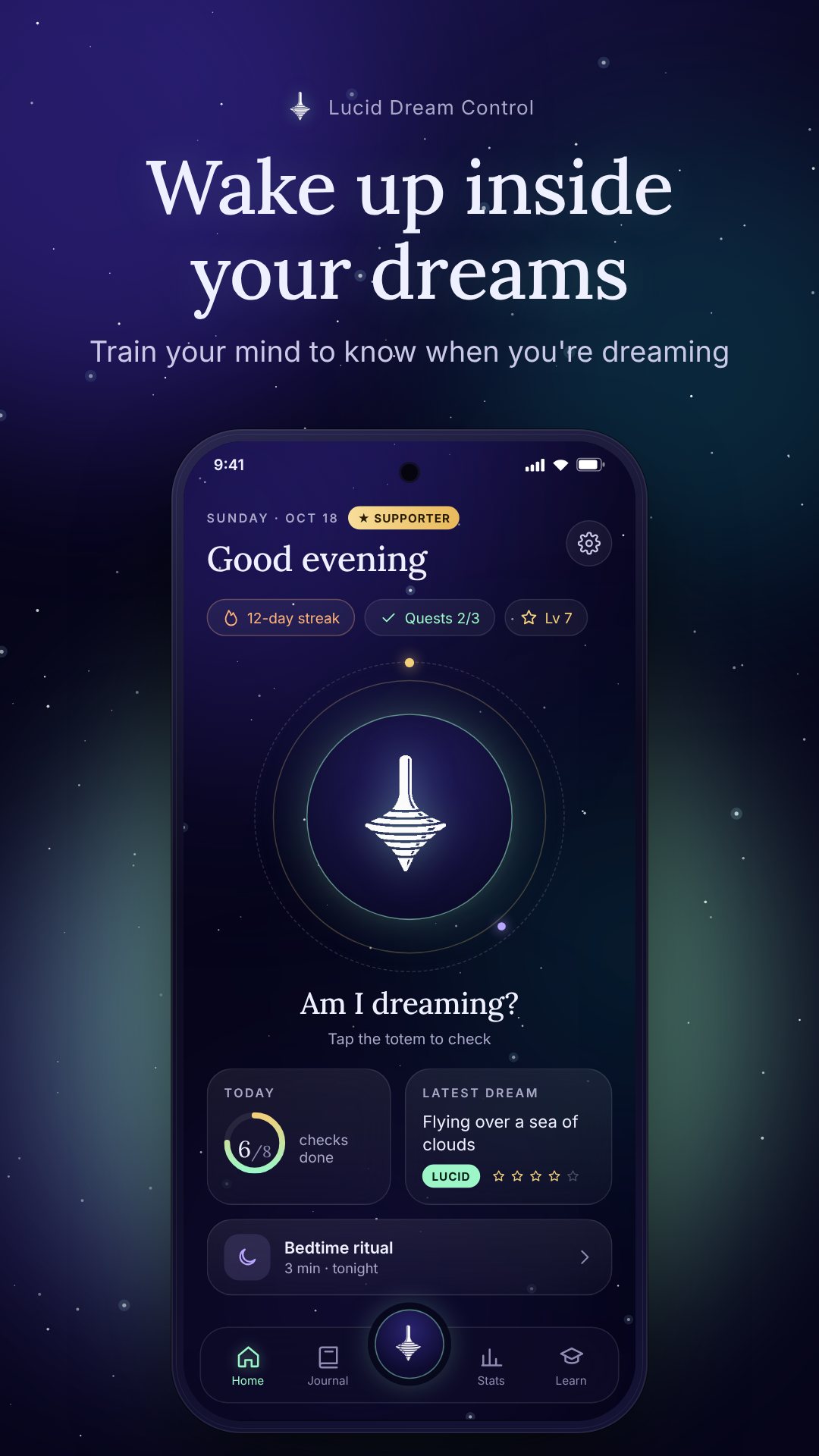
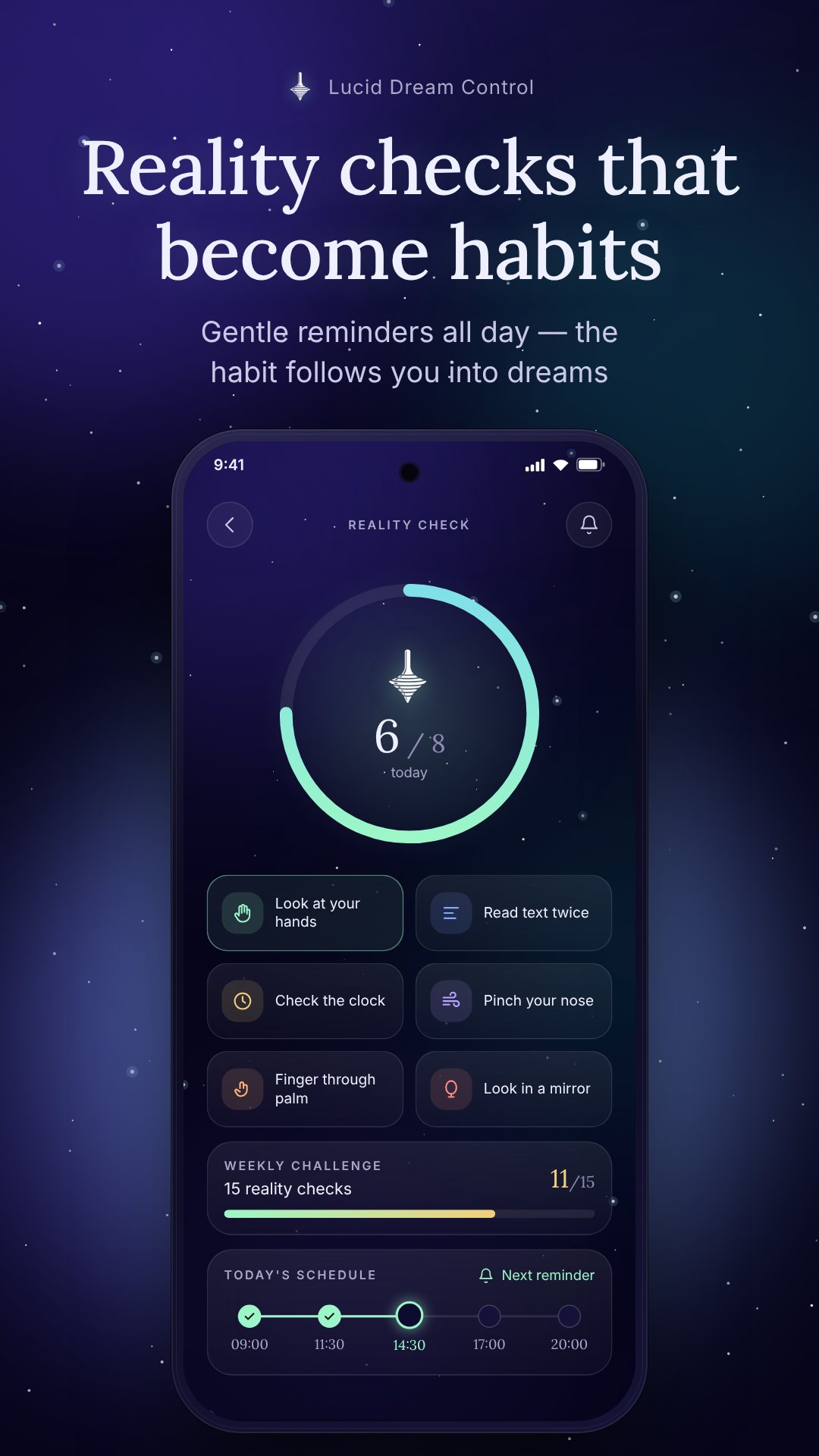
Lucidity usually starts with a habit you build while awake. The app sends daytime reality-check reminders at a frequency you set, and each one prompts a different method — look at your hands, read a line of text twice, check a clock, or push a finger through your palm. Tap the reality-check orb any time and it cycles the techniques with a haptic tick, and you can write your own custom checks. The point, as the app keeps reminding you, is to genuinely ask "Am I dreaming?" and expect it might be true — not to tap mindlessly.
A dream journal you can fill with your eyes shut
Recall fades in seconds, so speed matters. The Dream Journal lets you dictate the dream the moment you wake — speech is turned into text on your device, with no internet needed — or type it. Each entry takes an emotion, tags and dream signs, and a morning reminder nudges you to log last night before the memory is gone. Over time those tags surface the themes that keep showing up before your lucid dreams.
MILD, WBTB and a bedtime ritual
Two proven induction techniques sit one tap away. MILD (Mnemonic Induction of Lucid Dreams) has you repeat an intention as you fall asleep — the app frames its odds as roughly 1 in 5 tries. WBTB (Wake Back To Bed) schedules an alarm 4.5–6 hours into sleep so you wake briefly and return during REM-dense sleep, which the app notes can roughly double the odds. A three-minute bedtime ritual primes your mind, and the two methods combine for a stronger effect.
Dream cues timed to REM sleep
The premium Dream Cues module is the clever part. It estimates when you are likely in REM from your sleep schedule and plays a soft sound at low volume during those windows. The sound slips into the dream as something familiar — a phone, a doorbell, music — and when you recognise it, you realise you are dreaming. You choose the cue sound and how many play per night, and the app keeps the audio running in the background.
Offline interpretation, not fortune-telling
Once you have entries, the Dream Interpretation tool reads your dream against a built-in library of 213 dream symbols — water, being chased, teeth falling, flying and many more — entirely on device. It returns an overall theme, the symbols it found with a confidence level, your emotional balance, candidate dream signs and a lucid insight, while a separate pattern analysis scans your whole journal for recurring symbols and emotional trends. It is framed for self-reflection, not professional advice.
Lessons, and a reason to keep going
A Learn tab holds a short course — an intro plus lessons on reality checks, journaling, cues and advanced tips — with progress tracking and links straight to the matching tool. The app also turns practice into a game: every recorded dream becomes a star in "My sky," symbols you meet fill a Symbol collection (rare cards come from lucid dreams), and streaks, levels, XP, quests and a weekly wrapped mark your progress. A biometric app lock keeps the journal private.
How to chase your first lucid dream with the app
- Turn on daytime reality-check reminders and actually perform each check you are prompted to do.
- Record every dream by voice or text the instant you wake, and tag the emotions and dream signs.
- Read the Learn lessons and run the MILD intention as you fall asleep.
- Set a WBTB alarm 4.5–6 hours in, wake briefly, then return to sleep.
- Enable Dream Cues for the night and use interpretation to spot your recurring dream signs.
Good to know before you start
Lucid dreaming is a trained skill, not an overnight switch — the app itself notes most beginners see a first lucid dream within about 3–8 weeks of consistent practice. Voice journaling and sleep cues use the microphone and background audio, and reminders rely on notifications and exact alarms, so grant those when asked. The app is free with ads, with optional in-app purchases for premium features, and the dream interpretation is for personal reflection rather than medical or psychological advice.
Frequently asked questions
Does Lucid Dream Control work offline?
Yes. The dream journal, on-device speech-to-text and the symbol interpretation all run on your phone, with no account and no internet required.
What is the difference between MILD and WBTB?
MILD is an intention you repeat as you fall asleep (about a 1-in-5 shot), while WBTB wakes you 4.5–6 hours in to re-enter REM and can roughly double your odds; they work well together.
What are the nighttime dream cues?
They are gentle sounds played at low volume during estimated REM sleep, meant to enter your dream as a familiar signal so you realise you are dreaming — a premium feature where you set the sound and how many play.
Is my dream journal private?
Yes. Entries stay on your device and you can lock the app behind biometric authentication so no one else can open your journal.