Pregnancy Calculator: your due date and a week-by-week companion in one app
 By the NAXTECH team · Published 26 Aug 2026 · Updated 1 Nov 2026 · Hands-on with v4.0

Pregnancy Calculator at a glance
- What it is
- A due-date calculator and week-by-week pregnancy companion.
- Platform
- Android · works fully offline, no account needed.
- Price
- Free, with ads and an optional ad-free upgrade.
- Core tools
- Due date · Weekly journey · Kick counter · Contraction timer · Food check · Hospital bag · Baby names.
- Safety tools
- Kick counter and contraction timer are always ad-free.
- Best for
- Expectant parents who want one calm app from the first week to the nursery.
You just saw the two lines, and the first question is the oldest one there is: when is the baby coming? Then come all the others — is this snack safe, was that a kick or just a flutter, is it time to go to the hospital yet. Pregnancy Calculator was built to answer that first question in a tap and then stay useful for the next nine months.
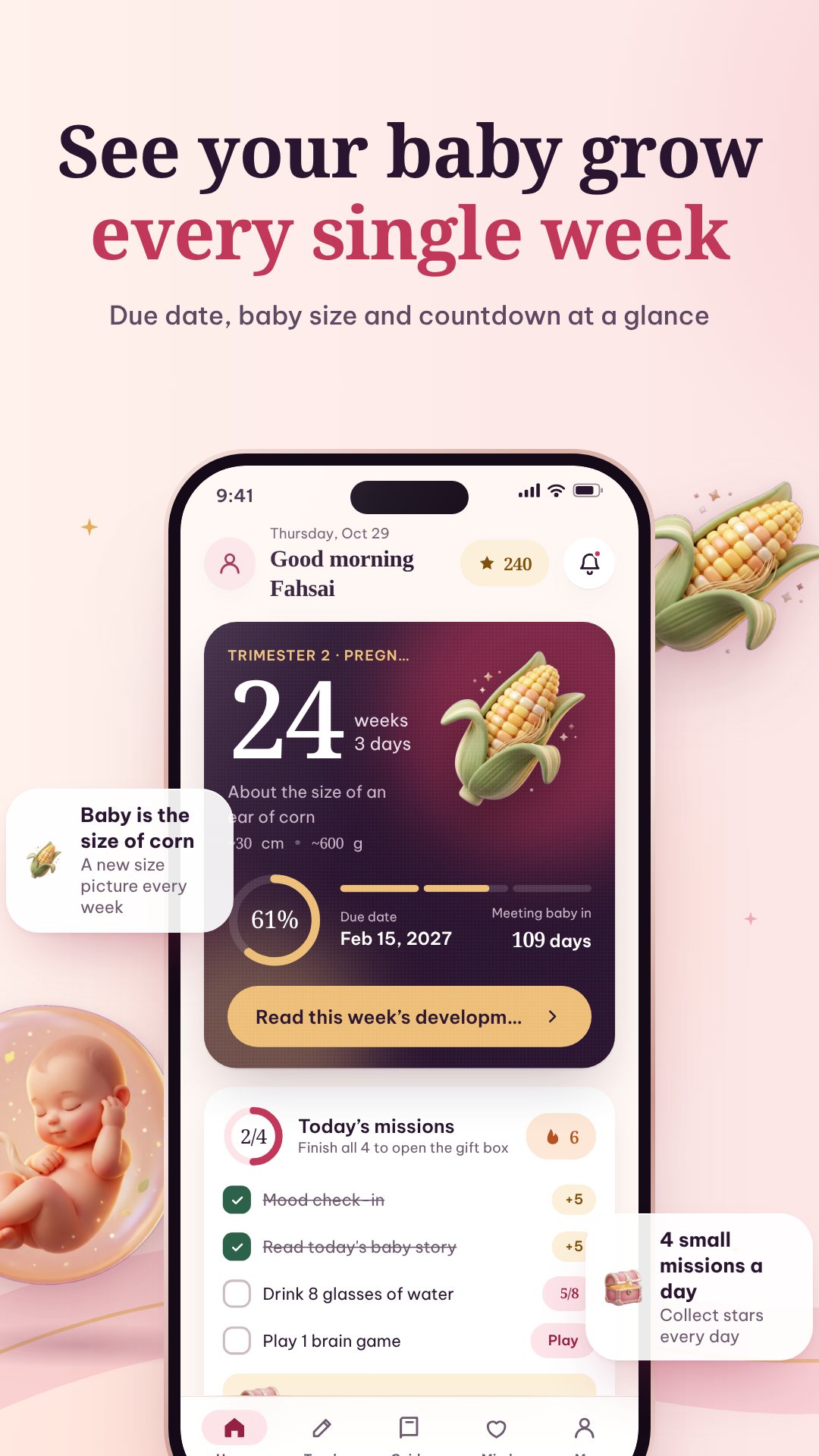
Enter the first day of your last period and the app applies Naegele's rule — due date = last period + 280 days — to give you an estimated due date, how many weeks and days along you are, the days left, and which trimester you are in. Everything runs on your device, with no account and no connection required, so your dates and notes stay with you.
A week-by-week journey, not just a number
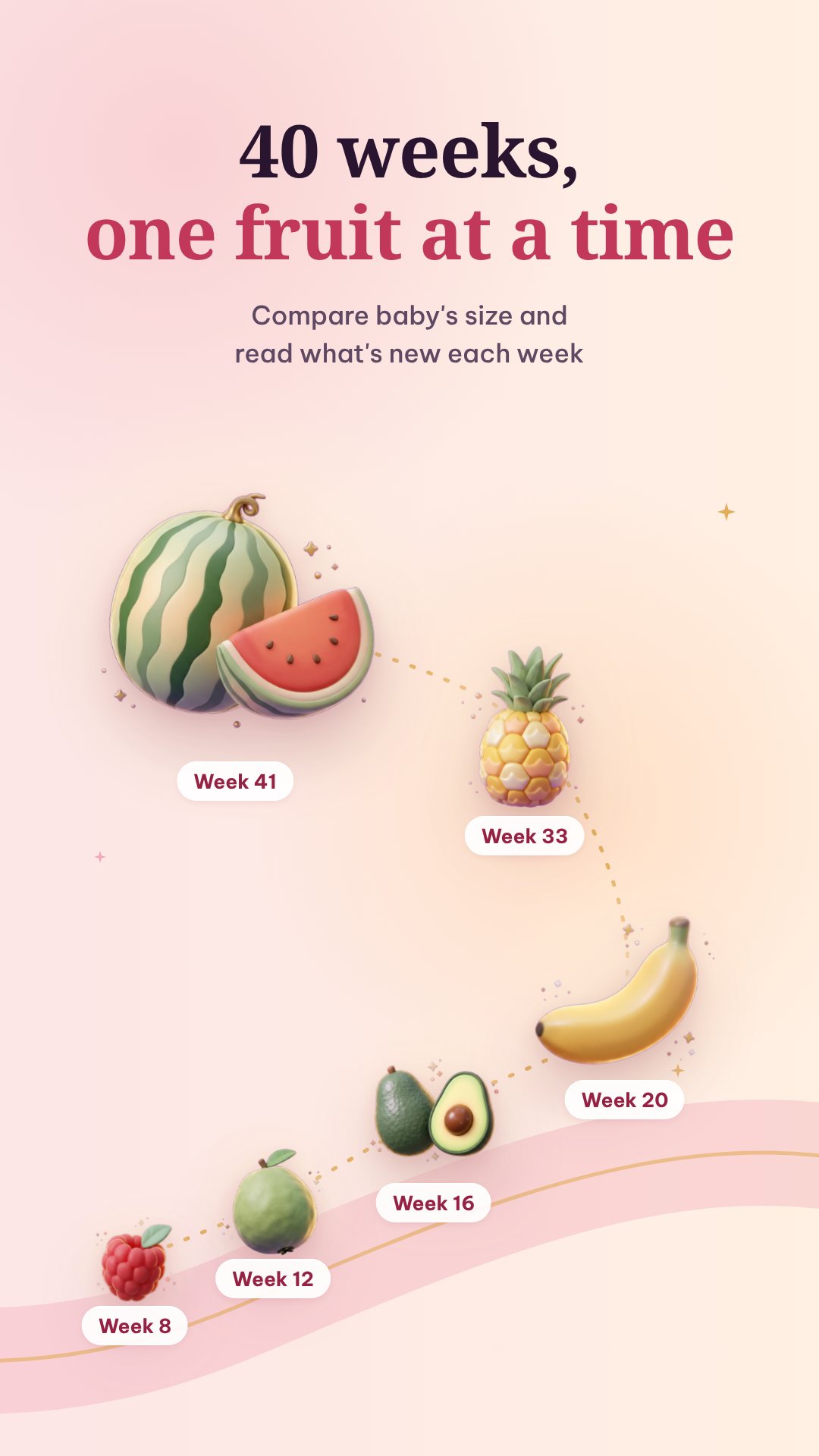
A due date alone gets old fast, so the heart of the app is the weekly journey. Pregnancy Calculator carries developmental content for every week up to week 43, each one paired with a size comparison — the familiar "your baby is the size of a…" illustration — and typical length and weight. It even follows the medical convention of measuring crown-to-rump until week 19 and crown-to-heel from week 20, which is why the length appears to jump at 20 weeks. A new-week screen and a shareable card mark each milestone.
Safety tools that never show an ad
Two screens matter too much to interrupt, so they stay completely ad-free. The kick counter follows the common count-to-ten method: tap each movement and the app watches for ten within a two-hour window, treating that as reassuring and gently suggesting you contact your doctor if movements are fewer. The contraction timer runs a live 5-1-1 analysis — contractions about five minutes apart, each around a minute long, sustained for an hour — using only the last 75 minutes so old history never sets off a false alarm. Both are guidance, never a diagnosis.
Tools for every day in between
- Food check — a searchable guide that sorts foods into safe, eat-with-caution and best-avoided, across eight everyday categories.
- Hospital bag and a pregnancy checklist to pack and prepare without forgetting a thing.
- Baby names — a curated list of around 40 girls' and 40 boys' names with meanings.
- Appointments, a weight tracker, a weekly photo diary and a daily log for symptoms and moods.
- Doctor's report — export a clean PDF summary of your tracked data to bring to a check-up.
A calmer mind, and a streak to keep you coming back
A Mind section gathers breathing exercises, guided meditation and sleep sounds, plus the Edinburgh Postnatal Depression Scale (EPDS) screening questionnaire, which puts support contacts at the top of the result regardless of the score. A rewards loop with daily streaks and badges — and an optional Android home-screen widget showing your week and streak — keeps the habit gentle.
How to set up your pregnancy in the app
- Open Pregnancy Calculator and start the short onboarding.
- Enter the first day of your last period (or your known due date instead).
- See your due date, current week and days left calculated instantly.
- Open the weekly journey to read this week's development and baby size.
- Turn on reminders so each new week and your appointments arrive on time.
From the first week to the nursery
When the baby arrives, the app switches to a baby mode with quick logging for feeds, sleep and diapers, plus a growth tracker — so the companion you started with at week four keeps working after the birth.
Good to know before you start
Due dates and weekly sizes are typical medians for information and planning — they are not a medical assessment, and only your clinician can confirm your dates. The kick counter and contraction timer offer conservative, general guidance and never replace professional care; if anything worries you, contact your doctor or midwife. The app is free with ads, and an optional purchase removes them.
Frequently asked questions
How does Pregnancy Calculator work out my due date?
It uses Naegele's rule — your due date is the first day of your last period plus 280 days — and you can enter a known due date instead if you prefer.
Does the app work offline?
Yes. The calculator, weekly content and every tracking tool run on your device and store data in a local file, with no account or connection required.
Do the kick counter and contraction timer show ads?
No. Those two safety tools are always completely ad-free so nothing interrupts you while you count movements or time contractions.
Is Pregnancy Calculator free?
Yes, it is free to download with ads, and offers an optional in-app purchase to remove them.