 By the NAXTECH team · Published 28 Aug 2026 · Updated 29 Oct 2026 · Hands-on with v2.0
You land after a long flight, the airport Wi-Fi will not connect, and the taxi driver quotes a price in a currency you have never held before. That is exactly the moment a converter that needs a signal lets you down. Currency Converter Offline was built so the number is already there, waiting, the second you open the app.
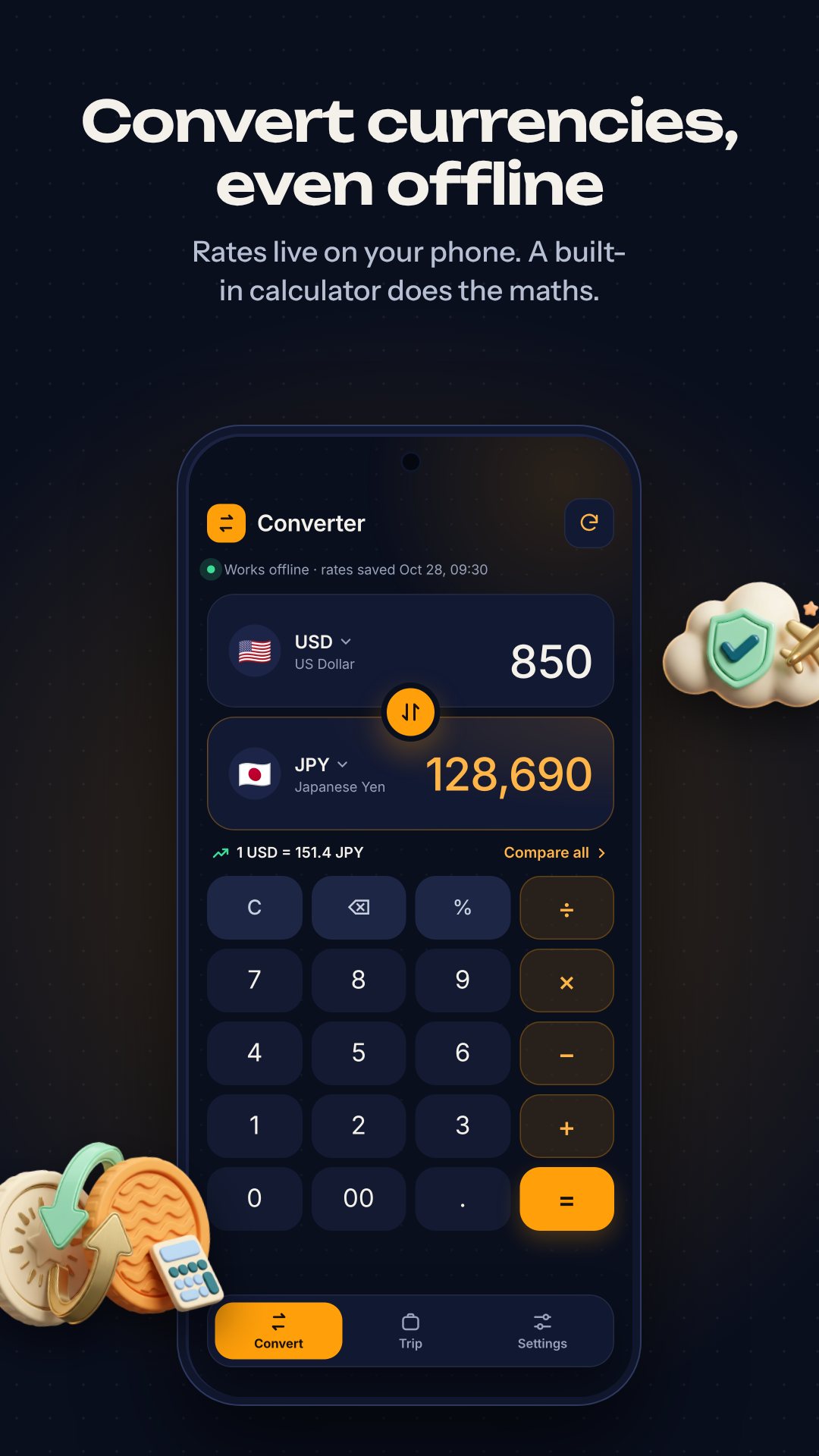
It seeds about eighteen reference currencies on first launch, so conversions work from the very first tap even in airplane mode. The moment you reconnect, it quietly pulls live mid-market rates from the Frankfurter API and stores them locally, so the last-known rate is always ready the next time you are offline. Everything you add — trips, expenses, custom coins — lives in a SQLite database on your own device, with no account and no cloud.
The home screen is not just a single box. It carries a full calculator engine, so you can type 45 + 12.50 or take a percentage right where you convert — handy for adding a tip or a service charge before you see the home-currency total. Percentages behave the way you expect: with a plus or minus pending, 100 + 10% gives 110, not 10. Pick your two currencies, tap out the amount on the keypad, and the result updates as you go.
Tap Compare and a single amount fans out across every currency you have saved — change the base by tapping any row, and quick chips for 100, 1,000, 5,000 and 10,000 let you sanity-check prices without typing. When you are back online and want context, the rate history chart draws the pair over 7 days, 30 days, 90 days or a full year, with the high, low, average and percentage change called out above it. It covers the roughly thirty major currencies the Frankfurter data reaches.
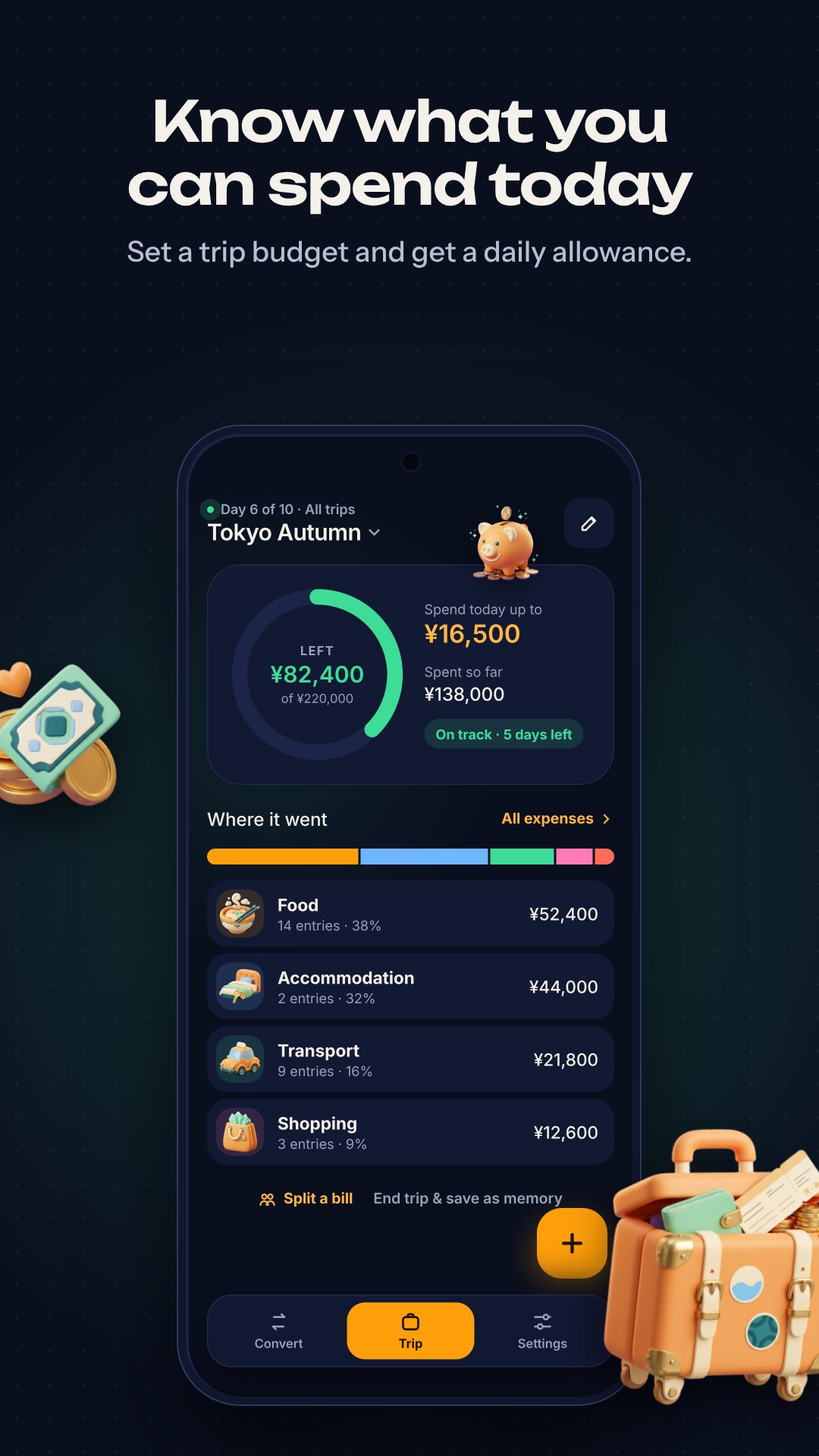
Most people carry one app for conversion and another for spending. Here they are the same app. Create a trip, set a total budget in any currency, and give it either real dates or a day count up to a year — the app works out your daily budget for you. As you go, log expenses against eight categories: food, accommodation, shopping, transportation, tips, souvenirs, borrowed and others, each with an optional note. A split bill tool divides a bill plus a tip of 0, 5, 10, 15 or 20 percent among your group, logs your share, and can even record the rest as "Borrowed" so you remember who owes you. At the end, a trip recap sums it all up. The free tier covers up to five trips at a time.
Beyond the world currencies, you can add your own with a manual rate. The app ships a large library of presets across five groups — cryptocurrencies (Bitcoin, Ethereum, BNB, XRP, Cardano, Solana and more), stablecoins like USDT, gaming and virtual currencies, and commodities such as gold, silver and oil — or invent one from scratch for loyalty points or a market counter rate. Because custom codes are never in the live feed, the rate you set stays exactly as you set it.
The only permission the app requests is internet access, used to refresh rates and serve ads. Your trips and expenses never leave the phone — they sit in a local database with no sign-in, so there is no server to leak them. The interface is tuned for a dark theme, and the app is free with ads and optional in-app purchases that remove them and lift the trip limit.
Yes. It seeds reference rates on first launch and caches the latest live rates locally, so conversions, trips and expenses all work with no connection. Internet is only needed to refresh rates and view the history chart.
Live mid-market rates are fetched from the Frankfurter API, which is based on the euro and covers the major world currencies.
Yes. You can pick from built-in presets like Bitcoin, Ethereum and USDT, or create any custom currency with a manual rate that the app never overwrites.
Completely. Everything is stored in a local database on your device with no account required, and nothing is synced to a server.