 By the NAXTECH team · Published 6 Jul 2026 · Updated 18 Oct 2026 · Hands-on with v1.0
The till says 25% off, your friend asks what tip to leave, and your teacher wants the percentage change between two test scores — and somehow you are the one squinting at a phone, trying to remember whether to multiply or divide. Percent is the everyday math that trips up almost everyone, and juggling it in a general calculator means remembering the formula first and the numbers second. Percentage Calculator was built to take that guesswork away.
It is a small, focused Android app that does one thing properly: it answers the percent questions people really ask. There are no menus to dig through and nothing to set up. You type, and the answers appear. Everything runs on your device, with no account and no connection, so the shop aisle or the back of a classroom is as good as anywhere.
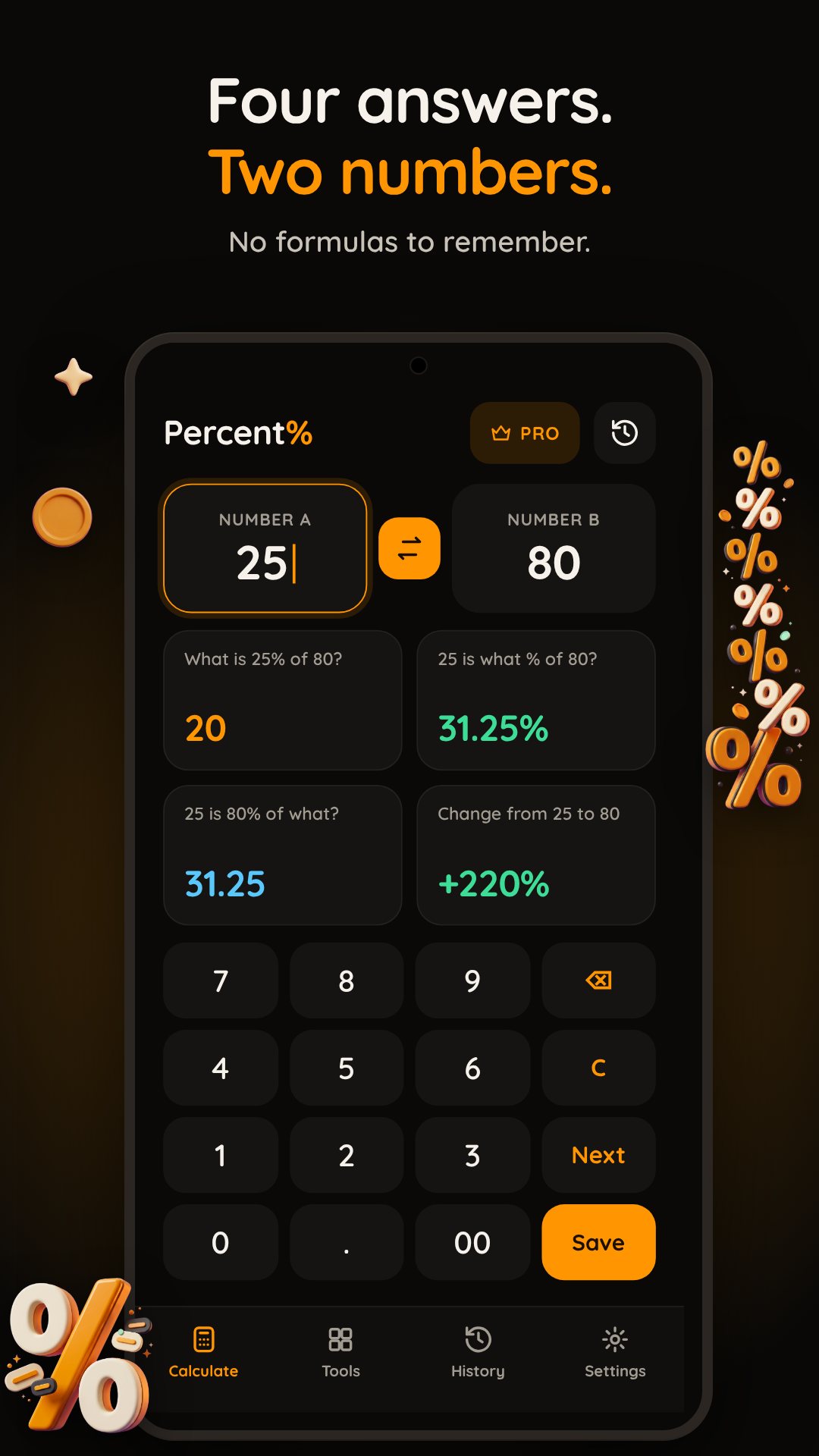
The Percentage tab is the heart of the app. Enter any two numbers and it works out four results at once, live, as you type — no equals button to press. From the numbers you give it, the app shows what the first is as a percent of the second, what percentage one number is of the other, the "X is Y% of what?" reverse calculation, and the percentage change from the first value to the second, signed with a plus or minus and coloured green for a rise or red for a drop. One screen covers the four separate sums most people reach for a calculator to do.
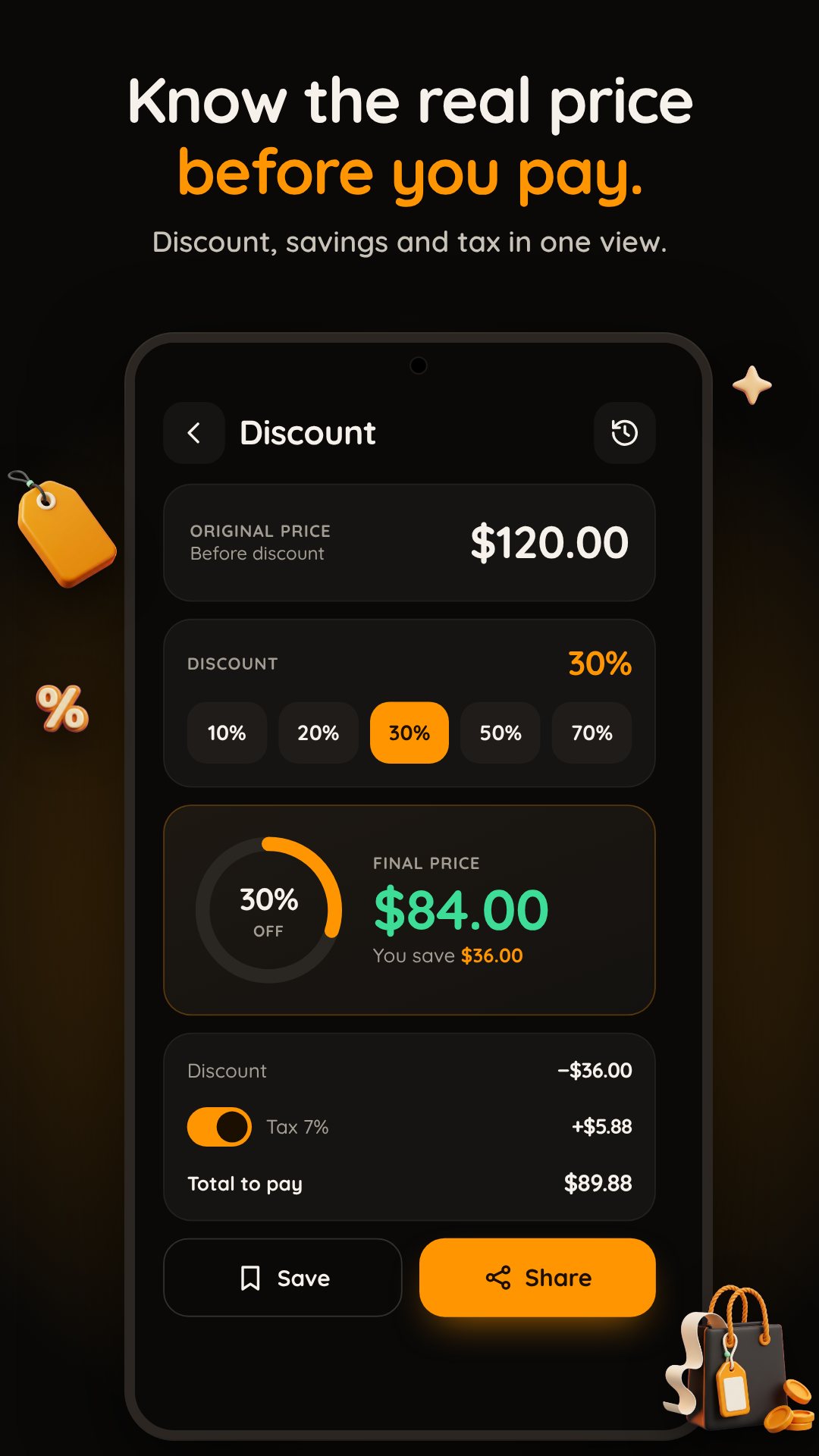
Switch to the Discount tab and the app becomes a shopping tool. Enter the original price and the discount percentage, and it shows the final price you will actually pay, how much you save in both money and percent, and the plain discount amount. The percentage field is sensibly limited to 0–100, so a mistyped "250% off" does not hand you a nonsense bargain. It is the fastest way to tell whether a sale sticker is as good as it looks before you reach the register.
Percentage Calculator keeps a calm dark interface with a single orange accent, so it reads clearly in a bright shop or a dim room. It asks for no permissions at all — no contacts, no location, nothing — because a percentage does not need them, and it runs entirely offline. The app is free and supported by ads.
Yes. Every calculation runs on your device, so you can work out a discount or a percentage with no connection at all.
From two numbers it shows four answers at once: X% of Y, what percent X is of Y, the reverse "X is Y% of what?", and the percentage change between them.
Yes. Save it to history and the app keeps your last 20; tap any entry to load its numbers straight back into the inputs.
Yes, Percentage Calculator is free to download and is supported by ads.