 By the NAXTECH team · Published 23 Apr 2026 · Updated 2 Sept 2026 · Hands-on with v1.0
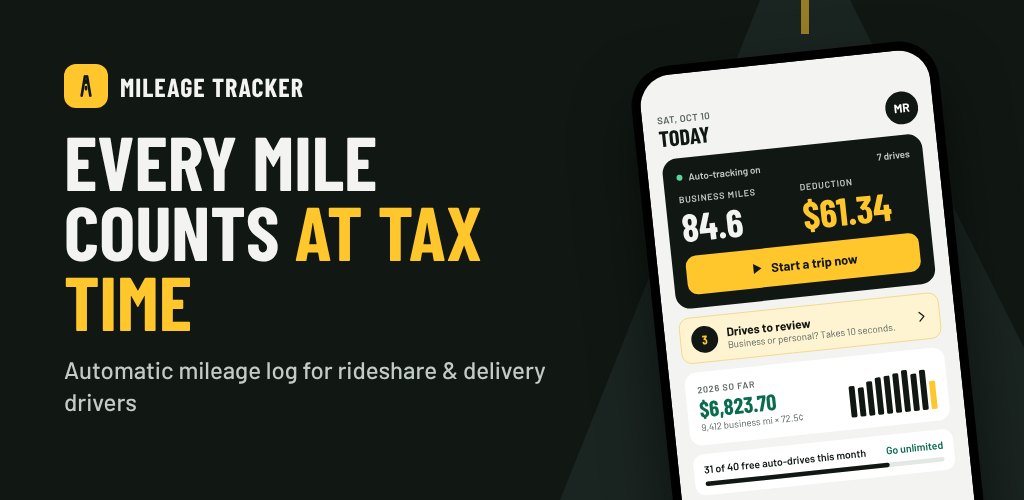
It is tax time, and you are staring at a year of driving you never wrote down. You know every mile you drove for Uber and DoorDash was a real deduction — but without a log, the IRS does not care, and you end up paying tax on income the mileage should have wiped out. Reconstructing it from memory is painful and, frankly, a guess. Mileage Tracker exists so that log writes itself while you drive.
Mileage Tracker is an automatic mileage log built specifically for rideshare and delivery drivers. It detects when you start driving, records the route by GPS, lets you mark a trip business or personal with a single swipe, and keeps a running IRS deduction total — all on your device, with no account to create and nothing uploaded.
Leave the app closed and drive. A foreground service keeps GPS alive and watches for motion: a trip starts once you are moving at roughly 15 mph for a couple of confirmed readings, and ends automatically after you have been stopped below walking-to-car speed for about four minutes. It filters out noisy GPS — rejecting impossible jumps and low-accuracy fixes — so a recorded route reflects the road, not a scatter of pins. The free plan captures up to 40 auto-detected drives a month; Pro lifts the cap.
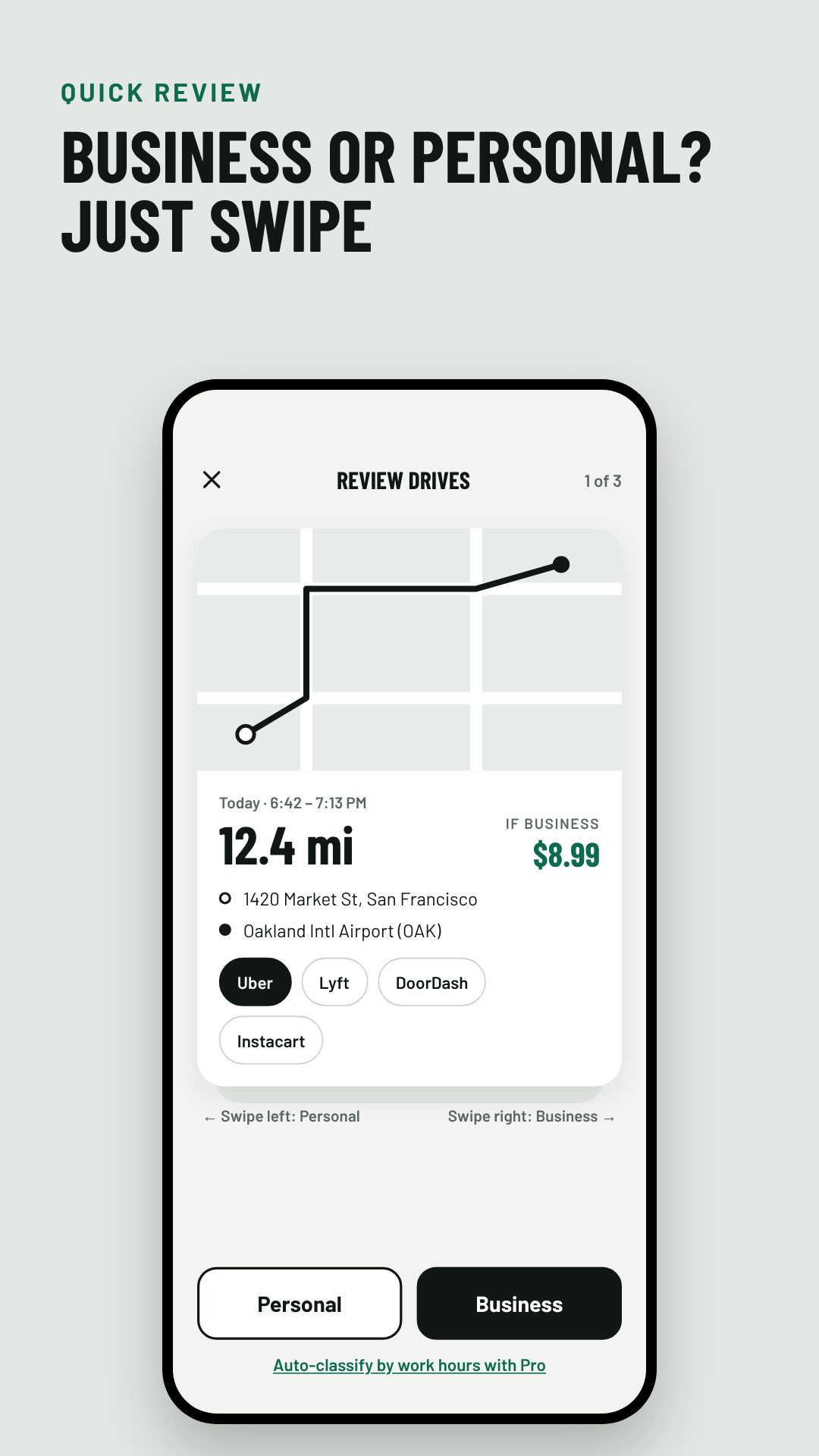
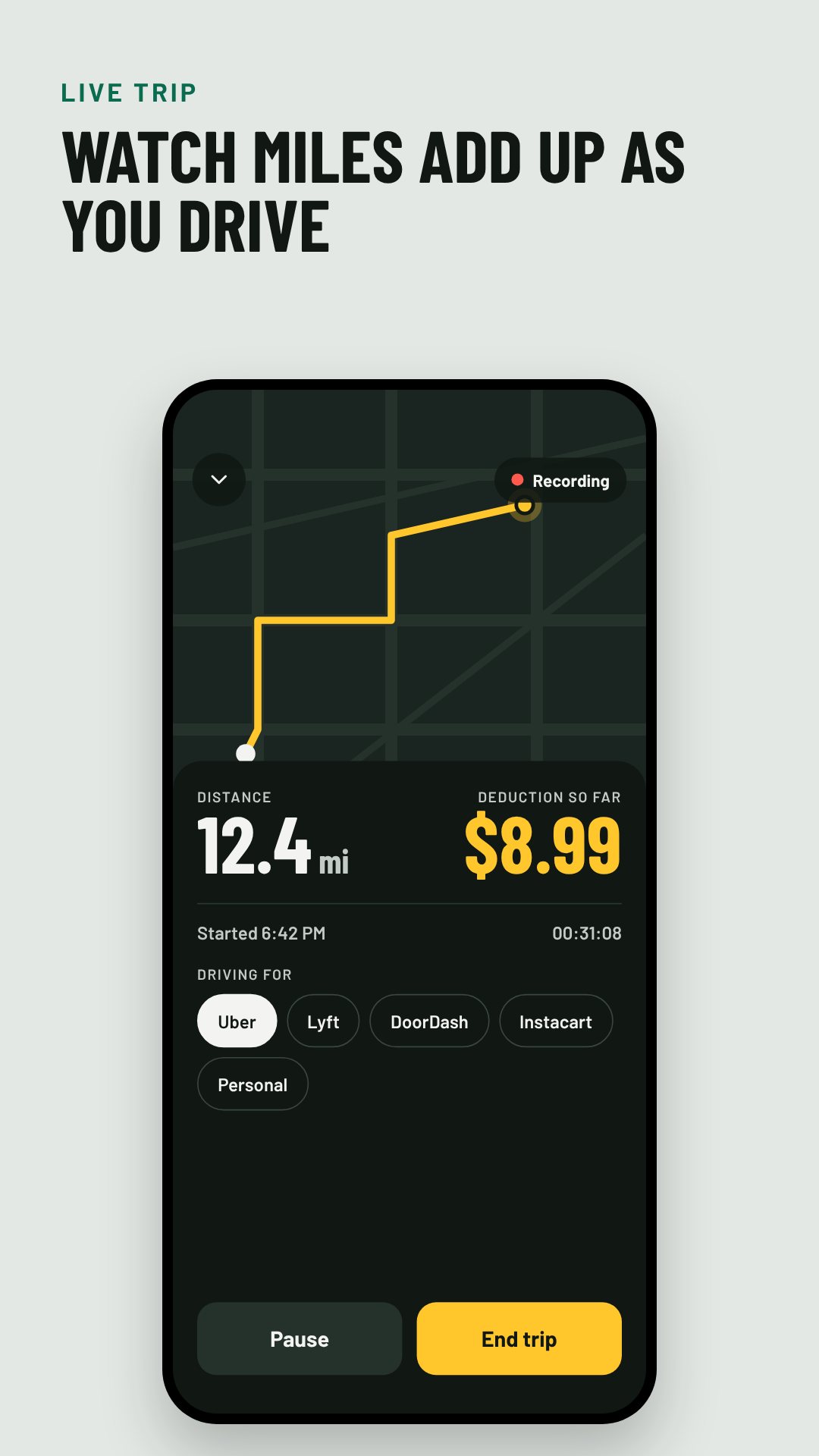
Recorded drives land in a review deck as cards, each showing the mapped route and the addresses. Swipe right for Business, left for Personal, and the next card slides up behind it. On a business trip you can tag which gig app it was for — the list covers Uber, Lyft, DoorDash, Uber Eats, Instacart, Grubhub, Amazon Flex and Spark Driver — and that purpose flows straight into your log as "Uber driving" or similar. Pro can auto-classify by your work hours so most trips are sorted before you even open the deck.
Every classified trip feeds a proper mileage log built around the fields IRS Publication 463 asks for: the date, miles, where you went and the business purpose, plus yearly totals. Business miles are multiplied by the correct IRS standard mileage rate for that tax year — the app ships with 2024 (67¢), 2025 (70¢) and 2026 (72.5¢) built in — so your deduction is never a rough estimate. The Reports screen shows the running total, business miles by month, your business-use percentage, and even quarterly estimated-tax due dates.
When it is time to file, export the whole year as a PDF mileage log or a CSV — both generated entirely on device and shared through the normal Android share sheet, straight to your accountant or tax software. The CSV carries every field, from start and end times to the gig app, vehicle, odometer readings and per-trip deduction, with a separate expenses section underneath.
There is no sign-up and no cloud. Your trips, routes and receipts live in a local database on the phone and are never uploaded — the only network use is ads and the optional purchase. You can back up and restore your data yourself from Settings.
Automatic detection relies on your phone's GPS, so background location must stay allowed for drives to record on their own. Mileage Tracker helps you keep a compliant log and estimate a deduction; it is not tax advice, and the standard mileage rates are the IRS figures for US filers. The app is free with ads, and an optional Pro subscription removes limits and adds auto-classification.
Yes. Everything runs on your device with no sign-up, and your trips are never uploaded — the only connection is for ads and the optional purchase.
A background service watches GPS and starts a trip once you reach about 15 mph, then ends it automatically after you have been stopped for a few minutes.
The IRS standard business rate for each tax year — for example 70¢ per mile in 2025 and 72.5¢ in 2026 — applied only to trips you mark as business.
Yes. Export any year as a PDF mileage log or a CSV and share it directly from your phone to your accountant or tax software.