 By the NAXTECH team · Published 7 Oct 2026 · Updated 21 Oct 2026 · Hands-on with v1.0
Your crops finish in seven minutes, the world boss respawns in twelve, your energy refills in half an hour — and you are trying to hold all three in your head while you actually play. Miss one and you lose the harvest or the spawn. That juggling act is the problem Game Timer was built to end: it keeps the countdowns on screen so your memory does not have to.
Game Timer is a floating multi-timer and counter overlay for mobile gamers. Each timer or tally lives in its own bubble that sits on top of your game, keeps counting, and loops back around on its own — so you glance, not calculate. Everything runs on your device, with no account and no sign-in.
The whole app is built for one-finger play. A single tap resets a bubble and starts it again, even after it has hit zero, so there is no Stop → Reset → Start dance mid-fight. Turn on Auto loop and a crop or cooldown timer restarts the moment it ends. Double-tap pauses and resumes, and a long press lets you drag a bubble anywhere or open its menu — gestures you can remap in the Overlay settings.
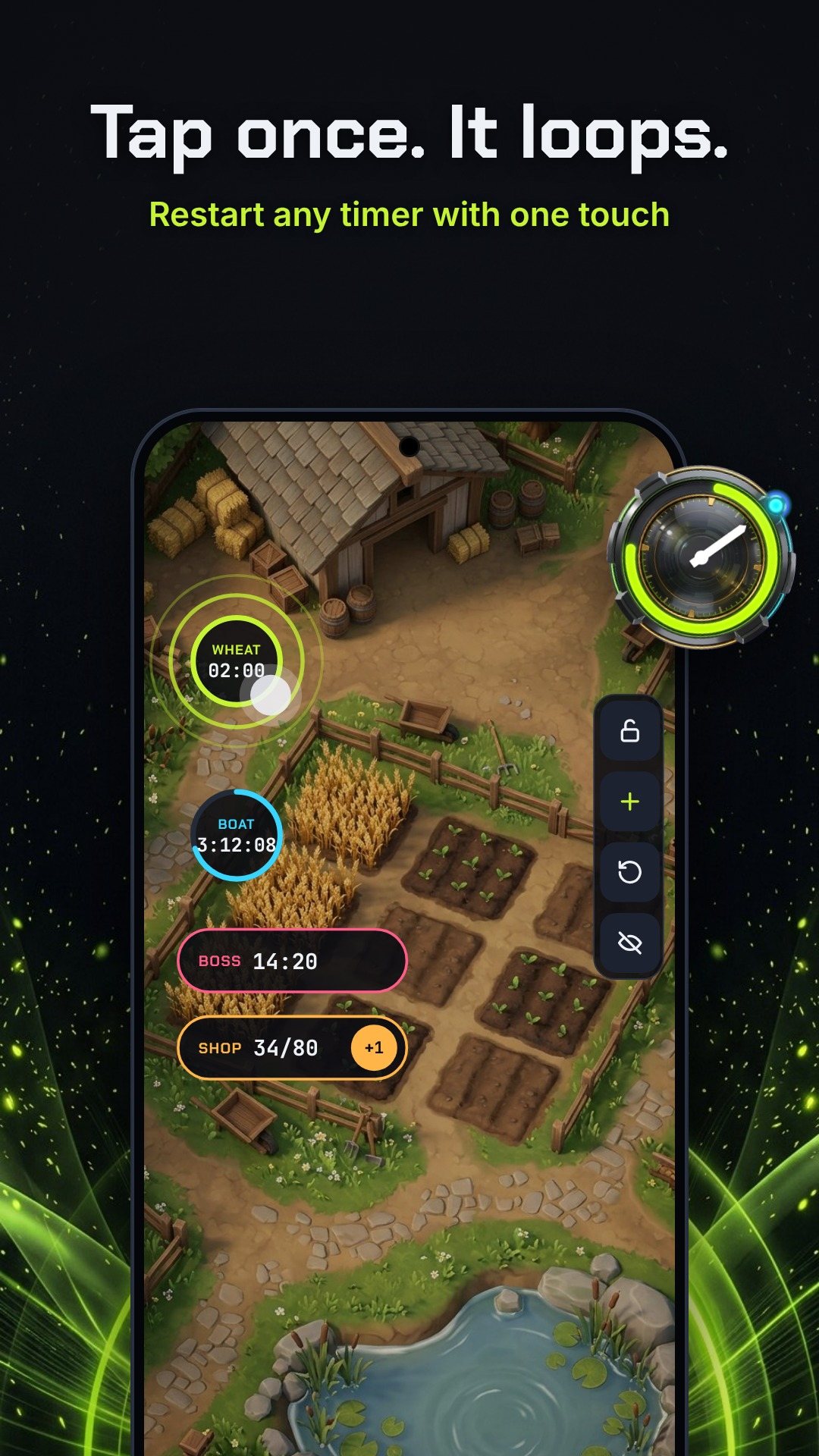
The clever part is Ghost Mode. Lock the overlay and your swipes, taps and shots pass straight through every bubble to the game underneath — the bubbles are there to read, not to get in the way. A small side dock always stays touchable so you can unlock again. And when a timer ends you do not get a pop-up blocking the action: instead you get a glow pulse ring, a short vibration, an optional beep, and an overtime count-up that shows how long ago it finished.
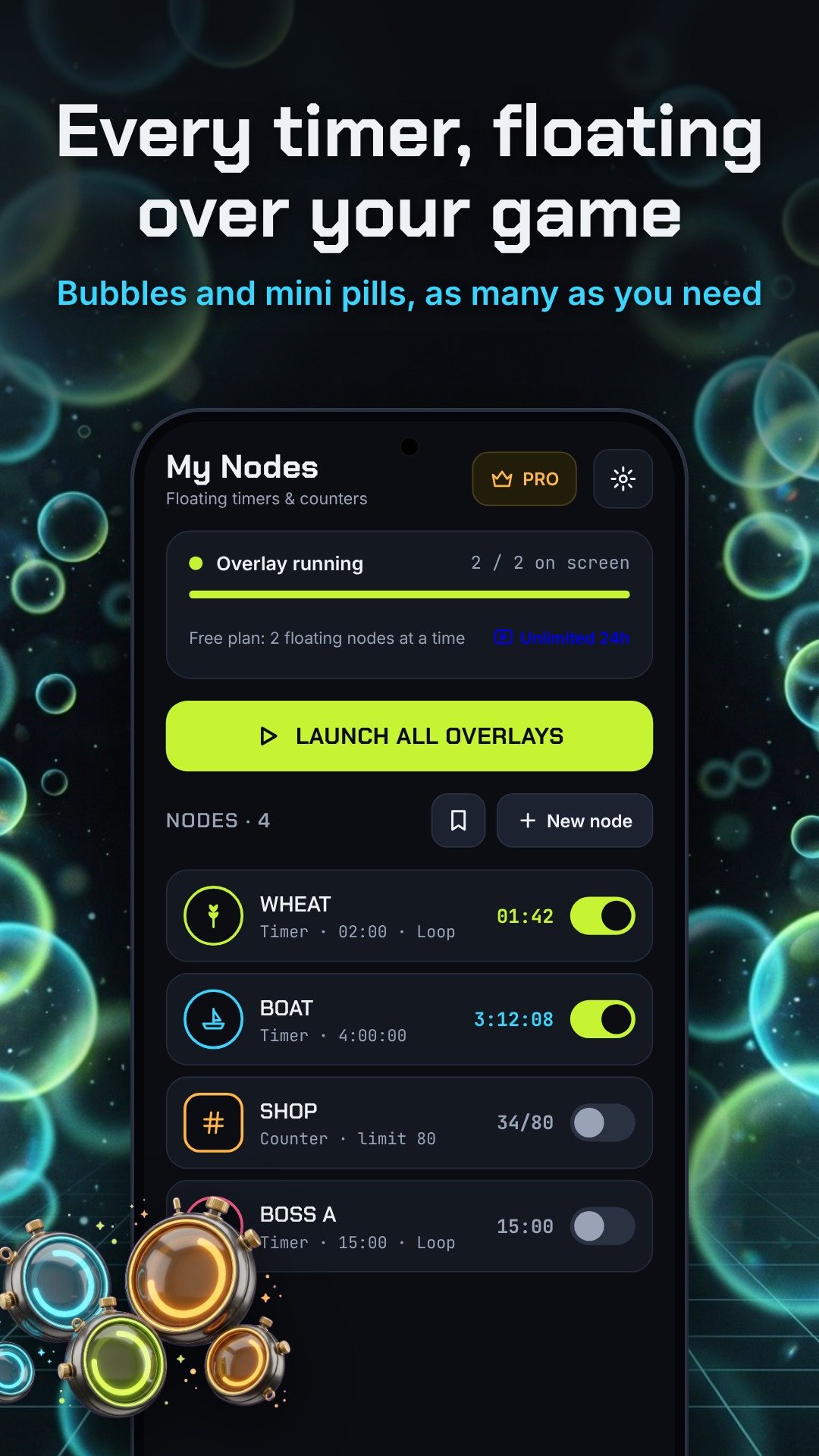
Every node starts the same way. Pick Timer or Counter, choose a bubble or a space-saving mini pill, give it a short label, an icon and a border colour, then save and float it. Timers take an hours / minutes / seconds duration with auto-loop, buzz and beep toggles. Counters are for tallies — set a start value, a tap increment, a target limit and a point where the bubble turns red, then tap the bubble to add and hold it for −1 or reset. Counters can even auto-reset at midnight local time, which is perfect for daily quests.
The icon picker keeps things safe: it is stocked with generic art sorted into Farm, Combat and Loot categories, so nothing is tied to a specific game.
You do not have to build everything by hand. The Presets tab ships ready-made packs you load with a single tap:
With Overlay Pro you can also save your own node sets as custom preset packs, cover art and all.
In Overlay settings you can set the bubble size, the active and idle opacity, and how long a bubble waits before it dims when untouched, plus snap-to-edge so bubbles tuck against the screen border. A quiet status notification keeps a foreground service alive so long timers stay accurate in the background — and for marathon sessions the app can point you to the battery setting that stops Android from killing it.
The free plan floats 2 nodes at a time. Watch one short ad to unlock unlimited nodes and Ghost Mode for 24 hours, or get Overlay Pro for unlimited floating nodes forever, Ghost Mode always on, your own preset packs and no ads. The app is Android-only, runs offline, and its interface is localised into a dozen languages. It contains ads, with optional in-app purchases.
Yes. The timers and counters float on top of any app as system overlays, and the icons are generic art that is safe to use with any game.
No. Turn on Ghost Mode and your swipes and shots pass straight through the locked bubbles; when a timer ends you get a glow ring, a short buzz and a beep instead of a pop-up.
The free plan floats 2 nodes at once. Watch one short ad for unlimited nodes and Ghost Mode for 24 hours, or upgrade to Overlay Pro to keep them forever with no ads.
Yes. A small status notification keeps a foreground service alive so timers stay accurate, and counters can auto-reset at midnight local time.