 By the NAXTECH team · Published 20 Aug 2026 · Updated 23 Sept 2026 · Hands-on with v2.0
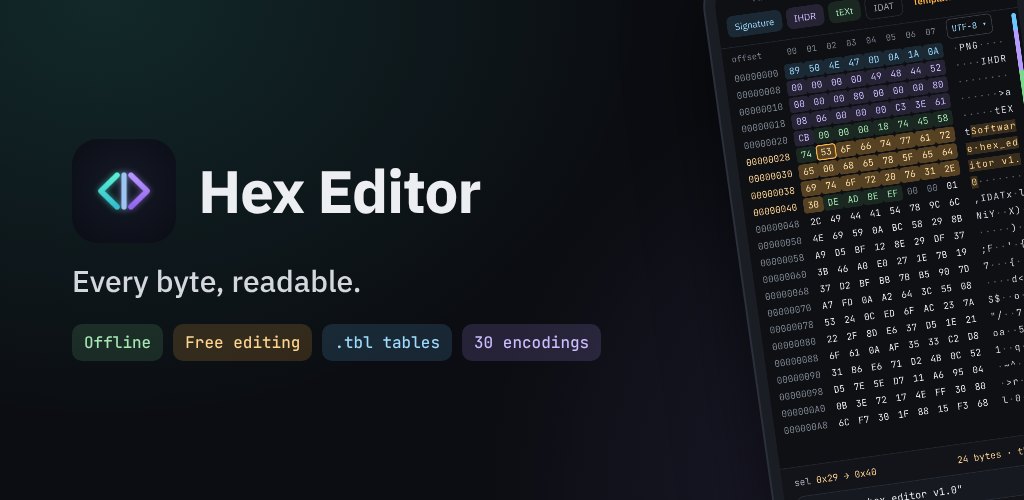
.tbl character tables.You've pulled a strange file off a device — a firmware blob, a save game, a protocol capture — and every "hex editor" on your phone either wants network access, mangles the bytes, or simply refuses to open it. On the desktop you'd reach for a proper editor without thinking. On Android that tool has been missing. Hex Editor was built to be it.
Hex Editor opens any file in a classic hex + ASCII dual pane and lets you read, search, decode, inspect, compare and — with Pro — edit the raw bytes. It has no internet permission at all: the manifest removes it outright, so nothing you open can ever leave the device. Files come in through the Storage Access Framework, so there is no broad storage permission to grant either.
The viewer shows offset, hex columns and a decoded text column side by side, and it streams large files instead of loading them whole, so a multi-hundred-megabyte image opens without stalling. You can open a file straight from any file manager with "Open with Hex Editor", or share one into the app. Tap a byte and the data inspector reads it as u8/i8, u16, u32, u64, i16/i32/i64, float32 and float64, in both little- and big-endian, plus Unix time, DOS date, binary and UTF-8/UTF-16 — and in Pro you can type a new value back into any of those rows to patch the bytes.
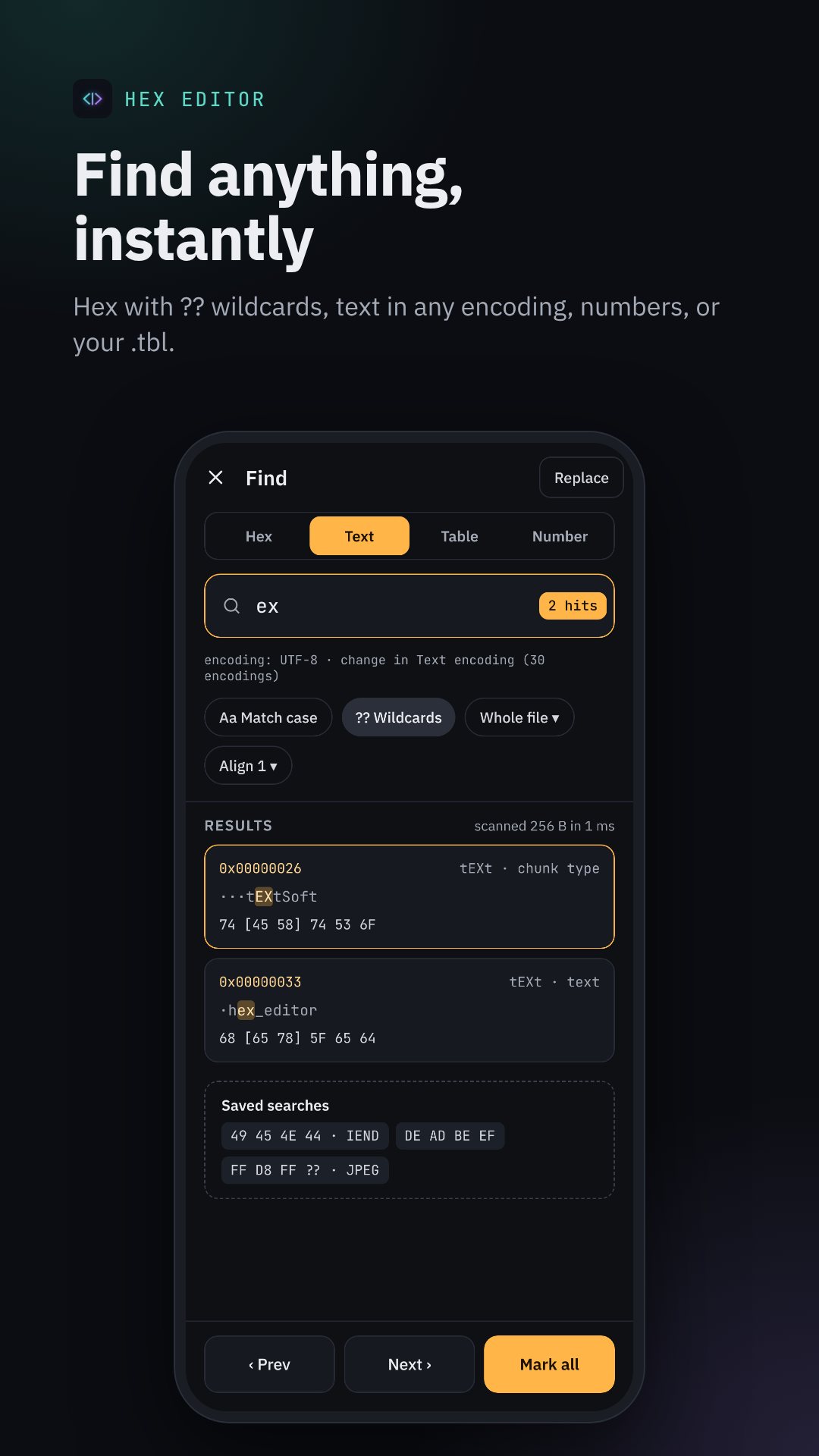
?? wildcards, or by text.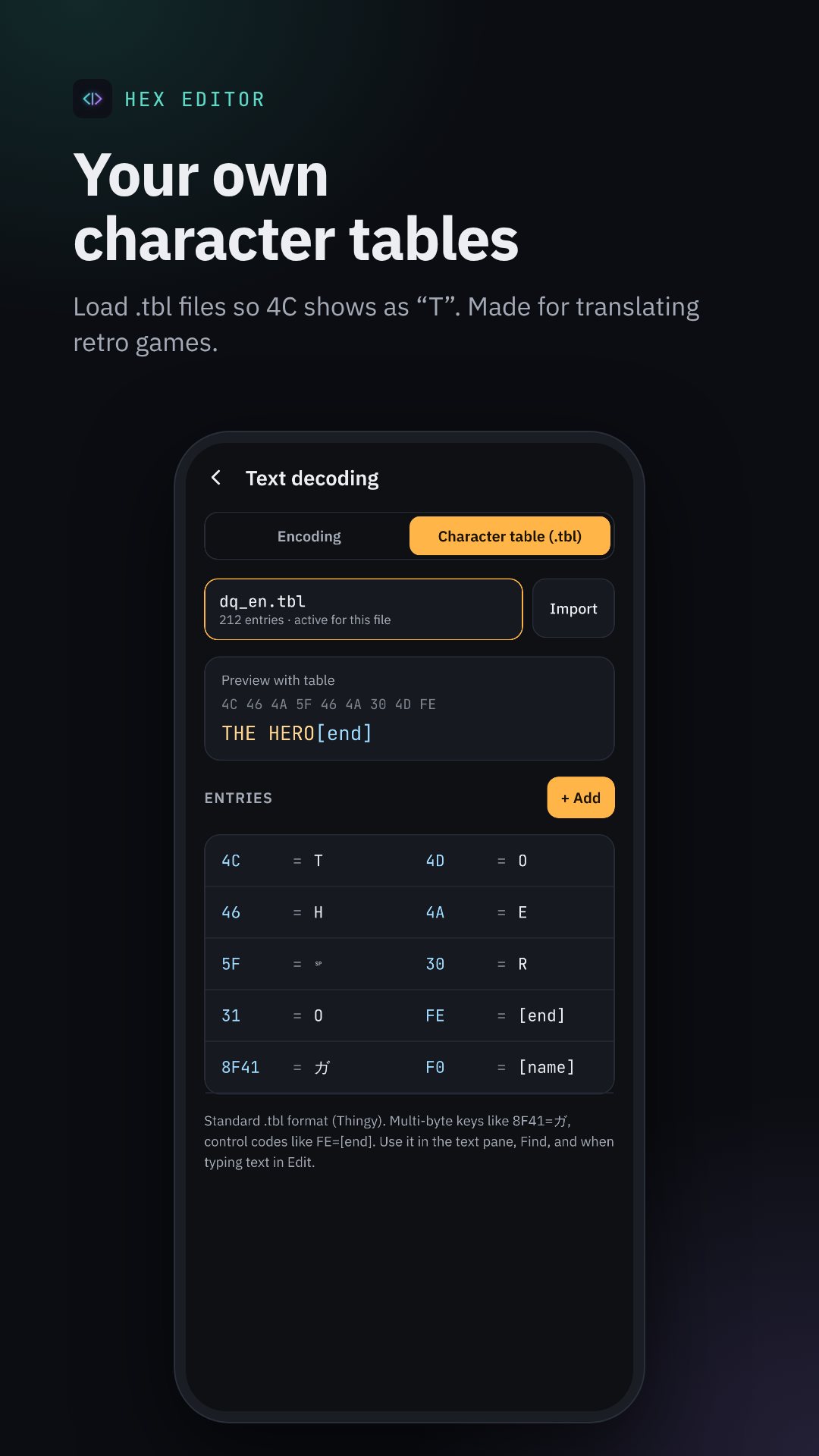
Find bytes by hex pattern — DE AD BE EF — with ?? or ** wildcards for the bytes you don't know, or search for an ASCII/Unicode string, or for a number in a chosen width and endianness. The Go to box takes a whole expression, not just a number: type 0x21 + 4*9, 1F40h, 0b1010 or (0x100 - 8) / 2 and it lands on the result. Set named bookmarks and regions with their own colour and a note so you can label a header, a payload and a footer and jump between them.
The Analyze screen streams the file once and gives you Shannon entropy in bits per byte, a per-block entropy bar chart that makes compressed or encrypted regions jump out, counts of zero/printable/control/high bytes, a string count, and CRC32, MD5, SHA-1 and SHA-256 in one pass. Built-in structure templates auto-detect and label the fields of eight common formats — PNG, JPEG, GIF, BMP, WAV/RIFF, ZIP, ELF and Android DEX — so you can see the real boundaries instead of guessing.
The text pane re-decodes through 40+ encodings — ASCII, UTF-8, UTF-16 LE/BE, the ISO-8859 and Windows-125x families, CP437/850/866, KOI8-R/U, Mac Roman, Shift_JIS, EUC-JP, EUC-KR, GBK and Big5 — and you can load your own .tbl character table for a custom game or ROM encoding. A selection can be copied as hex, a C array, a Python bytes literal, a Kotlin byteArrayOf, Base64 or binary. Quick tools run Base64 to/from, XOR with a key, hex-text conversion, byte reversal and bit inversion over a selection, and the diff view compares two files byte by byte, highlighting every changed region and the percentage that matches.
Viewing, searching, decoding, inspecting and analysing are all free. The one-time Pro unlock (hex_editor_pro, through Google Play Billing) adds in-place byte editing, insert and delete with everything after it shifted, writing values back through the inspector, and writing the file out via the system picker — with a "save as a copy" prompt so an experiment never overwrites your original. There are no ads anywhere in the editor.
89 50 4E ?? 0D 0A, using ?? for any byte you don't know.Hex Editor needs no internet and no storage permission; every file is opened through Android's own picker, and editing is only ever written back when you choose to save. Because changing raw bytes can corrupt a file, the editor defaults to saving a copy — keep your original until you've confirmed the result. The viewer is free; Pro is a single purchase, not a subscription.
Yes. The app has no internet permission at all, so nothing you open can leave your device — everything runs locally.
Any file, as raw bytes. Structure templates additionally label the fields of PNG, JPEG, GIF, BMP, WAV, ZIP, ELF and DEX files.
Viewing, searching, decoding and analysis are free; the one-time Pro unlock adds byte editing, insert/delete and writing the file back out.
Edits are only written when you save, and the app prompts to save as a copy first, so your original stays intact until you confirm.