 By the NAXTECH team · Published 6 Aug 2026 · Updated 6 Oct 2026 · Hands-on with v1.0

You download a budget app in January, log three coffees, feel vaguely guilty, and never open it again. The problem was never the math — it is that a spreadsheet gives you nothing back for showing up every day. Monee Inc. was built around that gap. It is a real expense tracker, but the thing waiting for you each morning is a small animal at an office desk who is genuinely happier when you stay on budget.
You set a monthly budget and a payday, pick your currency, and log what you spend — the ordinary work of budgeting, turned into a game you want to keep playing. One coin is worth about three US cents, so the numbers stay tied to real money instead of drifting into fantasy points.
Every expense you log (or every purchase you talk yourself out of) feeds back into your pet's mood. Stay inside the day's budget and it sits happy at its desk; drift over and it turns tired, and after a couple of over-budget days it slumps into a "zombie" pose until you recover with a no-spend day. Your pet also gets hungry over the day, so there are three feeding windows — morning (7–10), noon (11–14) and evening (17–21) — when a quick check-in keeps it fed and earns a little XP. When you log a bigger buy, a gentle "Why did you buy it?" prompt lets you note the reason; every honest answer is worth the same small reward, because the point is reflection, not judgement.
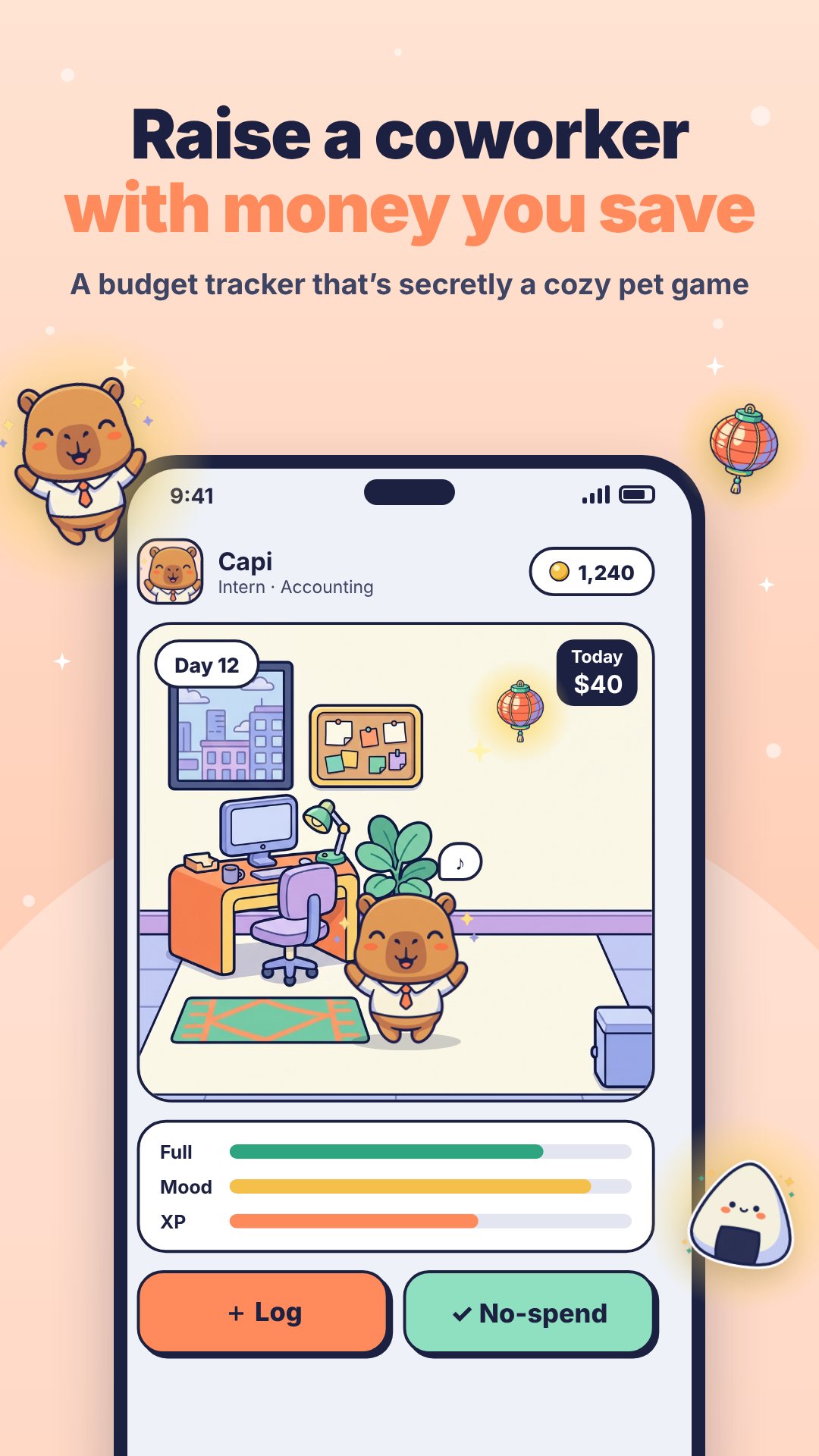
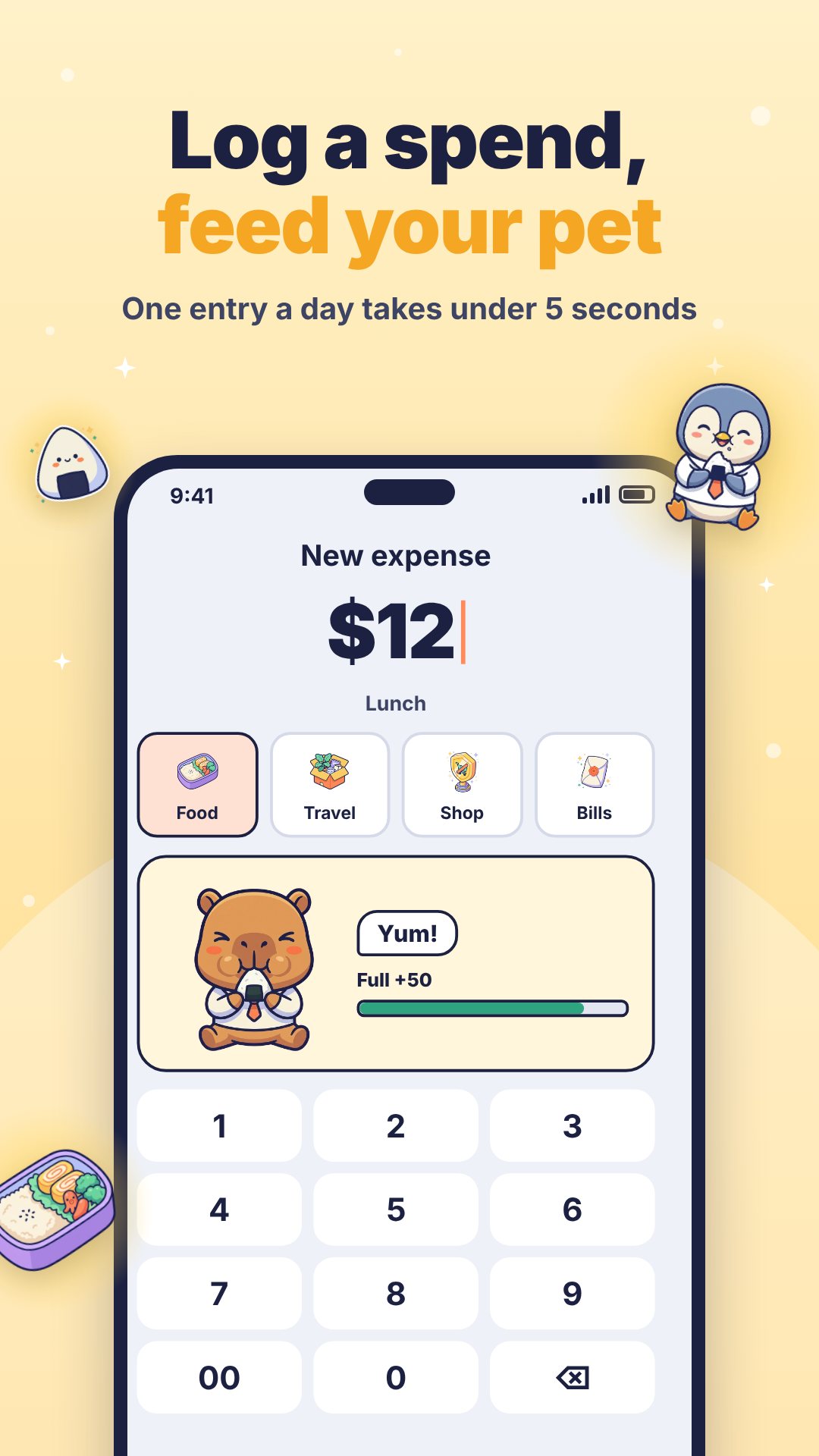
You start by hiring your first office pet from a roster of 13 animals across four rarities — from everyday Normals like the capybara, penguin and shiba, up through Rares and Super Rares such as the fox, owl and panda, to a single Super Super Rare golden retriever. Hiring pulls at honest, visible odds (60% / 28% / 10% / 2%), with a guaranteed top-rarity hire by the 40th pull so a cold streak never drags on. Each employee belongs to one of eight departments — accounting, sales, design, HR, marketing, IT, legal and ops — and their skill is a real perk: Sales earns extra coins on no-spend days, Design discounts the shop, IT hands out bonus XP per log, and so on.
Logging and staying in budget earns XP, and XP moves you up a seven-level career: Intern, Junior, Senior, Lead, Manager, Director and finally CEO at 10,000 XP. Every promotion redecorates your office into a nicer room, opens another team slot (one at the start, eight at the top) and hands your pet a new outfit. Alongside the career runs a quiet collecting game: you furnish the room from 26 collectibles grouped into sets — desk, food, style, CEO and trip — and tap the glowing spawn spots to pick them up. Retire a CEO and the office reopens as a branch in Tokyo, Seoul or Chiang Mai for a fresh generation.
Monee doubles as a genuine morning alarm — it uses exact alarms and can ring full-screen over the lock screen — so the same app that starts your workday is the one that nudges you to feed your pet at each meal window. Daily missions add a little more to do: log at least once, and an opt-in 6,000-step walking mission that reads your phone's step counter and rewards a budget-friendly commute. Notifications for meals, payday and subscriptions are all local, and you can turn any of them off.
Beyond the daily loop, Monee carries the planning tools a budget deserves: up to three savings goals, a list of planned expenses, a subscription tracker that reminds you before each renewal, and a payday cycle that runs from one payday to the next. It even turns the year's big shopping dates — 11.11, Black Friday, 6.18 and more — into a "Sale Boss" you beat by not overspending, and marks reached goals with a souvenir postcard from a city you choose.
Monee Inc. never connects to a bank and never reads your notifications — you log spending yourself, and the whole save lives on your device. It works offline; only weather and the optional ads need a connection. Rewarded ads are strictly opt-in, there are no interstitials, and logging your money is never placed behind one. The step mission is opt-in too, and the farewell screen when a pet retires is written to never guilt-trip or send follow-up pushes.
Yes. It is free to download, with opt-in rewarded ads only and no interstitials; logging your money is never gated behind an ad.
No. Monee never links to a bank or reads notifications — you log spending yourself, and everything is stored on your device.
Your pet gets tired, and after a couple of over-budget days it turns into a "zombie"; a no-spend day and staying in budget bring it back.
No. The game, your save file and the alarm all run offline — only live weather and the optional ads need a connection.
Get Monee Inc. on Google Play →
 By the NAXTECH team · Published 13 Apr 2026 · Updated 27 Jul 2026 · Hands-on with v1.0

You are at the counter, the cashier is waiting, and the only question that matters is a simple one: if I buy this, how much does the government cover and how much comes out of my own pocket? Under the ไทยช่วยไทย พลัส (60/40) scheme the state pays 60% and you pay 40% — but only up to ฿200 of help a day and ฿1,000 a month, and the unused part never rolls over. Doing that math in your head, in line, while the daily cap quietly runs down, is exactly where people overspend or leave benefit on the table.
ไทยช่วยไทย คำนวณ 60/40 was built to answer that question before you tap to pay. Type an amount and it splits the bill instantly, checks it against what is left of your daily and monthly allowance, and keeps a running tally of what you have saved — all on your phone, with no account and no connection required.
The calculator has two modes. In "from the price" (จากยอดสินค้า) you enter the price of the item and see the state's 60% and your 40% side by side. In "from the cash you have" (จากเงินที่มี) you enter the money in your wallet and the app tells you the largest purchase you can make — because your 40% has to come from somewhere. Entry is through a built-in number pad, not the system keyboard, so big amounts are quick to tap in.
Crucially, the result is not a naive 60/40. The app knows the official ceilings — ฿200 of state help per day and ฿1,000 per month — so when a purchase would push you past what is left, it caps the state's share and warns you that the overflow is yours to pay. The most the state ever covers in a single day tops out at a ฿333.33 purchase (฿200 ÷ 0.6).
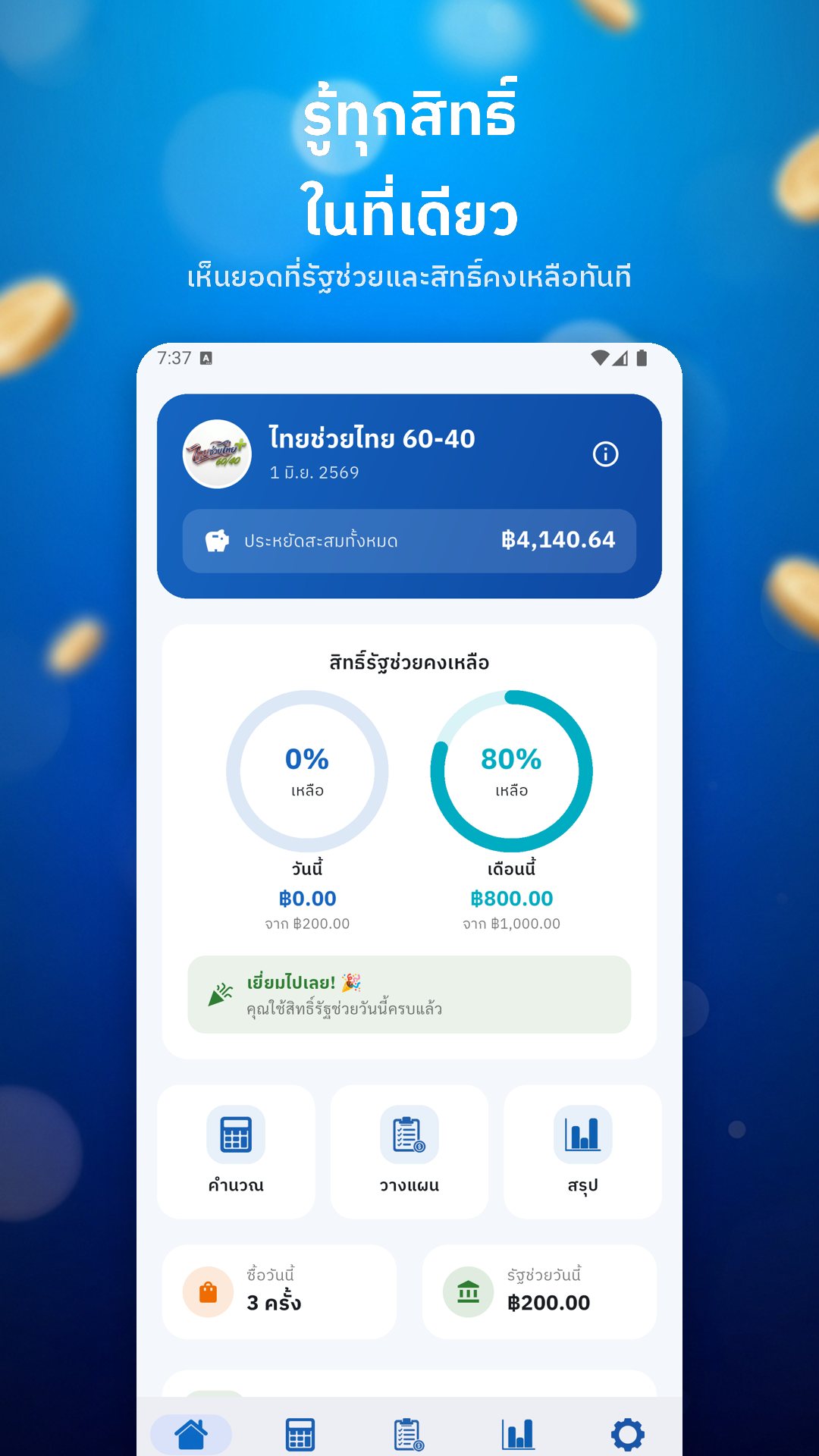
The home dashboard turns your remaining rights into two allowance rings — one for today against the ฿200 cap, one for this month against the ฿1,000 cap — so a glance tells you whether there is room for one more purchase. It adds up your total savings so far, and counts down the days to the next installment, when a fresh ฿1,000 lands at the start of the month, noting which of the four installments is coming.
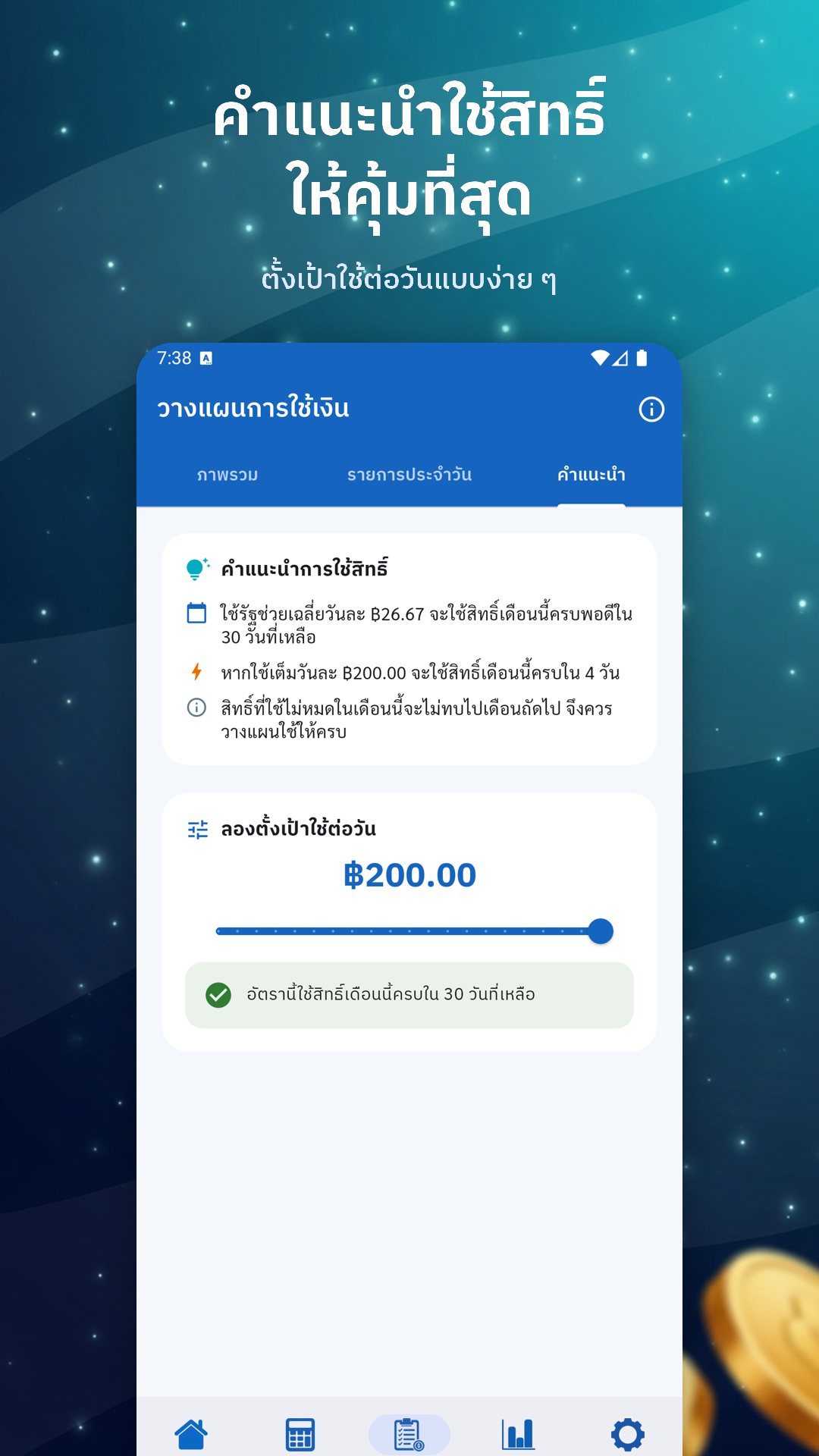
The Plan tab lets you list what you intend to buy each day — a morning coffee, lunch, that errand — tag each with a category, and attach a daily reminder so you do not forget to use the benefit before the window closes. When you actually buy the item, one tap turns a plan line into a logged purchase. Every save lets you add a note and a category — food, drink, goods or service — and confirms the state share, your share, and the allowance left afterwards.
The Summary tab keeps your purchases grouped by day, with a seven-day bar chart of the state help you have collected, and stat cards for savings this month and in total. Everything is stored locally on the device, so your spending record never leaves your phone, and you can clear the whole history whenever you want.
Beyond the math, the app carries a plain-language brief on the scheme itself: who qualifies, how to register through the เป๋าตัง app and G Wallet, which goods are excluded, and the key dates — which you can drop straight into your device calendar so registration day does not slip past. Daily and month-end notifications nudge you to spend the benefit before it expires.
ไทยช่วยไทย คำนวณ 60/40 is an independent helper for planning and tracking — it is not an official government app, does not connect to เป๋าตัง or G Wallet, and does not spend your benefit for you. The actual transaction still happens in the official app; this tool just makes sure the numbers are on your side first. It is free and supported by ads.
Yes. The calculator, allowance tracking, plans and history all run on your device, with no account and no internet connection needed.
No. It only calculates and tracks; you still make the real purchase in the official เป๋าตัง app with G Wallet.
It limits the state's share to what is left of your ฿200 daily and ฿1,000 monthly allowance, and warns you when a purchase goes over.
Yes, it is free to download and supported by ads.