NFC Clone: copy an NFC tag onto a blank one, in two taps
 By the NAXTECH team · Published 23 Sept 2026 · Updated 3 Nov 2026 · Hands-on with v1.6
NFC Clone at a glance
- What it is
- A tool that reads an NFC tag and writes the same data onto a blank one.
- Platform
- Android with an NFC chip · works fully offline, no account needed.
- Price
- Free, with ads and optional in-app purchases.
- Blank tags
- Writable NTAG213, NTAG215 and NTAG216 stickers, cards and keyfobs.
- Permissions
- NFC only — no contacts, photos, location or files.
- Best for
- Makers, small businesses and anyone duplicating a tag that works.
You have an NFC sticker that works — the one by the door that opens your smart-home scene, the tent card that loads your café menu — and you want a second one that does exactly the same thing. Most "NFC" apps either read a tag and stop, or let you write from scratch but never copy. And half of them let you scan a bank card, spin a progress bar, then fail with no explanation. NFC Clone closes that gap: read the original, write a blank, and tell you the truth up front about what can and can't be copied.
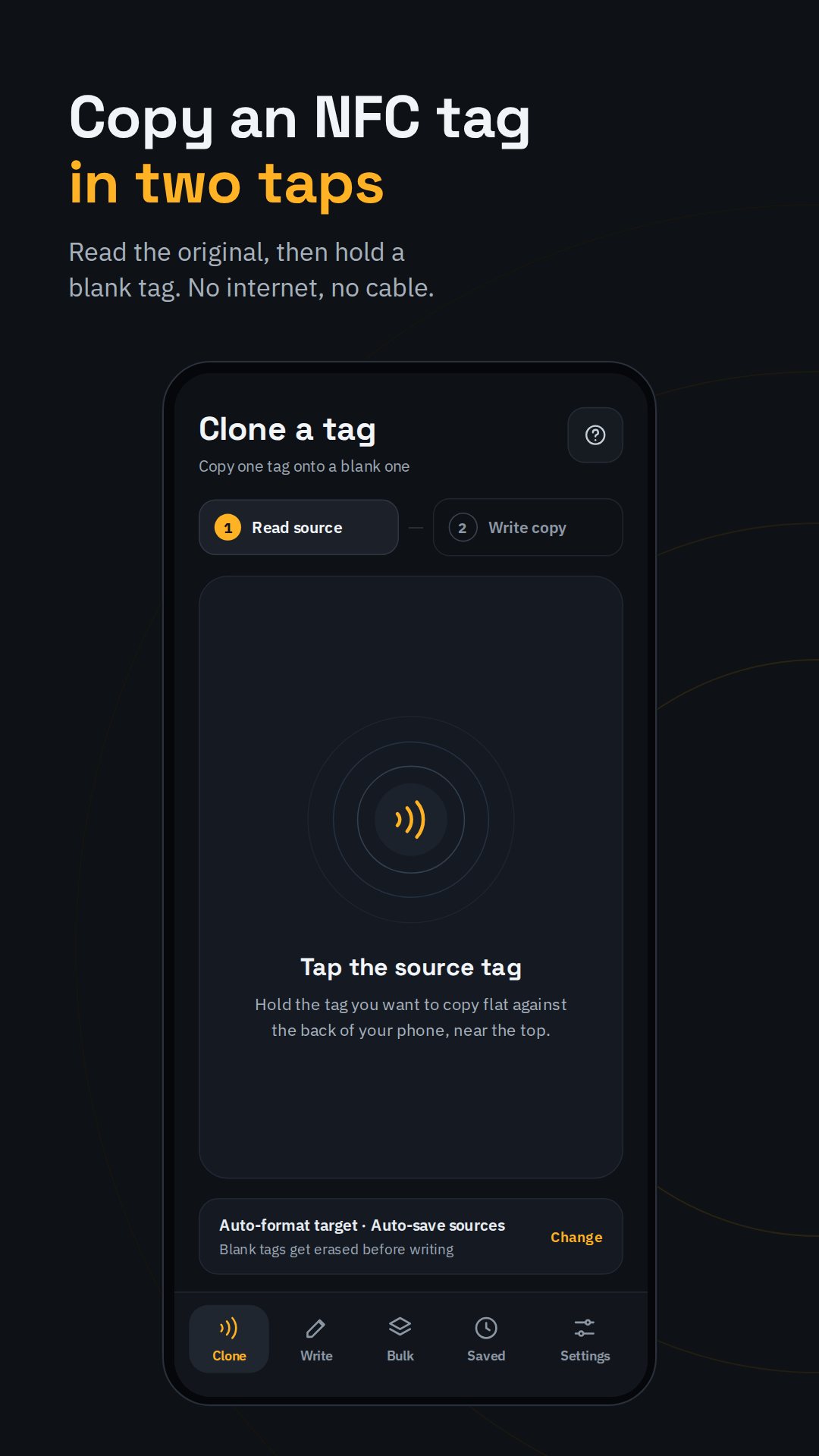
The whole job runs on your phone's own NFC radio — no cables, no account, no cloud. You hold the original tag to the back of the phone, hold a blank tag in the same spot, and the data moves across.
It tells you if your card will work — before you fail
The frustration with every other copy app is that it lets you try the impossible. NFC Clone reads the tag first and sorts it into one of four verdicts: Copyable, Can't copy, Empty tag or Locked. Bank and credit cards, office and door access cards, hotel keys, transit cards and car keys are all encrypted with a fixed UID — no phone app can clone them, not this one and not any other. NFC Clone says so the instant you scan one, instead of letting you waste a blank tag finding out.
A card check that reads the real chip
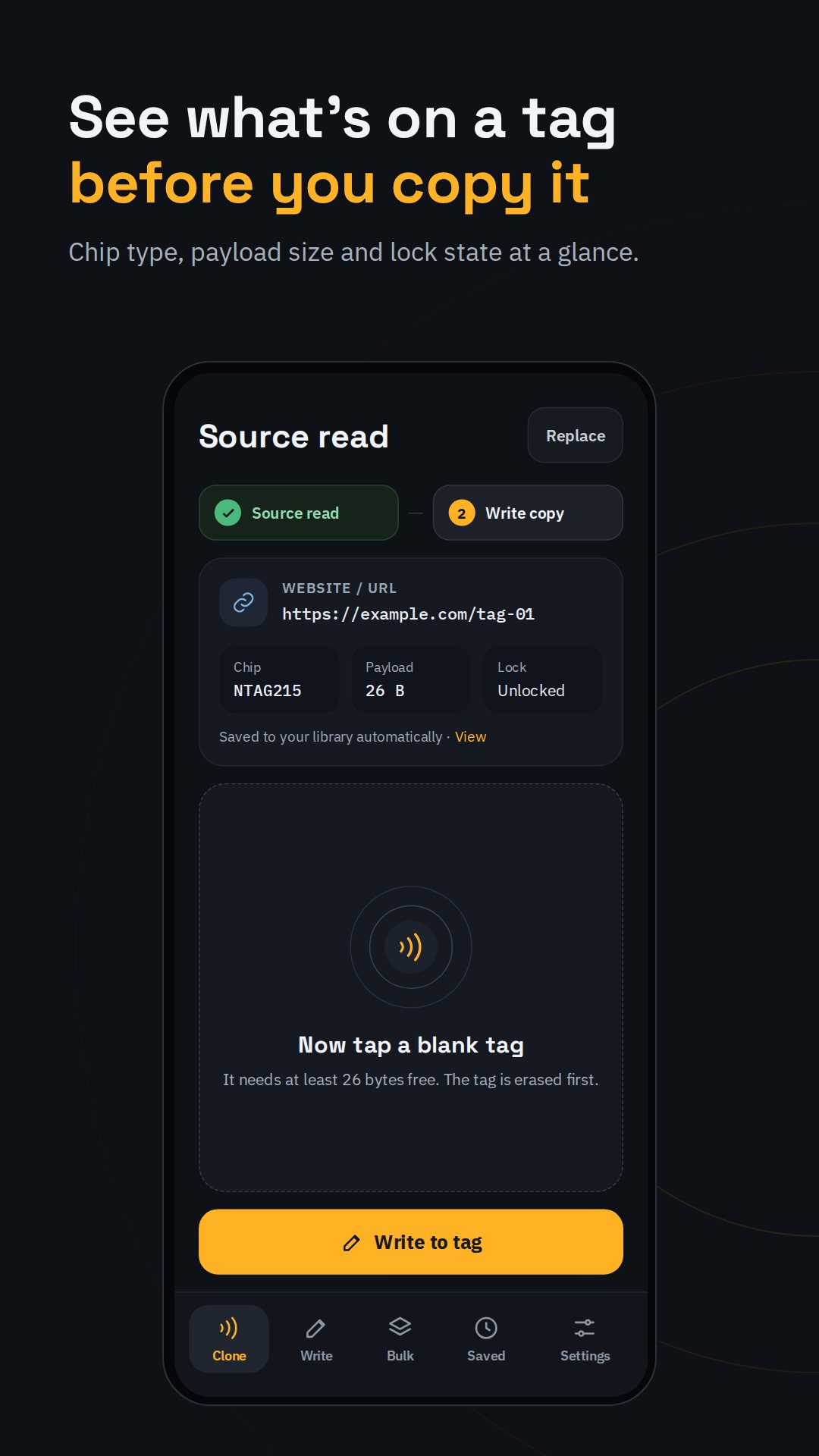
Scan a tag and the card-check screen shows what it actually is: the chip model (NTAG213, 215 or 216), the manufacturer, the full UID, whether it is writable, and the data size in bytes used of the total. That last number matters — the app tells you how many bytes your copy needs, so you know whether an NTAG213 is enough or you need the roomier 215 or 216. After every write it reads the new tag back and confirms the copy matches the original.
Write a tag from scratch, too
Beyond copying, the Write tab turns a blank tag into a tap action. Choose from eleven payload types — Website link, Wi-Fi, Contact card, Text, Social profile, Location, Phone call, Email, Text message, Open an app, or raw Custom (hex). There are tag tools alongside it: Erase a tag, Read info on one, or Lock it permanently so no one — including you — can ever change it again.
Make many copies, and keep the ones you use
Bulk mode is built for the moment you need more than one: set a count, and it walks you through holding blank after blank, vibrating as each finishes so you can swap in the next — and any tag that moved too soon can be redone on its own. Tags you copy can be saved on the device with a name you choose, and optional voice guidance speaks each step aloud so you can keep your eyes on the tag instead of the screen.
How to clone an NFC tag with NFC Clone
- Open the Clone tab and hold the original tag flat against the back of your phone.
- Read the card check — confirm it says the tag is Copyable and note the data size.
- Tap Copy to a blank tag and hold a writable NTAG213, 215 or 216 in the same spot.
- Keep both still until the phone vibrates; the app writes the data across.
- Let it read the new tag back to verify the copy matches the original.
Private by design
NFC Clone asks for the NFC permission and nothing else — no contacts, photos, location or file access. The copy works with no connection; the app touches the internet only to show ads that keep it free, which an in-app purchase removes. Note that fully encrypted cards (banks, hotels, transit, car keys) cannot be cloned by any phone, and a tag you choose to lock can never be changed again.
Frequently asked questions
Can NFC Clone copy my bank card or office door card?
No. Those are encrypted with a fixed UID that no phone app can clone — NFC Clone detects them and tells you right away instead of failing silently.
What blank tags do I need?
Any writable NTAG213, NTAG215 or NTAG216 sticker, card or keyfob; the app shows how many bytes your copy needs so you can pick a size that fits.
Does it need the internet?
No. Reading and writing tags runs entirely on your phone's NFC chip, offline; the internet is only used to show ads that keep the app free.
Can I make several copies at once?
Yes. Bulk mode copies one original to many blank tags in a single run, and lets you redo any tag that didn't finish.