 By the NAXTECH team · Published 20 Jul 2026 · Updated 18 Sept 2026 · Hands-on with v1.0

The lease is signed, the movers want a date, and your mother has one question: "Is it a son-free day?" If you grew up with the Korean calendar you know the rule matters, but checking it means squinting at a paper almanac or trusting whatever a web search throws back. Lunar Calendar 2027 was built to answer that question in a tap — and to answer the harder ones your family asks next.
The app is a Korean lunar calendar centred on 손없는 날 (son-free days) — the days when son, the roaming spirit that is said to interfere with moving and big beginnings, has "gone up to heaven" and every direction is clear. Everything runs on your device, so you can settle a date at the estate agent's desk with no signal at all.
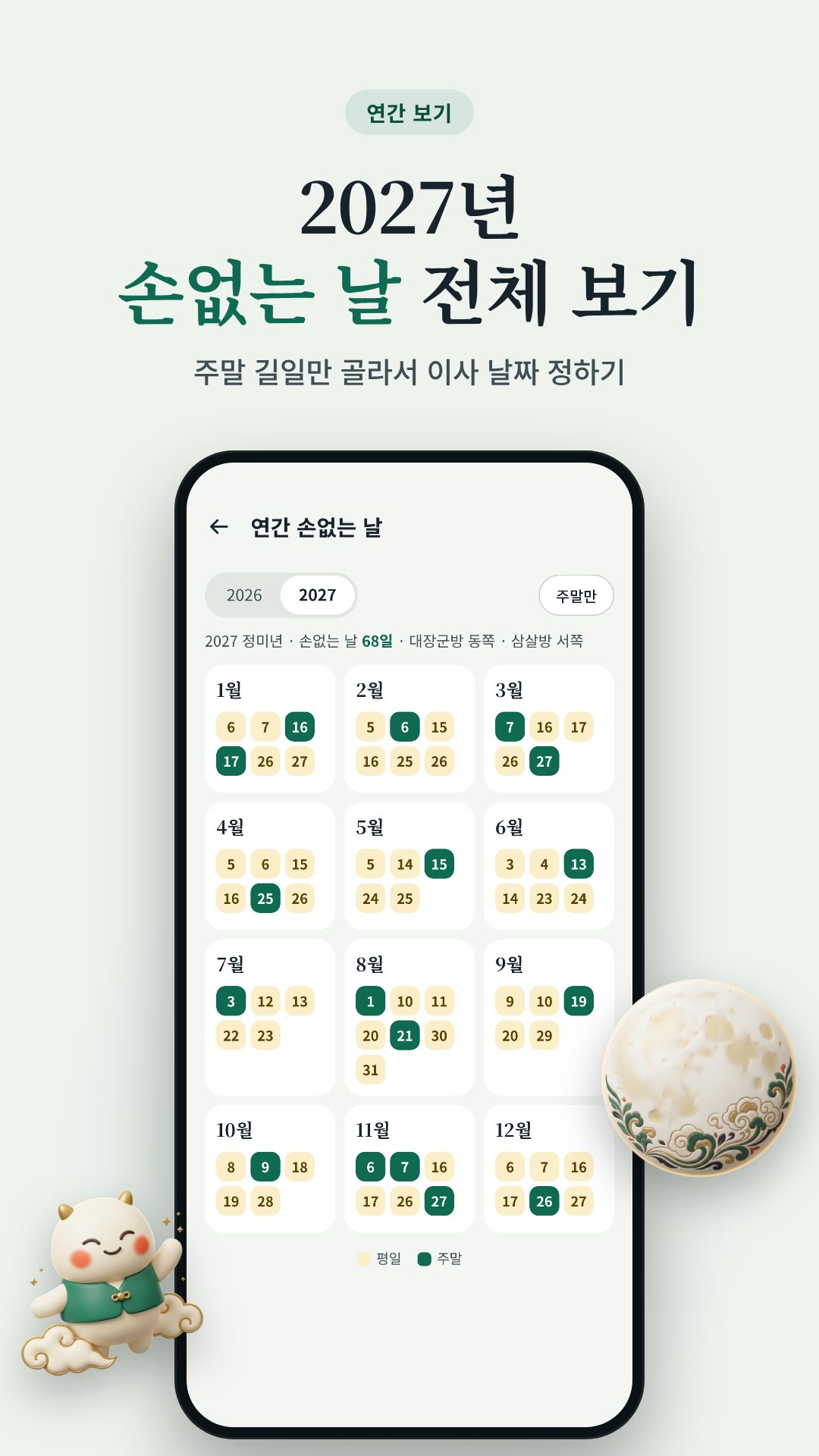
In the tradition, lunar days ending in 9 or 0 are son-free; on every other day son sits in one of the four directions — east on days ending 1 or 2, south on 3 or 4, west on 5 or 6, north on 7 or 8. The app computes the lunar date for any day, marks the son-free ones on the calendar, and shows exactly which direction to avoid when a day is not clear. A year view lists every son-free day at once, and a D-day counter tells you how long until the next one.
A son-free day is a good start, but the old rule also warns against a day whose branch clashes (충) with your own zodiac animal. Tell the app your 띠 during onboarding and it filters the calendar down to the days that are both son-free and free of a clash — the "truly auspicious" dates. Each candidate day is graded for the thing you actually want to do: moving, opening a business, signing a contract or taking delivery of a car, marked Excellent, Good, Caution or "mind the direction". It also flags this year's 대장군방 and 삼살방, the two directions custom says to avoid.
The built-in solar↔lunar converter turns any date both ways and shows the 간지 (sexagenary pillar), the day's son direction, the nearest 24 solar term (24절기), and the next son-free day from that point. Leap months are handled correctly, which is exactly where cheaper converters fall over.
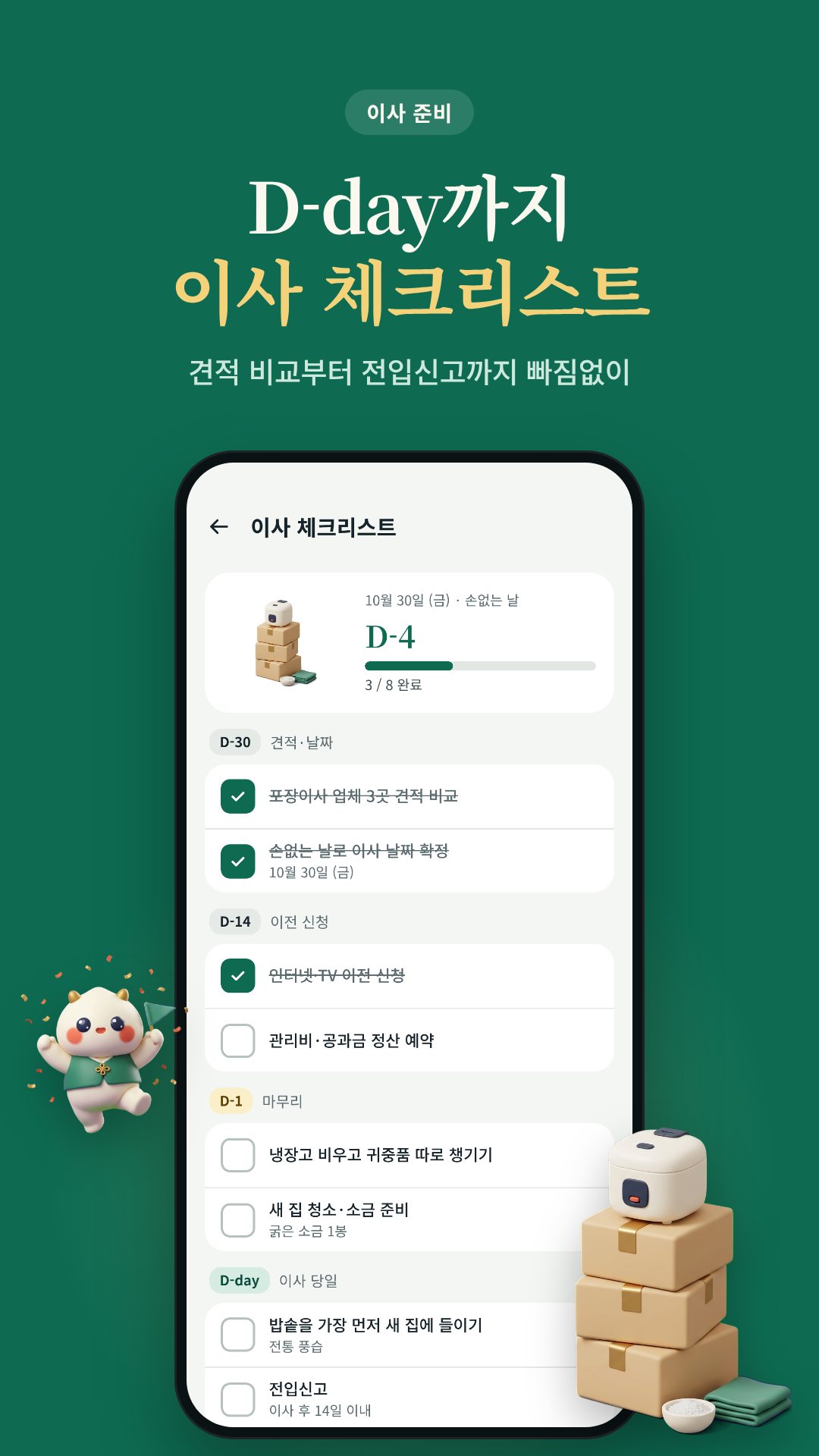
The lunar table (2019–2036) and every calculation live on the phone, so the calendar, converter and planners work with no connection and no account. Reminders for a son-free day eve, a holiday eve or a family date are scheduled locally and survive a reboot — the app asks only for notifications, vibration and boot-completed so they fire on time.
Son-free days, son direction, 대장군방 and 삼살방 are traditional Korean folk beliefs, offered for cultural and reference use rather than as a guarantee. Holiday dates follow the government regulation on public holidays and can change when a temporary holiday is announced. The app is free with ads, with a one-time purchase to remove them.
It is a lunar day ending in 9 or 0, when the son spirit is believed to be absent and every direction is clear — the traditional choice for moving or opening a business.
Yes. The lunar table and all calculations run on your device, so the calendar, converter and planners need no connection or account.
So it can filter out days that clash (충) with your animal and show only the son-free days that are genuinely auspicious for you.
Yes. Save a family date by its lunar or solar date and set how many days ahead you want the reminder; it is scheduled on the device and survives a reboot.
Get Lunar Calendar 2027 on Google Play →
글 · NAXTECH 팀 · 2026년 5월 30일 발행 · 2026년 8월 3일 갱신 · v1.0 직접 사용기
계약은 끝났고, 이삿짐센터는 날짜를 묻고, 어머니는 딱 한 가지를 확인하십니다. "손 없는 날 맞니?" 한국 달력과 함께 자란 사람이라면 이 규칙이 왜 중요한지 압니다. 하지만 막상 확인하려면 종이 만세력을 들여다보거나, 검색 결과를 믿는 수밖에 없죠. 음력 달력 2027은 그 질문에 한 번의 탭으로 답하기 위해, 그리고 그다음에 이어지는 더 어려운 질문까지 답하기 위해 만들어졌습니다.
이 앱은 손없는 날을 중심에 둔 음력 달력입니다. 손없는 날은 이사·개업 같은 큰일을 방해한다고 전해지는 손(損)이 하늘로 올라가 모든 방위가 열리는 날이에요. 모든 계산은 기기 안에서 이루어지므로, 부동산 사무실에서 인터넷 없이도 바로 날짜를 정할 수 있습니다.
전통적으로 음력 날짜 끝자리가 9 또는 0인 날이 손없는 날이고, 나머지 날에는 손이 네 방위 중 한 곳에 머뭅니다. 끝자리 1·2는 동쪽, 3·4는 남쪽, 5·6은 서쪽, 7·8은 북쪽이죠. 앱은 어떤 날짜든 음력을 계산해 달력에 손없는 날을 표시하고, 손없는 날이 아닐 때는 피해야 할 방위를 정확히 알려 줍니다. 연간 보기에서는 한 해 손없는 날을 한꺼번에 볼 수 있고, D-day 카운터가 다음 손없는 날까지 며칠 남았는지 알려 줍니다.
손없는 날은 좋은 출발이지만, 전통 규칙은 그날의 지지(地支)가 내 띠와 충(沖)하는 날도 피하라고 합니다. 처음 설정에서 띠를 입력하면, 앱은 손없는 날이면서 충도 없는 날 — 즉 '진짜 대길일'만 걸러서 보여 줍니다. 각 후보 날짜는 실제로 하려는 일에 맞춰 이사·개업·계약·자동차 출고별로 '대길 / 길 / 주의 / 방위 주의' 등급이 매겨집니다. 올해의 대장군방·삼살방, 즉 전통적으로 피하는 두 방위도 함께 표시해 줍니다.
내장 양력↔음력 변환기는 어떤 날짜든 양쪽으로 바꿔 주며, 그날의 간지, 손 방위, 가장 가까운 24절기, 그리고 그 시점 이후 다음 손없는 날까지 보여 줍니다. 저렴한 변환기들이 꼭 틀리는 윤달도 정확히 처리합니다.
음력 데이터(2019~2036년)와 모든 계산이 기기 안에 있어 달력·변환기·플래너가 인터넷과 계정 없이 작동합니다. 손없는 날 전날, 공휴일 전날, 집안 기념일 알림은 기기에서 예약되어 재부팅 후에도 유지됩니다. 앱은 알림, 진동, 부팅 완료 권한만 요청해 알림이 제때 울리도록 합니다.
손없는 날, 손 방위, 대장군방·삼살방은 한국의 전통 민속 신앙으로, 보장이 아니라 문화·참고용으로 제공됩니다. 공휴일은 관공서의 공휴일에 관한 규정을 따르며 임시공휴일 발표 등에 따라 달라질 수 있습니다. 앱은 광고가 포함된 무료이며, 광고 제거는 1회 구매로 선택할 수 있습니다.
음력 날짜 끝자리가 9 또는 0인 날로, 손이 없어 모든 방위가 열린다고 보는 날입니다. 전통적으로 이사·개업에 고르는 날이에요.
네. 음력 데이터와 모든 계산이 기기 안에서 이루어져 달력·변환기·플래너 모두 인터넷이나 계정 없이 작동합니다.
내 띠와 충(沖)하는 날을 걸러 내고, 손없는 날 중에서도 나에게 진짜 길한 날만 보여 주기 위해서입니다.
네. 음력 또는 양력으로 기념일을 저장하고 며칠 전에 알릴지 정하면, 기기에서 예약되어 재부팅 후에도 알림이 유지됩니다.