 文・NAXTECH チーム/公開:2026年8月16日/更新:2026年9月27日/v1.0 を実際に使用
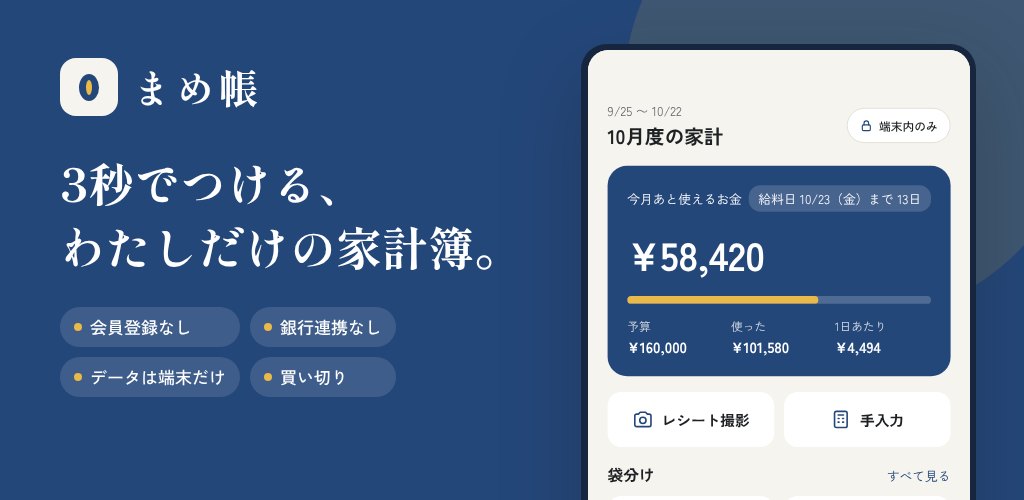
月末、ポケットはレシートでいっぱい。ところが入れてみた家計簿アプリは、たった300円のコーヒーを1件書くだけなのに、銀行ログインとアカウント登録と通信を求めてくる。家計簿の本当の目的は「何にいくら使ったか」をサッと自分用にメモすることで、個人情報を預けることではないはずです。まめ帳は、その当たり前の感覚のために作りました。
まめ帳はスマホの中だけで完結する家計簿です。登録もログインもなく、ビルド時に INTERNET 権限そのものを削除しているため、OSレベルで通信ができません。入力した記録も、合計も、バックアップも、手元の端末から外に出ることはありません。
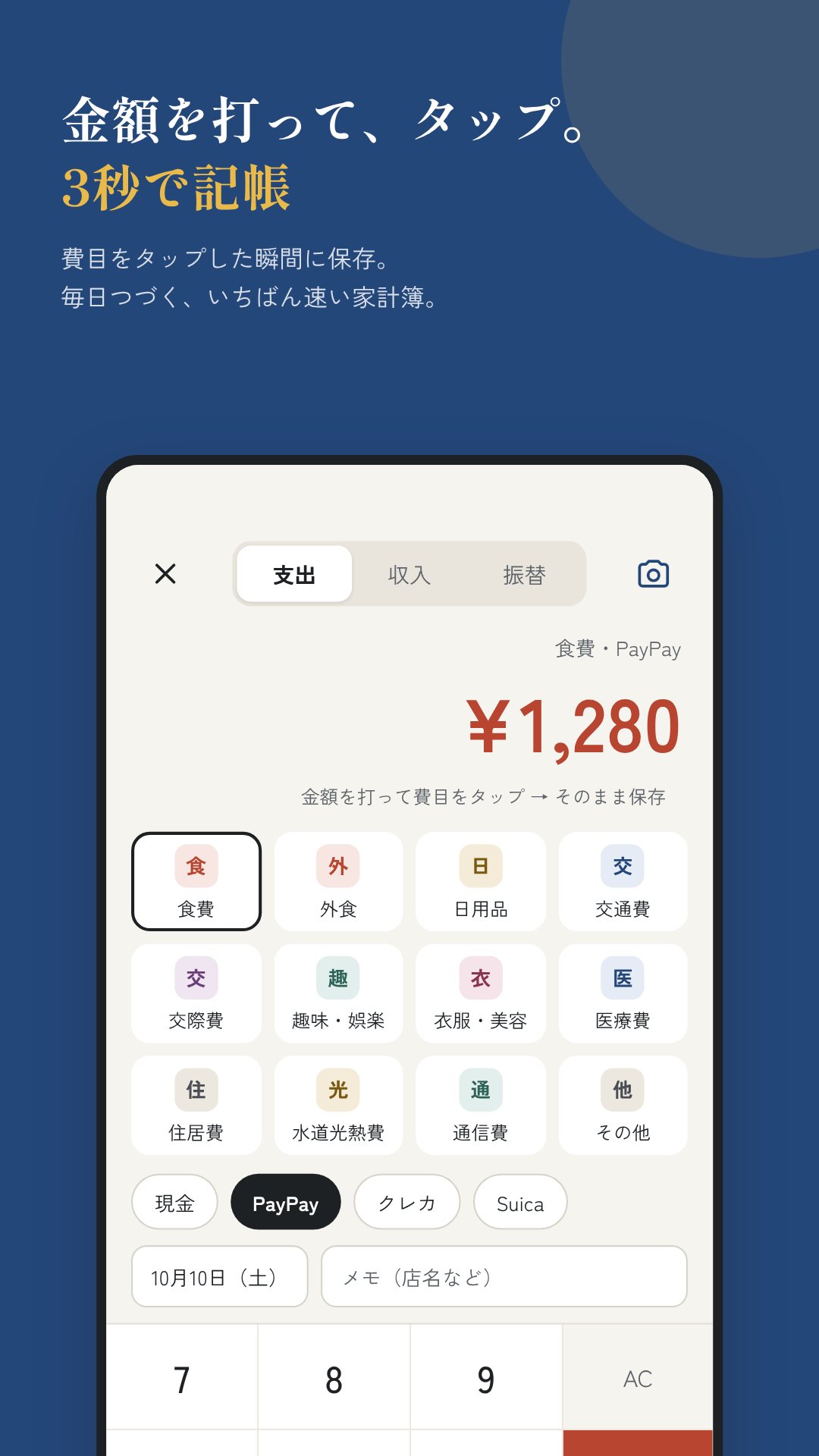
ホーム画面は「速さ」を軸に設計しています。金額を打って、費目をタップするだけ。1件およそ3秒で記録でき、実際そのくらいの手早さです。支払いは 現金・銀行・電子マネー・クレジットの4種類の口座に振り分けられ、ホームに出る残高は「手元のお金」――カードの未払い分をあらかじめ差し引いた金額です。銀行とは連携しません。残高は手で合わせるだけ。これが完全オフラインを保つ仕組みです。
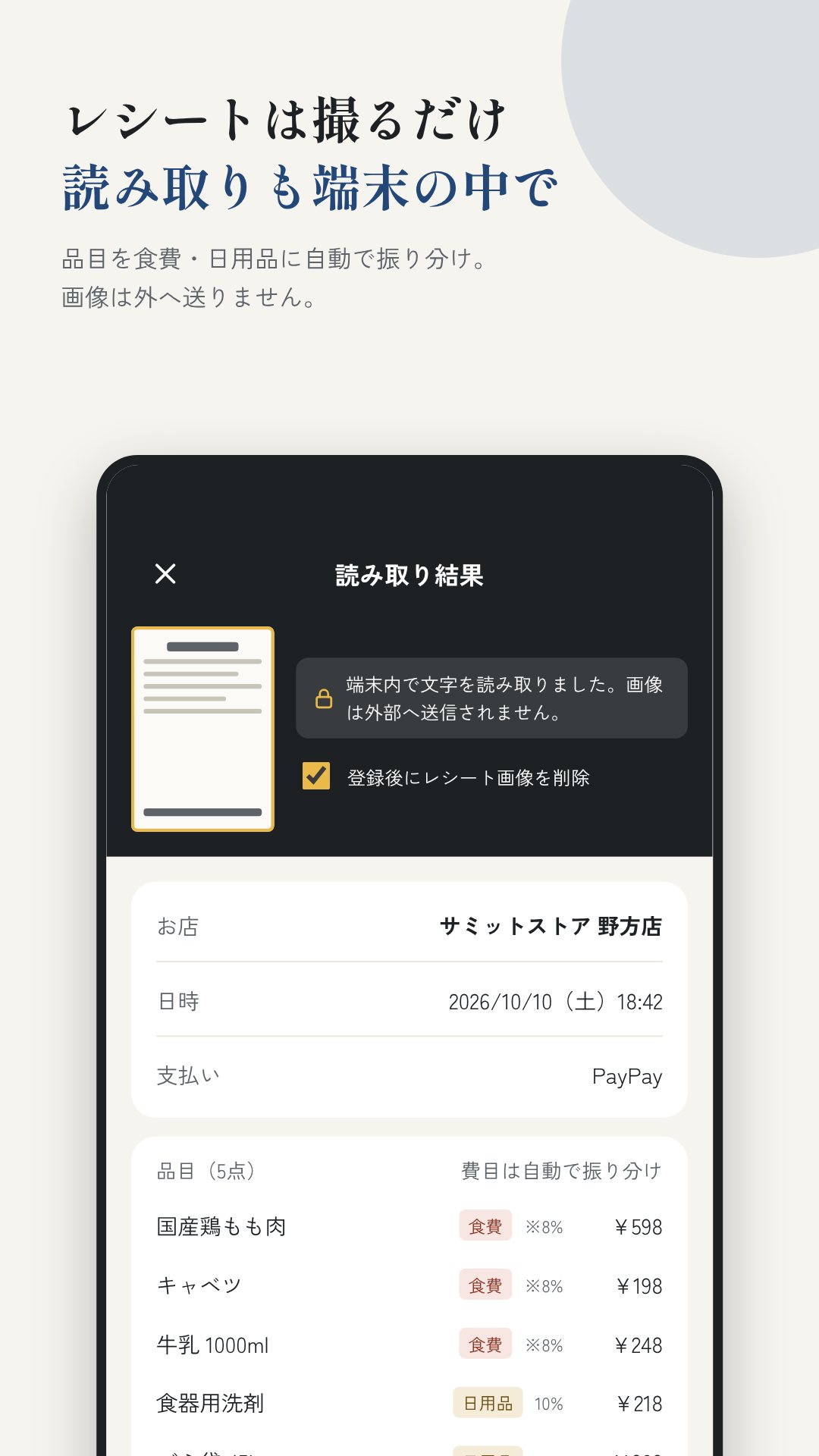
カメラをレシートに向けると、まめ帳が端末内のOCRで読み取ります。日本語の文字認識モデルをアプリに同梱しているので、ダウンロードもアップロードもありません。店名・日付・合計・品目を取り出し、品目ごとに費目(食費・日用品・医療費)を推定。「※」「軽」などの印から軽減税率8%の対象も見分けます。さらにレシート内の支払い方法のヒント(PayPay・クレジット・現金)を拾い、市販薬らしい品目にも印を付けます。
まめ帳は暦の月ではなく、あなたの月度で動きます。「1か月」は給料日から次の給料日の前日まで。その月度の予算を袋(封筒)に分け――食費・日用品・外食など自由に――ホーム画面には各袋の残り、使える合計、そして1日あたりの目安が出ます。使いすぎれば「予算オーバー」と知らせます。まとまった出費には、任意の間隔で繰り返す固定費と、年に数回の大きな出費を毎月の積み立て目安に変える特別費・ボーナスがあります。
レポートのタブでは、月度ごと・年ごとの支出を費目別の割合と月次グラフで見られます。さらにまめ帳には、日本の制度に寄り添った控除メモがあります。「医療費」の記録から医療費控除を自動集計し、足切り額(10万円、または所得200万円未満なら所得の5%)と比べ、市販薬についてはセルフメディケーション税制と比較。ふるさと納税の寄附も記録し、6団体を超えると確定申告が必要だと知らせます。日付は和暦でも表示でき、祝日は2000〜2099年ぶんを端末内で計算します。
クラウドに何も置かないぶん、自分のデータを安全に扱う手段を用意しています。バックアップは AES-256-GCM で暗号化した .mame ファイルに書き出し(鍵は PBKDF2-HMAC-SHA256 を10万回)、保存先はあなたが選びます。機種変更には端末どうしのQR転送。暗号化したバックアップを複数のQRコードで表示し、もう一方のカメラで読み取ります。もちろん通信なし。そしてアプリ全体を、顔認証・指紋・端末の暗証番号によるアプリロックで守れます。
まめ帳は記録と目安のためのアプリで、税務上の助言ではありません。医療費控除やふるさと納税の金額は準備のための目安で、最終的な数字は確定申告でご確認ください。完全オフラインゆえ、データの安全はバックアップ次第です。忘れないパスワードを決め、控えを安全な場所に保管してください。
はい。INTERNET 権限をビルド時に削除しているため、入力・バックアップ・計算のすべてが端末内で完結し、通信は一切ありません。
はい。日本語モデルを同梱した端末内OCRで店名・日付・合計・品目を読み取り、費目を推定し、軽減税率8%の対象も見分けます。
いいえ。銀行連携はありません。残高は手で合わせるだけで、それが完全オフラインとプライバシーを保つ仕組みです。
はい。医療費を控除の基準額に向けて集計し、ふるさと納税の寄附も記録するので、申告の時期に数字がそろいます。
By the NAXTECH team · Published 26 Apr 2026 · Updated 12 Jul 2026 · Hands-on with v1.0
It is the end of the month, you have a pocket full of receipts, and the budgeting app you downloaded wants your bank login and an account before it will let you write down a single 300-yen coffee. For a lot of people in Japan that is the wrong trade: the whole point of a household account book is a quick private note of where the money went, not a data-sharing agreement. まめ帳 (Mamecho) was built for that instinct.
まめ帳 is a household account book that lives entirely on your phone. There is no sign-up and no login, and the app ships with the INTERNET permission stripped out at build time, so at the OS level it simply cannot send anything anywhere.
The home screen is built around speed. Type an amount, tap a category, and the entry is saved — roughly three seconds per record. Spending can be logged against four kinds of account — cash, bank, e-money and credit card — and the balance on the home screen is "money on hand", with any unpaid credit-card total already subtracted. There is no bank linking by design; you nudge each balance by hand, which is what keeps the app fully offline.
Point the camera at a receipt and まめ帳 reads it with an on-device OCR model — the Japanese text-recognition model is bundled into the app, so nothing is downloaded and nothing is uploaded. It pulls out the store name, date, total and line items, guesses a category for each item (food, daily goods, medical), and flags the reduced 8% consumption-tax rate on items marked 軽減. It even picks up the payment hint on the slip — PayPay, credit or cash — and spots over-the-counter medicine for later.
Instead of a calendar month, まめ帳 runs on your pay period: the "month" is payday to the day before the next payday. You split that budget into envelopes — food, daily goods, eating out, whatever you use — and the home screen shows what is left in each, the total still available, and a rough per-day figure, flagging any envelope you go over. For the lumpy stuff there are two more tools: fixed costs, which schedule recurring payments at any monthly interval, and special expenses & bonuses, which turn a year of big one-off outlays into a simple monthly savings target.
The reports tab breaks each pay period and each year down by category with percentages and a monthly spending graph, so you can see where the money actually goes. まめ帳 also keeps a tax-deduction memo aimed squarely at Japan: it totals your medical expenses toward the deduction threshold (¥100,000, or 5% of income under ¥2M), compares them against the self-medication route for over-the-counter medicine, and records furusato nozei donations, warning you when you pass six recipients and need a full tax return. Dates can be shown in the Japanese era (wareki), and national holidays are calculated on-device for 2000–2099.
Because nothing lives in the cloud, まめ帳 gives you solid ways to move your own data. Backups are written to a .mame file encrypted with AES-256-GCM (the key derived by PBKDF2-HMAC-SHA256 over 100,000 iterations), and you choose where it is saved. To move between phones there is device-to-device QR transfer: the encrypted backup is shown as a series of QR codes and read by the other phone's camera, with no network involved. And the whole app can sit behind an app lock using Face ID, fingerprint or your device PIN.
まめ帳 is a record-keeping and estimation tool, not tax advice; the deduction figures are guides to help you prepare, and the final numbers belong on your tax return. Because it is fully offline, your data is only as safe as your backups — set a backup password you will remember and keep a copy somewhere safe.
Yes. The INTERNET permission is removed at build time, so every entry, backup and calculation stays on your device with no communication at all.
Yes. On-device OCR with a bundled Japanese model reads the store, date, total and items, suggests a category, and flags the reduced 8% consumption-tax rate.
No. There is no bank linking; you adjust each account balance by hand, which is what keeps the app completely offline and private.
Yes. It totals medical expenses toward the deduction threshold and records your furusato nozei donations so the figures are ready at tax time.