 By the NAXTECH team · Published 1 Feb 2026 · Updated 22 Jun 2026 · Hands-on with v0.1
You work out the selling price, the VAT, the margin after the platform fee — and tomorrow a customer asks the same thing about a different item, so you tap it all out again. For anyone who runs the same numbers for a living, that is the quiet daily tax of an ordinary calculator: it forgets everything the moment you clear the screen. Calc Memo was built to stop that.
Calc Memo is a calculator that remembers. Every calculation is saved automatically, and any calculation can become a reusable formula in one tap — so the next time you only type the new numbers and read the answer. Everything runs on your device, with no account and no connection, so your figures never leave your phone.
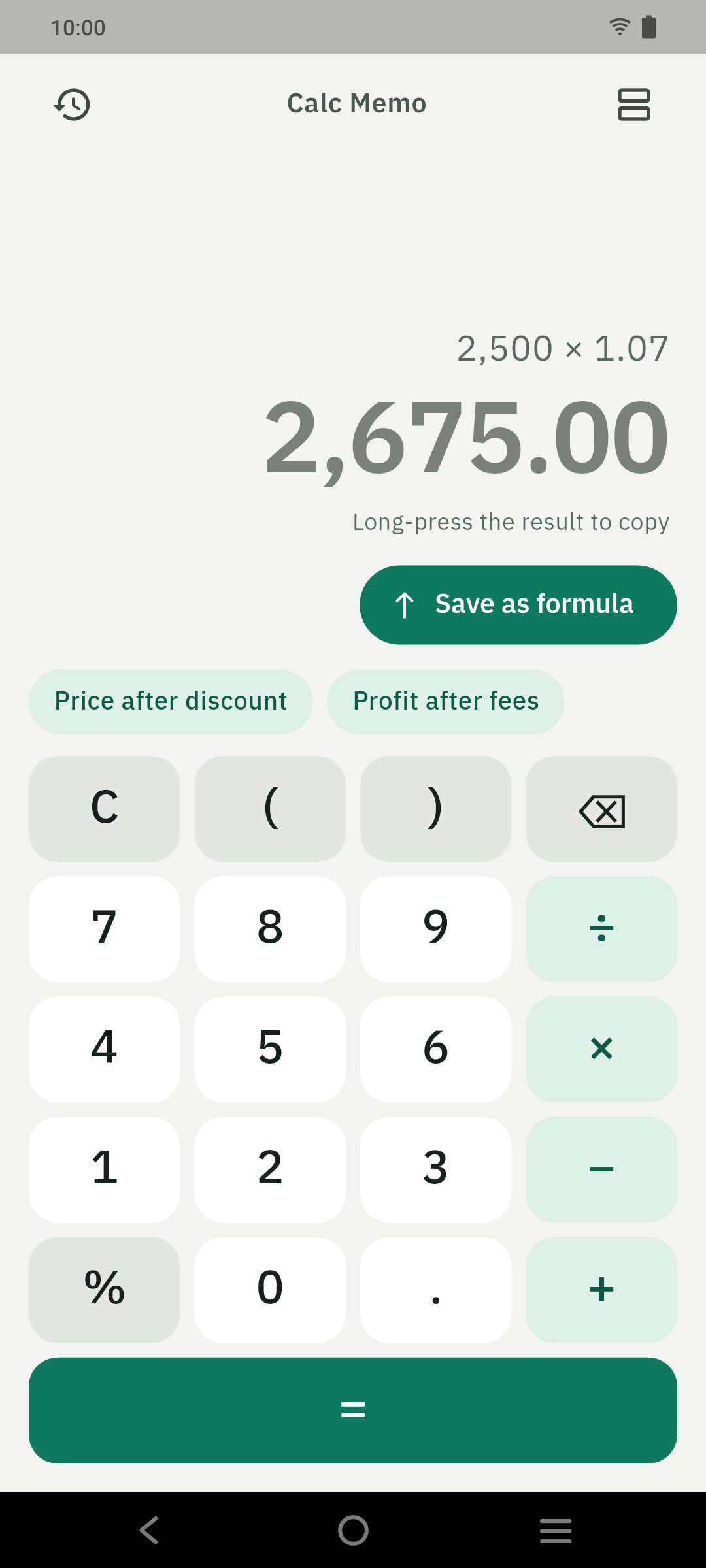
Type something like 1,250 × 3 × (1 − 10%) and tap Save as formula. Calc Memo reads the expression, keeps the parts you want fixed, and turns the rest into named inputs you can label and give a unit — ฿, $, %, pcs or hrs. A formula can carry up to five result lines, and each line can reference your inputs and the lines above it (as r1, r2 and so on), so a single formula can show the fee, the profit per item and the margin together. Pin the ones you reach for most and they sit as chips right under the keypad, up to six at a time.
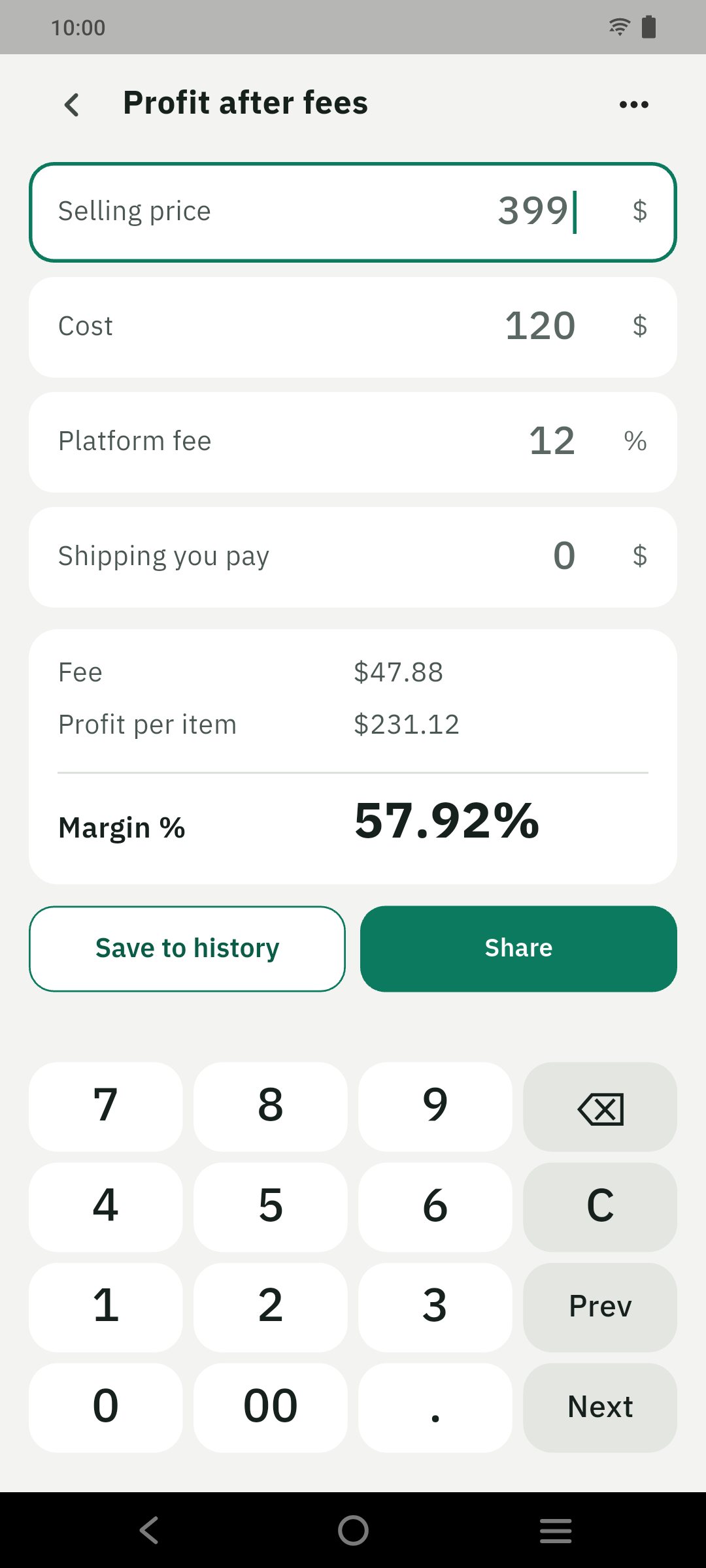
You do not start from a blank library. Calc Memo ships with about a dozen editable presets grouped into selling, tax and everyday packs — add or remove VAT, withholding tax, profit after fees, markup and margin, price after discount, a freelance quote, sales tax, tip and split the bill, and overtime pay. Open a preset and it runs without being saved; tap Save as mine to copy it with your own default values. Five of them are tax presets, and each one carries an "estimate, not tax advice" note with every rate left as an editable input, because the numbers should always be yours.
Prices and tax are no place for floating-point drift, so Calc Memo does not use the phone's double arithmetic or any eval(). A hand-written parser evaluates every expression with exact decimal math, which is why 0.1 + 0.2 shows a clean 0.30. Percentages behave the way a pocket calculator taught you — a + b% adds b percent of a, and a × b% takes b percent of a — and a result keeps flowing as you type, before you ever press equals.
Every = is written straight to a searchable history, grouped into Today, Yesterday and older dates, so "I lost all my work" never happens. Search by a number, a note or a formula name; swipe to delete with an undo, or swipe to pin. From any entry you can add a note, use it again, turn it into a formula, or share it as text — and you can export a JSON backup through the share sheet and import it back when you move phones.
In Calc Memo, language and region are separate settings. Language changes only the words, across English, Thai, Chinese, Japanese and Indonesian. Region decides the currency symbol, the number format — 1,234.56 or 1.234,56 — and which preset pack shows, so the formulas read the way your own invoices do.
Calc Memo is free, works fully offline, and keeps everything on your device: no account, no sign-up, and no ads, tracking or analytics. If it saves you time, an optional Tip Jar lets you support development, but every feature stays free either way.
Yes. The calculator, your saved formulas, the presets and your history all run on your device, with no account or connection required.
A formula remembers the structure, not just the answer — you give the numbers names and units once, then reuse it by typing only the new values.
No. Every rate is an editable default and the tax presets carry an "estimate, not tax advice" note, so you stay in control of the numbers.
Yes. Export a JSON backup through the share sheet and import it on the new device; nothing is stored on a server.