Rowcraft: a fast, private database client that fits in your pocket
 By the NAXTECH team · Published 15 Sept 2026 · Updated 11 Oct 2026 · Hands-on with v1.0
Rowcraft at a glance
- What it is
- A native database client for browsing and editing your databases from Android.
- Platform
- Android phone and tablet · dark UI · no Rowcraft server, nothing to sign up for.
- Price
- Free (PostgreSQL, MySQL and a built-in Sample DB, 3 saved connections); optional Pro upgrade.
- Engines
- PostgreSQL · MySQL · MariaDB · CockroachDB · ClickHouse · SQLite · Redis · MongoDB · Cassandra.
- Built for
- Developers, DBAs and data folks who need to check or fix data on the move.
- Languages
- 12, including English, Spanish, German, French, Japanese, Korean, Chinese and Thai.
Production is misbehaving, you are nowhere near your laptop, and the only thing between you and a bad night is one small data fix. On a phone that usually means squinting at an SSH session, or a desktop tool that was never built for a 360 px screen. Rowcraft was made for exactly this moment: a real database client that behaves like a native Android app and makes it genuinely hard to break something by accident.
Rowcraft connects directly to your servers — there is no Rowcraft backend in the middle. Your hosts, passwords and queries never leave the phone, credentials live in the operating system's secure storage, and there is no account to create and no analytics.
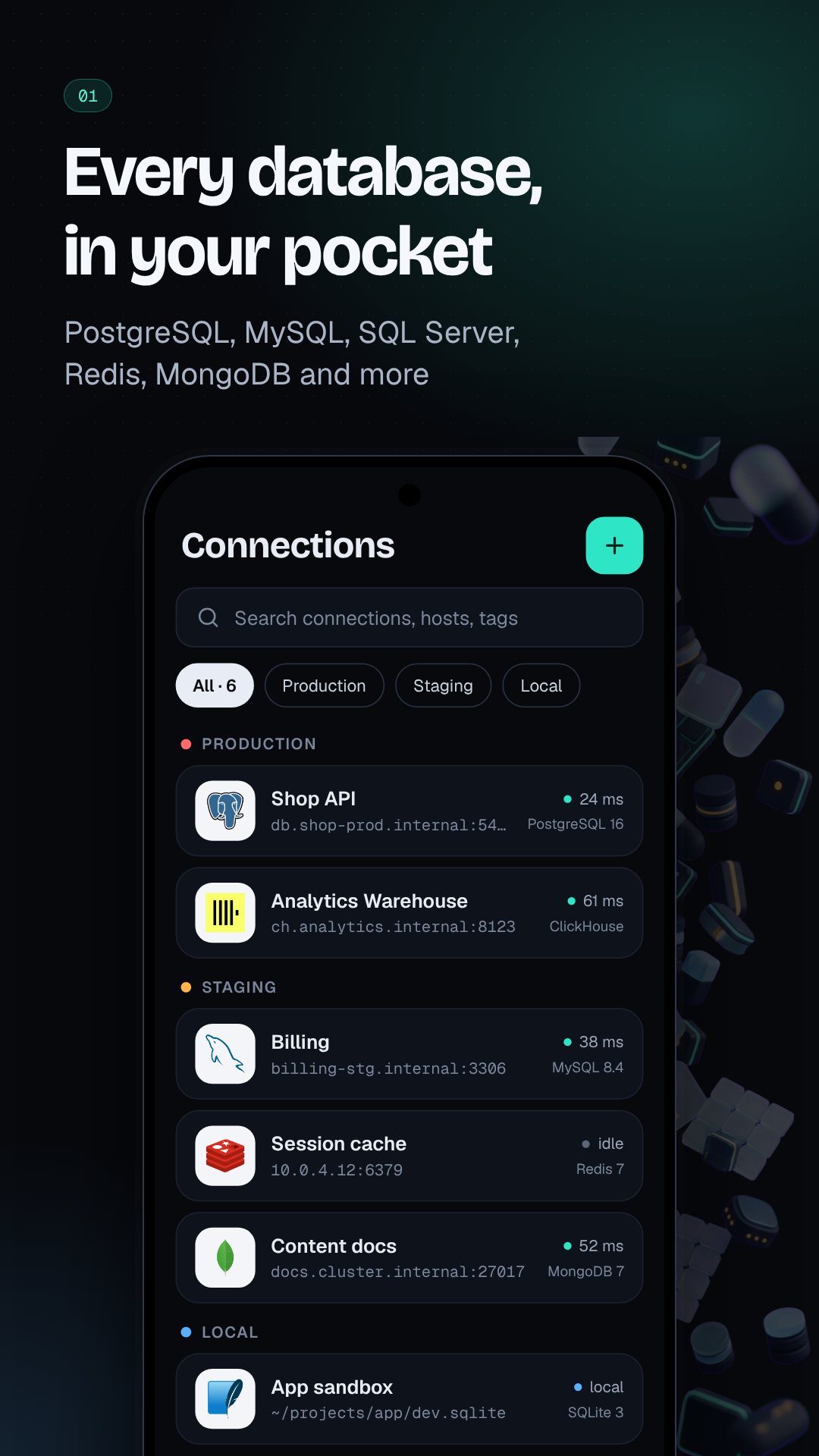
One client, nine database engines
Rowcraft speaks to the SQL databases you already run — PostgreSQL, MySQL, MariaDB, CockroachDB, ClickHouse and SQLite — and reaches beyond SQL to Redis, MongoDB and Cassandra. The free tier covers PostgreSQL, MySQL and a built-in Sample DB so you can try every screen with realistic data first, and an SSH tunnel gets you safely through to a private server when you are away from the office.
Edit your data without holding your breath
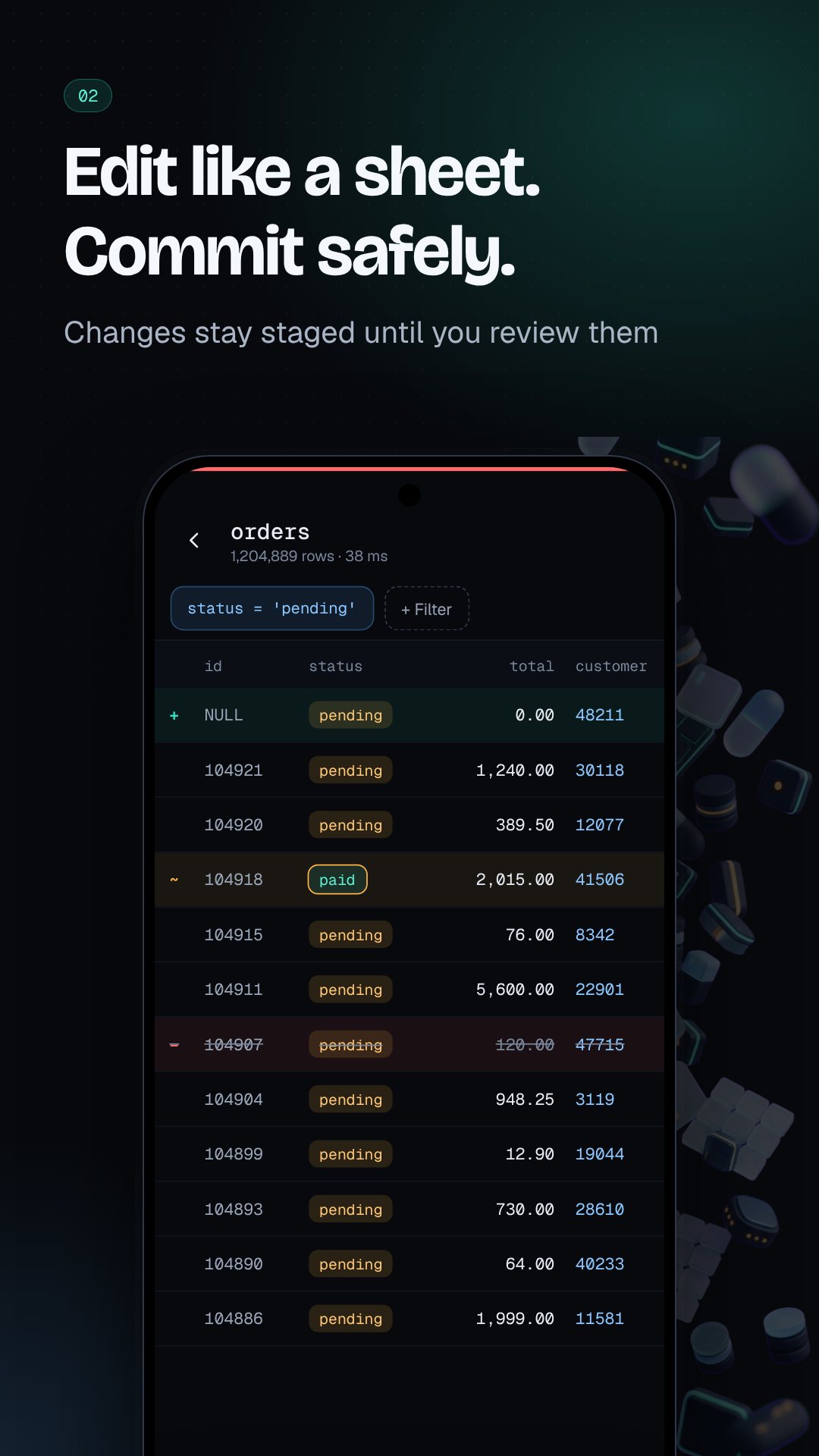
The data grid is where Rowcraft earns its name. Changes are staged, never instant: tap a cell to edit it, insert a row, or mark one for deletion, and each change is flagged with a colour and a glyph you can read at a glance — ~ modified, + inserted, − deleted. Nothing touches the database until you open Review & Commit, where Rowcraft shows the exact SQL it is about to run. Open a database marked as production and a red stripe follows you across every screen, with an extra confirmation before any write lands.
A SQL editor with a safety net
Write and run SQL with syntax highlighting, reusable snippets and per-connection history. A built-in query guard reads each statement first and stops to warn you before the dangerous ones — a DELETE or UPDATE with no WHERE, a DROP, a TRUNCATE, a destructive ALTER, or a GRANT. Results open in a fast, virtualised table you can export, or hand to the chart builder to see a quick bar or line graph without leaving the app.
An AI assistant that keeps your data yours
Stuck on a join? The AI assistant turns a plain-English request into one ready-to-run SQL statement with a short explanation. It is bring-your-own-key — OpenAI, Anthropic, Gemini or a custom endpoint — and requests go straight from your phone to the provider you chose. By default it shares only your table and column names, never the rows inside.
The rest of the toolbox
- Structure & ERD — inspect columns, keys and indexes, and see table relations as a diagram.
- Import & export — a CSV and Excel wizard that walks from mapping to transform to result.
- Encrypted backups — saved with AES-GCM, so a backup file is safe to keep or share.
- Server monitor & alerts — watch live sessions and get a notification, plus a home-screen widget, when a check trips.
- Schema compare, users and table designer — diff two schemas, manage privileges and build tables without hand-writing DDL.
- Tablet split view — a two-pane workspace with the schema tree and your work side by side.
How to edit a table safely in Rowcraft
- Add a connection — pick your engine, enter the host, port and credentials, or open the built-in Sample DB.
- Open the schema tree and tap a table to load its data grid.
- Tap a cell to stage an edit; it is flagged with the ~ glyph and a colour, and nothing is sent yet.
- Open Review & Commit to read the exact SQL Rowcraft will run.
- Confirm to commit — on a production connection you clear one more guard before anything is written.
Frequently asked questions
Does Rowcraft send my database or credentials to a server?
No. Rowcraft has no backend, so your hosts, passwords and queries stay on the device, with credentials kept in the operating system's secure storage.
Which databases does Rowcraft support?
PostgreSQL, MySQL, MariaDB, CockroachDB, ClickHouse and SQLite, plus Redis, MongoDB and Cassandra; the free tier covers PostgreSQL, MySQL and a built-in Sample DB.
Is the AI assistant private?
Yes. You bring your own OpenAI, Anthropic, Gemini or custom key, and by default only table and column names are shared with your provider, never the data in your rows.
How does Rowcraft prevent accidental data loss?
Edits are staged and applied only at a Review & Commit step, and a query guard warns before a DELETE or UPDATE with no WHERE, a DROP, a TRUNCATE or other destructive statements.