 By the NAXTECH team · Published 25 Aug 2026 · Updated 25 Oct 2026 · Hands-on with v1.1
You are curious about your IQ, so you tap a random "IQ test" online — and it is thirty ad pages, a paywall, and a number with no explanation of where it came from. That gap, between an honest estimate you understand and a number pulled from nowhere, is exactly what this app was built to close. IQ Test: Quick Estimate gives you one clean run of 25 carefully chosen questions, an instant result, and — unlike most quick quizzes — a plain account of how that result was calculated.
Every question is multiple choice, the whole thing runs offline on your device, and there is no account to create. You can take it on a train with no signal and still get your estimate the moment you finish.
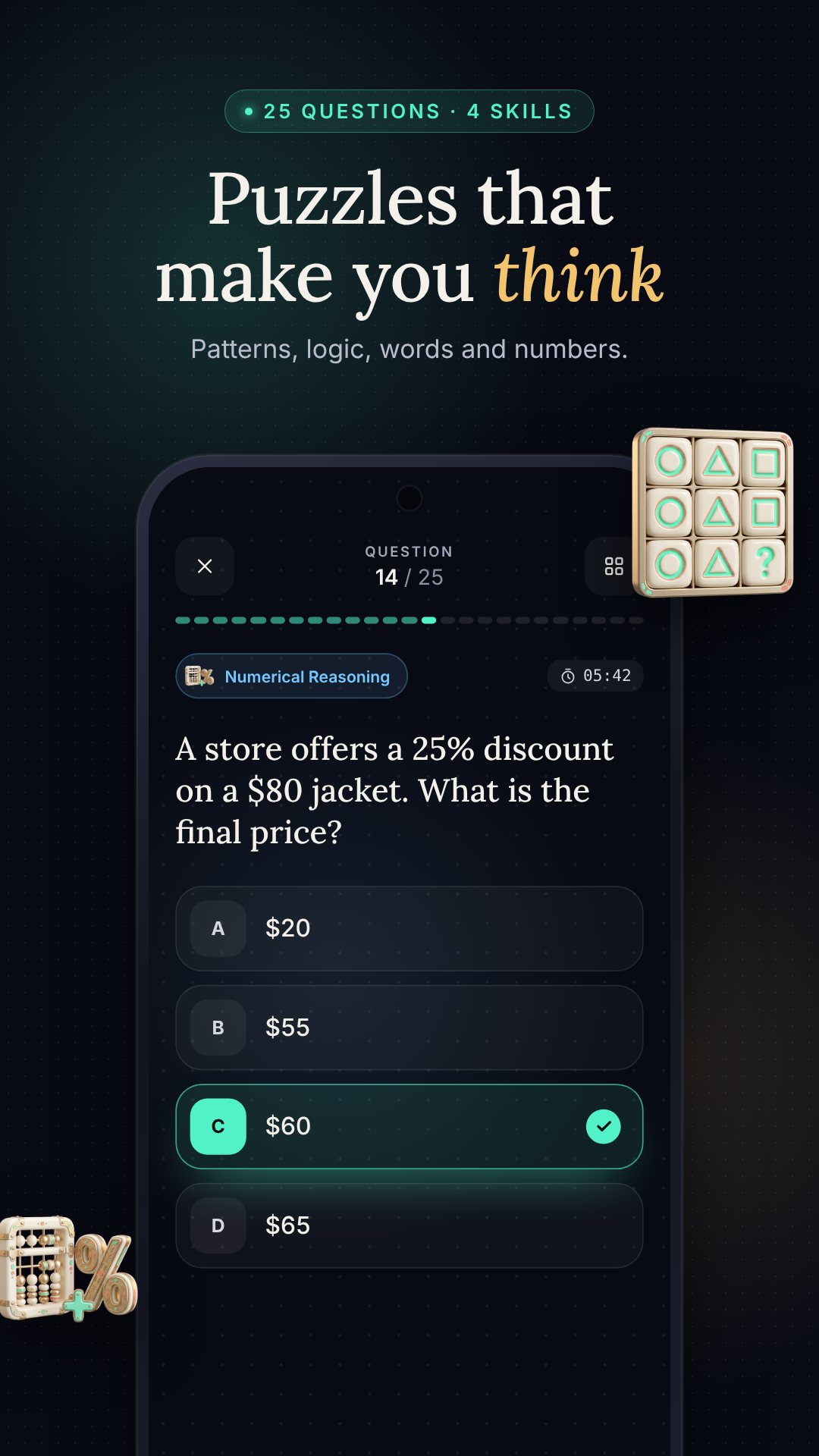
The test is not one flavour of puzzle repeated 25 times. It samples four reasoning skills: Pattern Recognition (continuing logical sequences of numbers, letters or shapes), Logical Reasoning (deductive and inductive word problems), Verbal Analogies (word relationships and meanings), and Numerical Reasoning (arithmetic, percentages and series). Questions are spread across five difficulty levels, so the quiz warms you up before it stretches you.
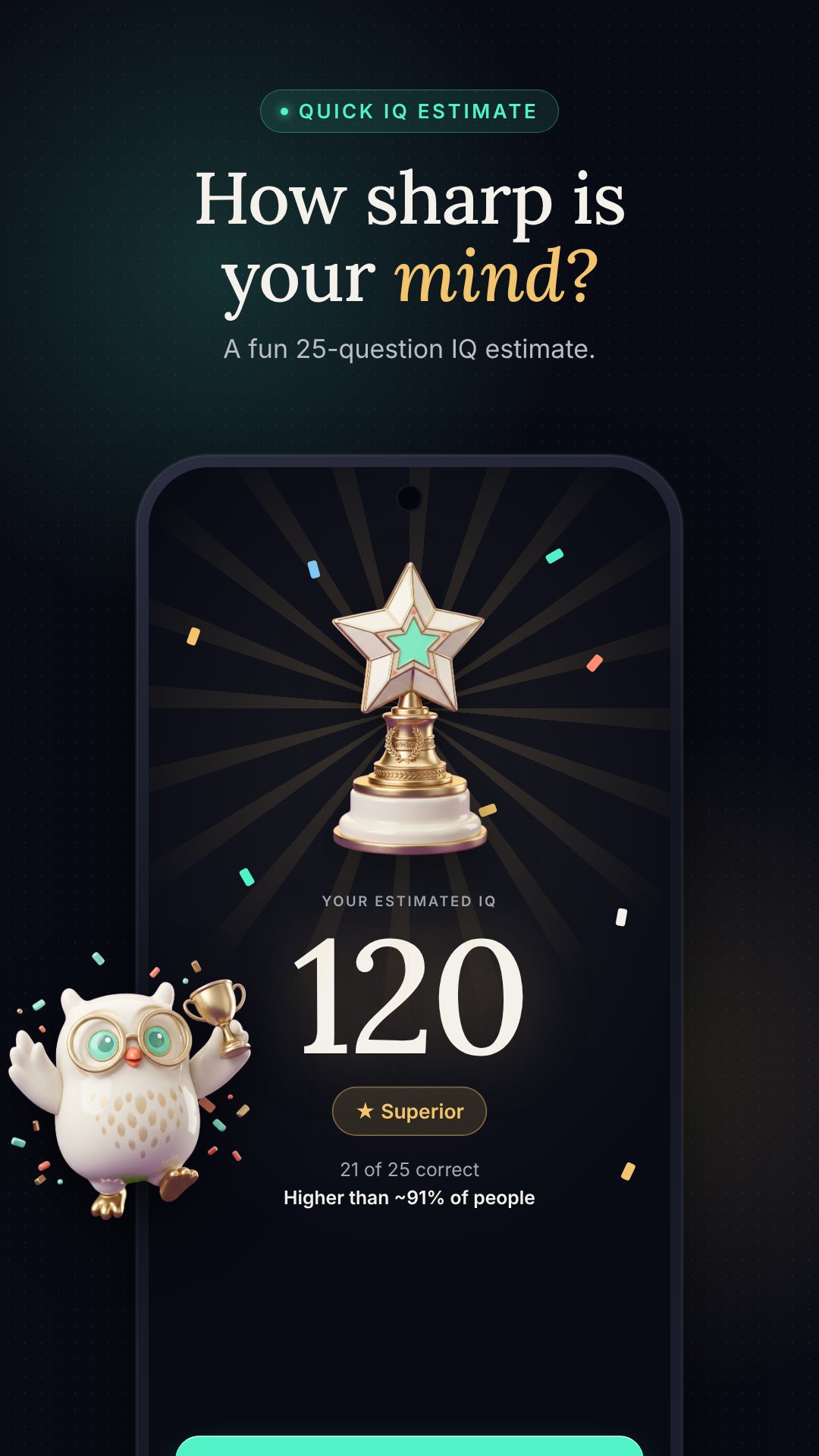
When you finish, your raw score is mapped to an estimated IQ on a standard scale where the average is 100. The app then places you in one of five classification bands — Below Average (70–84), Average (85–99), Above Average (100–114), Superior (115–129) and Very Superior / Genius Level (130–160) — and draws your score on a bell curve with the matching percentile, so "116" becomes "ahead of about 84% of people" instead of a bare number.
Before you start you pick a mode. Quick Estimate is free and gives you the overall IQ result. Pro insights runs the same 25 questions but breaks the result into a sub-score for each of the four categories, so you can see whether your verbal reasoning is carrying your numerical, or the other way round. You can unlock Pro with a purchase, or watch a rewarded ad to unlock it for a single result.
The app is upfront: this is a quick estimate for entertainment and brain practice, not a clinical or diagnostic assessment. The score is interpolated from your number of correct answers using a fixed scale, the same way every time, and the Learn tab shows you that table rather than hiding it. It is free to download with ads, with optional in-app purchases for Pro insights, progress tracking and removing ads.
Yes. The questions, scoring and your result all run on your device, so you can take the whole test with no connection and no account.
Twenty-five, drawn from four skills — pattern recognition, logical reasoning, verbal analogies and numerical reasoning — across five difficulty levels.
It is an estimate for fun and practice, not a clinical assessment; your correct answers are mapped to an IQ scale with an average of 100 and shown with your percentile.
The same 25-question test plus a detailed sub-score for each of the four categories, so you can see which type of reasoning is your strongest.
Get IQ Test: Quick Estimate on Google Play →
 By the NAXTECH team · Published 12 Aug 2026 · Updated 22 Sept 2026 · Hands-on with v1.0
The bill lands on the table, someone says "let's just split it," and your mind goes blank. Tip, tax, your share — the numbers are small, but under a little pressure the answer refuses to come. Being slow at everyday arithmetic is not about intelligence; it is about practice, and most of us stopped practising the day we left school. Mental Math Pro is built to give that practice back, a few timed minutes at a time.
It is an offline mental math trainer with two halves that feed each other: short, pressure-tested speed drills that find your weak spots, and a Tricks Academy that teaches the shortcuts mental-math athletes actually use. Everything runs on your device, so a two-minute session works on the train, in a queue or on a plane with no signal.
The app is not one quiz repeated forever. Speed Sprint gives you a fixed clock — 30, 60 or 120 seconds — and counts how many you clear. Survival hands you three lives and quietly ramps the difficulty up a tier for every ten correct answers, so it keeps rising until it finally catches you. Custom Workout lets you pick exactly which operations and number ranges you want to grind, from two-digit addition to percentages.
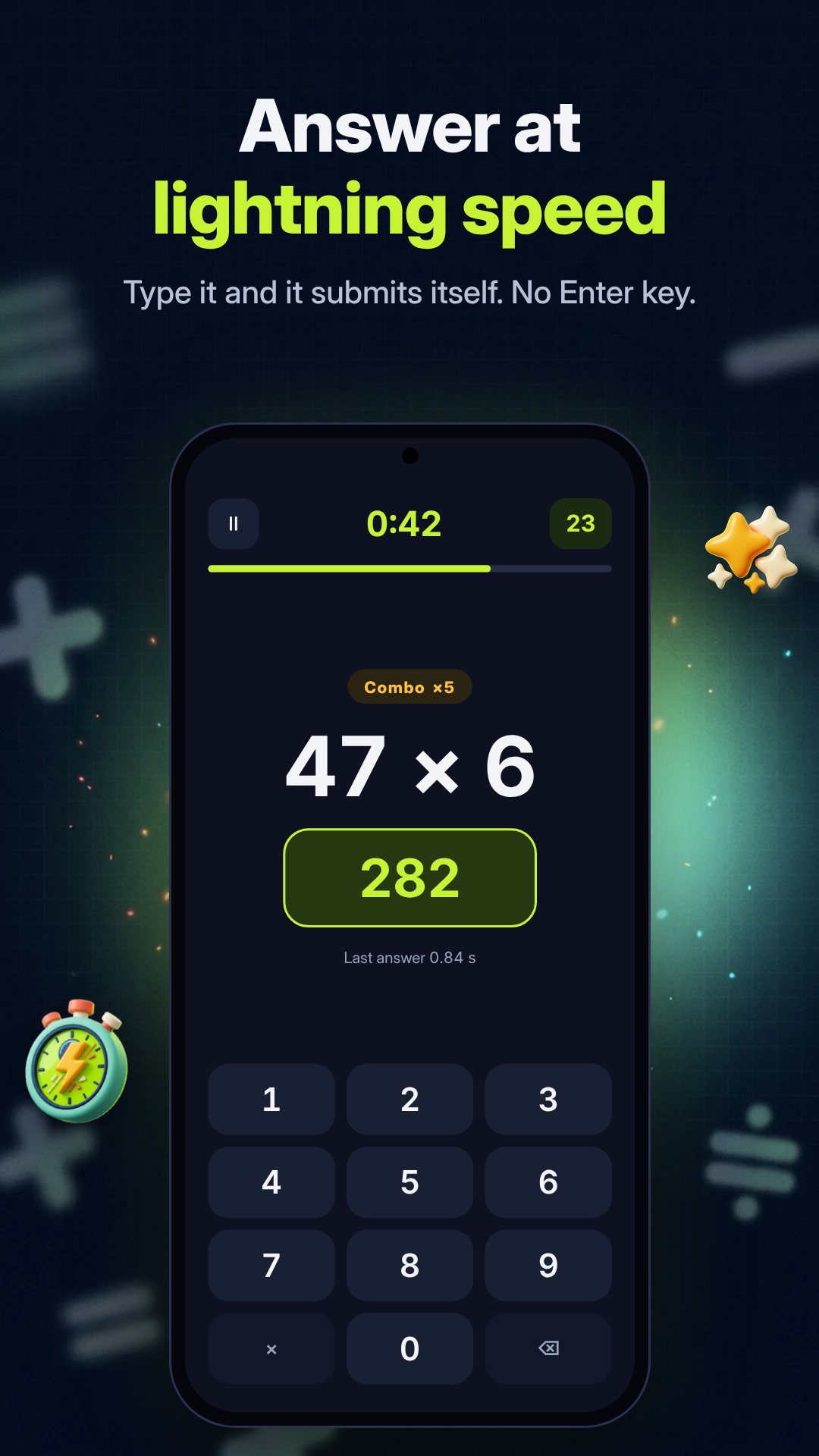
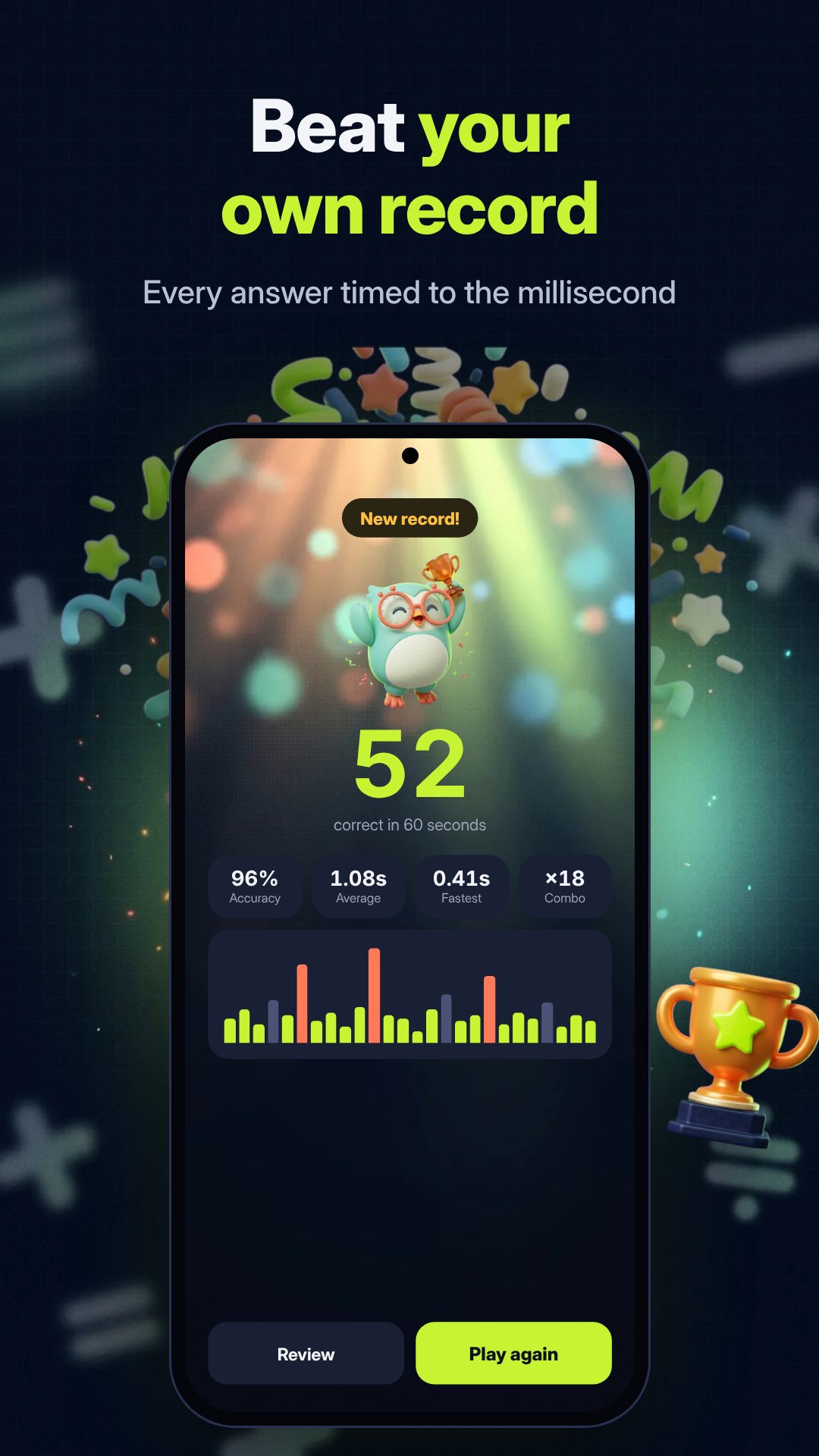
The standout is the Smart Adaptive Drill. As you play, the app records every question you miss or hesitate on and keeps a running list of your weakest facts. The adaptive round then serves up the 20 questions you struggle with most — the seven-times table that never stuck, the subtraction that makes you pause — instead of easy ones you already own. It is free once a day, with extra rounds via a rewarded ad, and unlimited on Pro. Your home screen even carries a shortcut straight to your three current weak spots.
Speed is not only repetition — it is method. The Academy holds seven multiplication and percentage tricks, each one taught as a fixed worked example you can replay step by step before you practise it across timed levels. Three are free to start: multiplying any number by 11, squaring numbers that end in 5, and multiplying two numbers close to 100. Four more — the ×5/×25 shortcut, cross-multiplication for two-digit pairs, the ×9 rule and fast percentages — come with Pro, or you can unlock a locked trick for 24 hours by watching a rewarded ad. Each trick runs as ten-question levels with a 15-second clock, and your average answer time earns one to three stars.
Make 24 is the number puzzle built in for when you want to think rather than race: you are dealt four cards and have to reach exactly 24 by combining them with any operations — tap a card, an operator, then a second card to merge them, with an undo button when a branch is a dead end. Two-player Duel splits a single phone into two halves, the top one rotated to face your opponent, so you can race the same questions head to head without a second device.
Mental Math Pro is fully offline and needs no account; the ad and billing permissions it requests are for the optional ads and the Pro upgrade, and the notification permission is only for the daily reminder you choose to enable. It is free to download with ads, and Pro is available monthly or yearly with a 7-day free trial, or as a one-time lifetime purchase. The interface ships in 16 languages, including right-to-left Arabic.
Yes. Every drill, trick lesson and puzzle runs on your device, so you can train with no connection at all.
It tracks the questions you miss or hesitate on and builds a 20-question round from your weakest facts, so you practise what you are bad at rather than what is easy.
It is free with ads. Pro removes ads, unlocks all seven Academy tricks and gives unlimited adaptive rounds, with a 7-day free trial and monthly, yearly or lifetime options.
Yes. Two-player Duel splits the screen in half with the top rotated, so you can race the same questions head to head on a single device.