 Por el equipo de NAXTECH · Publicado el 10 may 2026 · Actualizado el 30 sept 2026 · Probado en la v1.0
Te acuerdas del juego que vivía en todos los PC de oficina en los años 90: el tapete verde, las cuatro celdas libres, la satisfacción callada de resolver un tablero sin depender de la suerte. Luego lo buscas en el móvil y todos los resultados son clones llamativos enterrados en banners y ventanas emergentes. Esa distancia entre el juego limpio y concentrado que recuerdas y las apps ruidosas de la tienda es justo lo que FreeCell Solitaire XP 1990 viene a cerrar.
Es una reconstrucción cuidada y fiel del FreeCell clásico de Windows para Android. Conserva las reglas que hacen de FreeCell un juego de destreza y no de azar, las envuelve en una auténtica interfaz de Windows 95 y, sobre todo, no te muestra ni un solo anuncio.
La disposición es la de siempre: ocho columnas reparten la baraja completa de 52 cartas, con cuatro celdas libres a la izquierda para guardar cartas de forma temporal y cuatro bases a la derecha que armas del As al Rey, una por palo. Apilas las cartas en orden descendente alternando colores entre las columnas, aparcas una carta incómoda en una celda libre cuando necesitas aire, y llevas cada palo a su base. Como casi todas las repartidas tienen solución con la secuencia de jugadas correcta, ganar depende de la planificación, no del reparto.
Mover una fila de cartas también funciona como esperan los jugadores veteranos. El juego calcula cuántas cartas puedes desplazar a la vez según tus celdas libres y columnas vacías —la clásica regla del supermovimiento (celdas libres + 1) × 2^(columnas vacías)—, así que un tablero bien preparado te deja reubicar una secuencia ordenada larga en un solo arrastre en lugar de carta por carta.
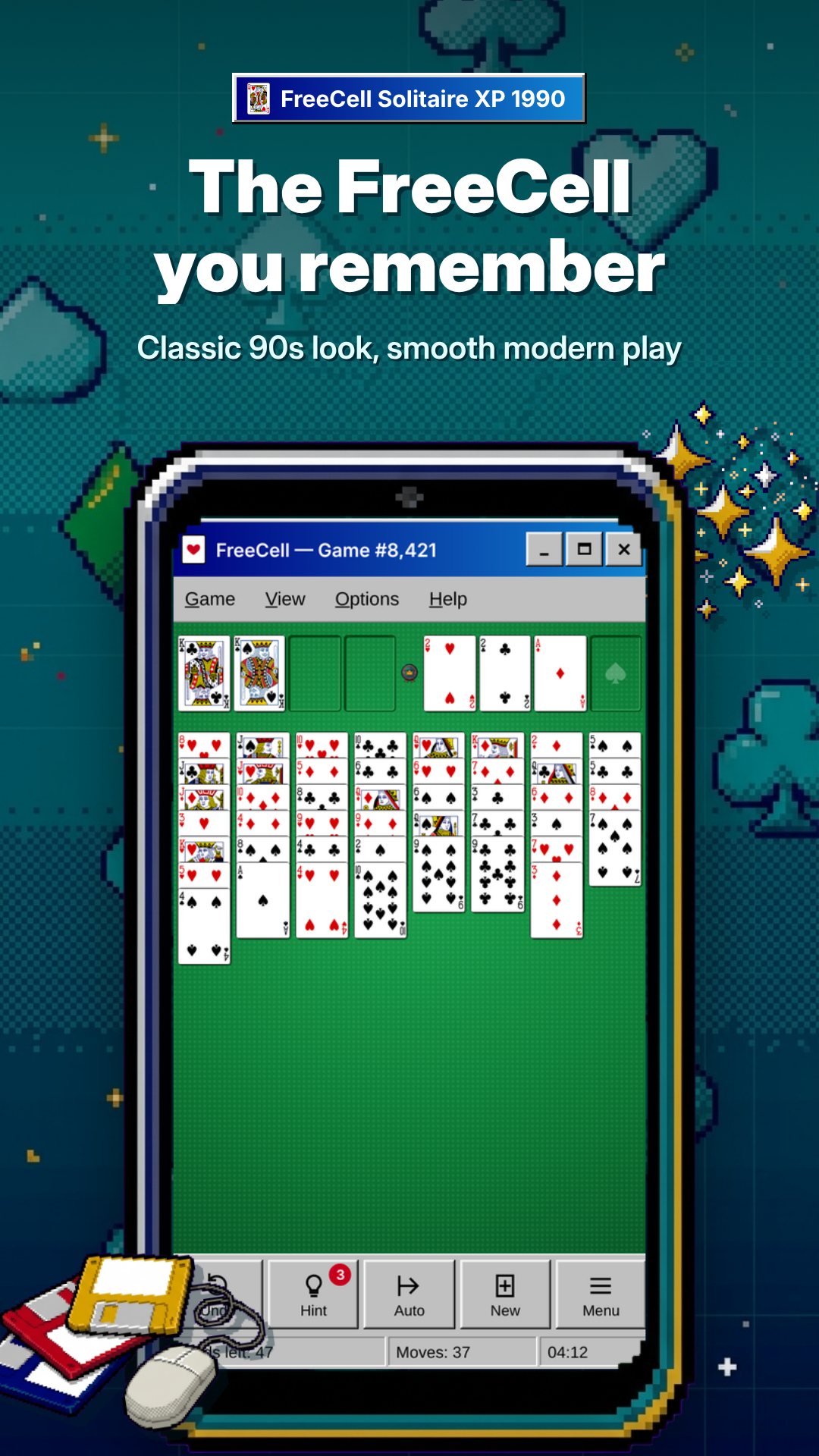
La nostalgia está en los detalles, y esta app se compromete con ellos. Hay una barra de título de verdad, una barra de menú Juego / Ver / Ayuda que funciona y esos bordes 3D hundidos y en relieve que definieron el aspecto de la época. Abajo, una barra de estado muestra tu número de juego y el contador de movimientos, igual que en el original. Hasta el tapete tiene el tono exacto de verde. Si creciste con monitores CRT y ratón de bola, te resultará familiar al instante.
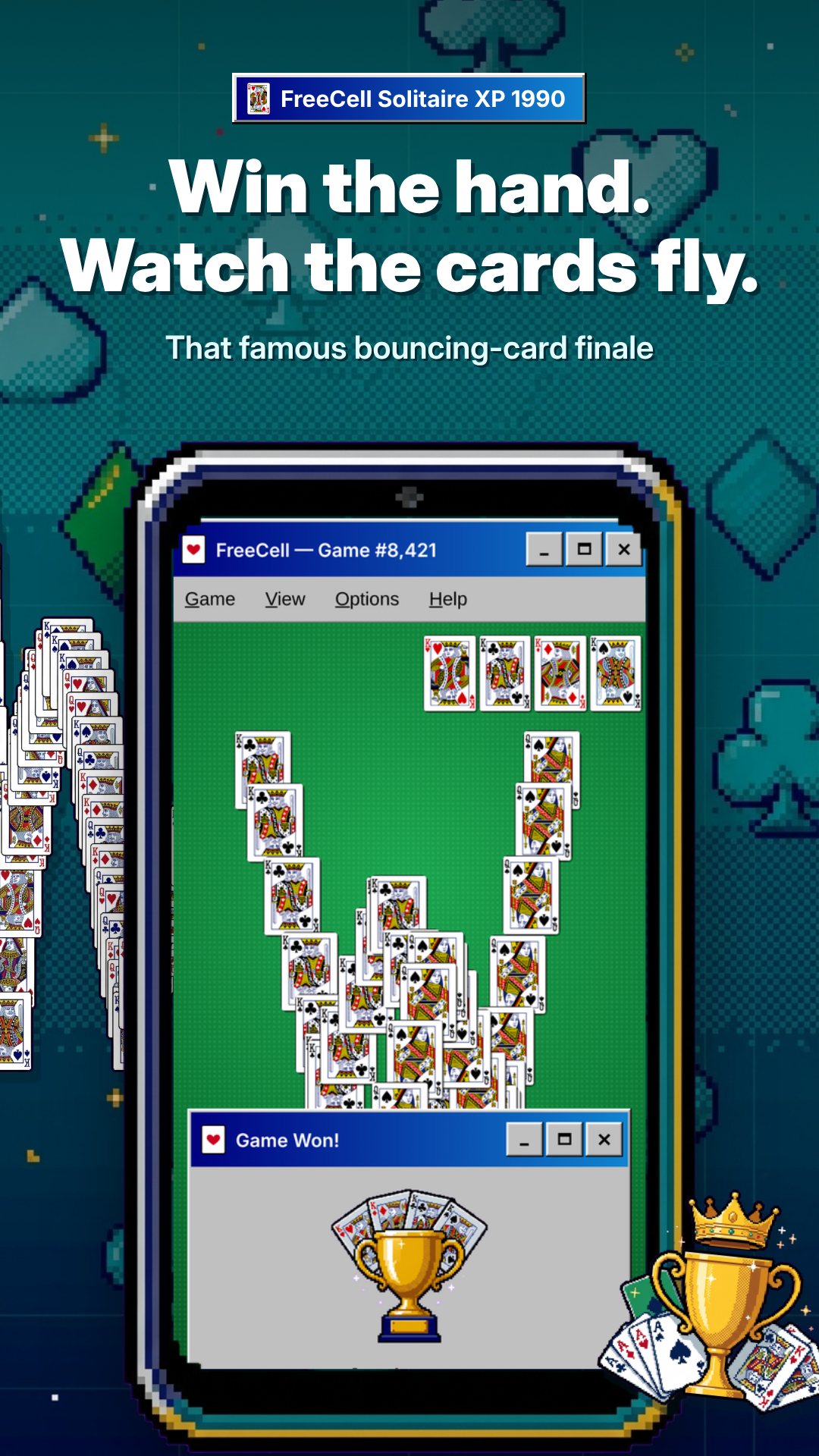
Juegas como mejor te venga: arrastra y suelta una carta o toda una secuencia válida sobre su destino, o toca para seleccionar y toca de nuevo para colocar. Cuando una carta se puede subir sin riesgo, el movimiento automático del juego la lleva a las bases por ti, con una regla de juego seguro que nunca sepulta una carta que aún necesitabas abajo. Lleva todos los palos hasta el Rey y te premia la clásica animación de cartas rebotando cayendo por la pantalla.
FreeCell Solitaire XP 1990 no contiene ningún anuncio: ni banners, ni vídeos, ni ventanas emergentes. Todo el juego es gratis, sin funciones bloqueadas ni nada que desbloquear. No necesita conexión a internet ni cuenta, así que puedes jugar en un avión, en un túnel o donde sea. La única compra dentro de la app es una donación única totalmente opcional para apoyar al desarrollador: el juego completo es idéntico la toques o no.
No. No hay banners, vídeos ni ventanas emergentes en ninguna parte del juego, y el juego completo es gratis y sin funciones bloqueadas.
Sí. Cada reparto tiene un número del 1 al 1.000.000; usa Seleccionar juego para escribirlo o Reiniciar para volver a repartir la partida actual.
Sí. El juego no necesita internet ni cuenta: funciona por completo en tu dispositivo, así que puedes jugar en cualquier lugar.
Sí. El menú Ver amplía el tablero del 70% al 150%, lo que ayuda en pantallas pequeñas o a quien prefiere cartas más grandes.
Consigue FreeCell Solitaire XP 1990 en Google Play →
By the NAXTECH team · Published 26 Jan 2026 · Updated 3 Sept 2026 · Hands-on with v1.0
You remember the game that lived on every office PC in the 1990s — the green table, the four little free cells, the quiet satisfaction of a board solved without luck. Then you go looking for it on your phone and every result is a flashy clone buried under banner ads and pop-ups. That gap between the clean, focused game you remember and the noisy apps on the store is exactly what FreeCell Solitaire XP 1990 was built to close.
This is a deliberate, detail-faithful rebuild of classic Windows FreeCell for Android. It keeps the rules that make FreeCell a game of skill rather than chance, wraps them in a genuine Windows 95 interface, and — importantly — never shows you a single advertisement.
The layout is the one you know: eight cascades deal out the full 52-card deck, with four free cells for temporary storage on the left and four foundations on the right that you build up from Ace to King, one suit each. You stack cards down in alternating colours across the cascades, park an awkward card in a free cell when you need breathing room, and race every suit home. Because almost every deal is solvable with the right sequence of moves, winning comes down to planning — not the shuffle.
Moving a run of cards works the way serious FreeCell players expect, too. The game calculates how many cards you may shift at once from your empty free cells and empty columns — the classic (free cells + 1) × 2^(empty columns) supermove rule — so a well-prepared board lets you relocate a long ordered sequence in a single drag instead of one card at a time.
The nostalgia is in the chrome, and this app commits to it. There is a proper title bar, a working Game / View / Help menu bar, and the genuine raised-and-sunken 3D borders that defined that era's look. A status bar runs along the bottom showing your current game number and move count, just like the original. Even the table is the right shade of green. If you grew up with CRT monitors and a ball mouse, it will feel immediately, almost physically, familiar.
You can play however suits your hands: drag and drop a card or a whole valid sequence onto its destination, or tap to select and tap again to place. When a card is safe to send home, the game's auto-move whisks it to the foundations for you — using a conservative safe-play rule so it never buries a card you still needed below. Clear every suit to King and you are rewarded with the classic bouncing-cards win animation cascading down the screen.
FreeCell Solitaire XP 1990 contains no advertisements at all: no banners, no video ads, no pop-ups. The whole game is free with no locked features and nothing to unlock. It needs no internet connection and no account, so you can play on a plane, in a tunnel or anywhere else. The only in-app purchase is an entirely optional one-time donation to support the developer — the full game is identical whether or not you ever tap it.
No. There are no banners, video ads or pop-ups anywhere in the game, and the complete game is free with no locked features.
Yes. Every deal has a number from 1 to 1,000,000; use Select Game to enter one, or Restart to re-deal the game you are on.
Yes. The game needs no internet and no account — it runs entirely on your device, so you can play anywhere.
Yes. The View menu zooms the board from 70% to 150%, which helps on small screens or for players who want larger cards.