 By the NAXTECH team · Published 24 Jul 2026 · Updated 18 Oct 2026 · Hands-on with v1.2
The joke lands, the room goes quiet — and you fumble through three apps trying to find that one "ตบมุข" drop before the moment is gone. Every Thai comedy fan, live streamer and party host knows that feeling. A punchline without its sound effect is only half a punchline. Effect ตบมุข Soundboard was built to put the right sound under your thumb the instant you need it.
It is a Thai meme soundboard holding over 100 sound effects — the classic ตบมุข (punchline) stings, applause, "น้าค่อม" clips, viral TikTok memes, Thai voice lines and dance tracks — all bundled in the app so they fire instantly, even with no signal.
The library is split across nine categories plus an All tab that gathers every sound in one place. The tabs run along the top — Topmuk (ตบมุข) for punchline drops, Nakom (น้าค่อม), Memes, Thai voices, Thai music, Openings, Applause (ปรบมือ), Dance and General — so the sound you want is a swipe and a tap away. Swipe left or right to move between categories without lifting your eyes from the show.
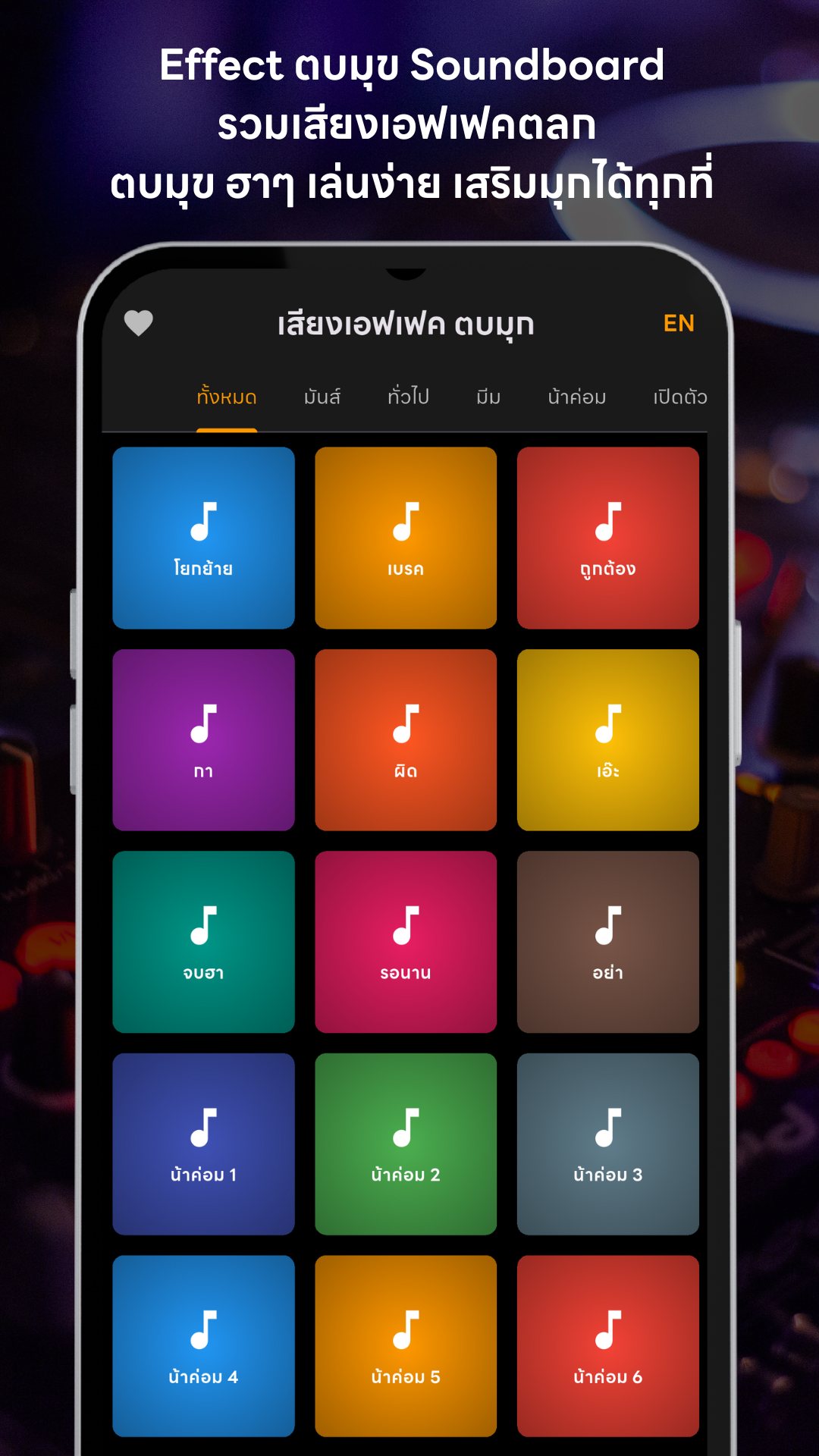
Every sound is a single tap. Tap once to play, tap the same button again to stop, and a thin progress bar runs across the button so you always know how much of the clip is left. Because the player mixes audio, you can layer several sounds at once — drop a drumroll under a crowd cheer, or a meme sting over a music loop — which is exactly what you need when you are driving a live from one phone.
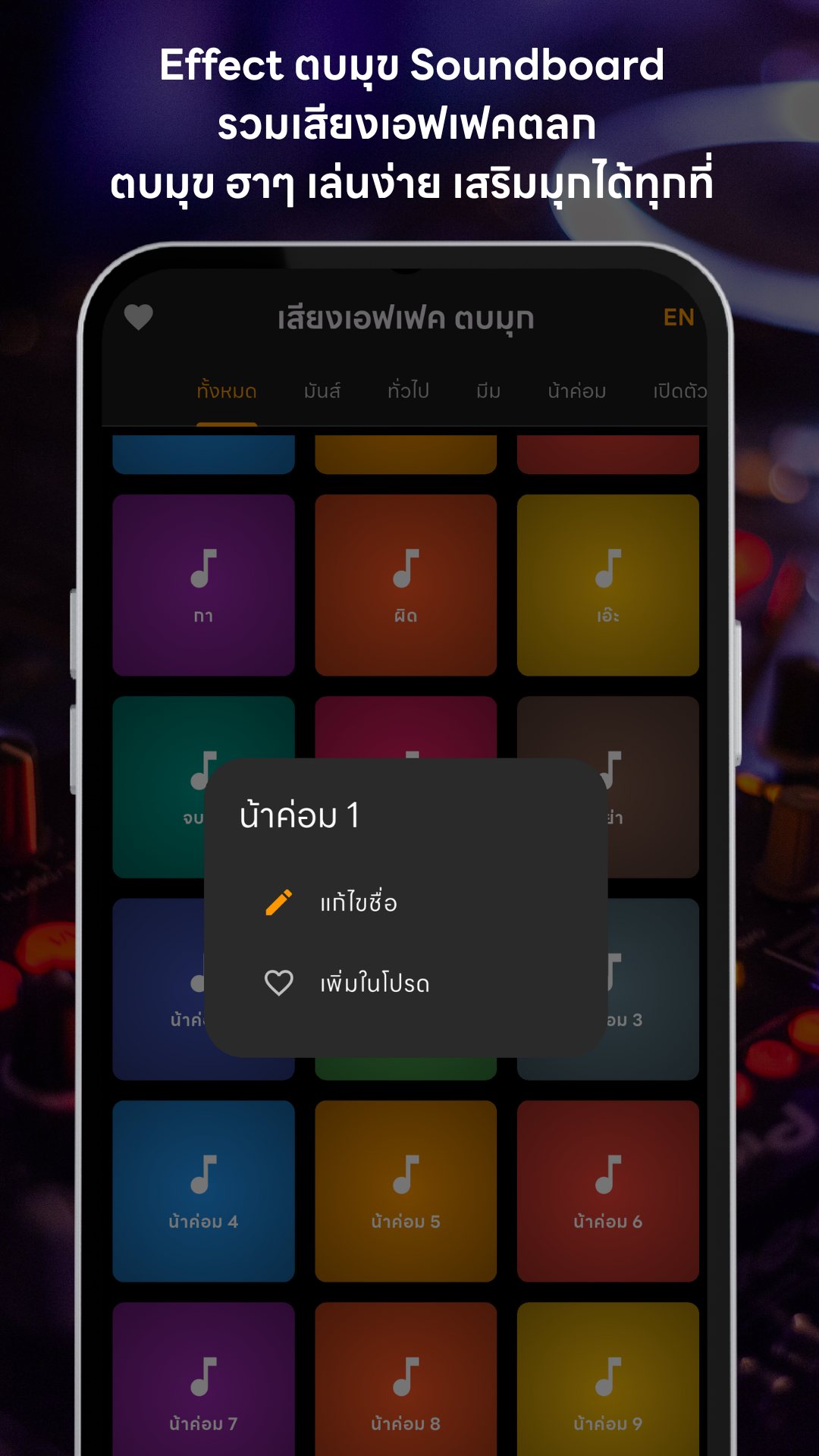
Long-press any button to open its menu. From there you can rename the button in whatever wording makes sense to you — the custom name is kept per language — or add the sound to your Favourites ❤️. The heart icon up top opens a dedicated Favourites page that pulls your go-to sounds out of every category into one fast board, so your best bits are never more than two taps away mid-stream.
When a session gets hectic, tap the ⛶ icon to enter Fullscreen mode: the app bar and the bottom banner disappear and the grid widens to fit more buttons on screen at once (up to seven columns in landscape). It is the mode built for a fast-moving TikTok live or a party where you are triggering a sound every few seconds.
The whole interface flips between Thai and English with the TH/EN button in the corner. Sound labels come with ready-made Thai names, so "topmuk" reads as "ตบมุข" and the meme clips carry their familiar Thai nicknames — handy whether you grew up with these sounds or are discovering Thai internet comedy for the first time.
Effect ตบมุข Soundboard is free. The sounds all live inside the app, so playback works offline and the app asks for no special permissions — no microphone, camera or location. It shows a small banner ad, and when you open Favourites or Fullscreen you may see a skippable rewarded ad; watch it through and you earn a 5–30 minute ad-free window during which the banner disappears. The app also supports Play in-app updates so you get new sounds without hunting for them.
Yes. Every sound effect is bundled inside the app, so the board works with no internet connection.
Yes. The player mixes audio, so you can layer several sounds — tap another button and it plays over the first.
Long-press any button to rename it or add it to Favourites, which opens on its own fast-access board.
It is free. There is a banner ad, plus optional skippable rewarded ads that grant 5–30 minutes of ad-free time.
Get Effect ตบมุข Soundboard on Google Play →
โดย ทีม NAXTECH · เผยแพร่ 22 ก.ค. 2569 · อัปเดต 9 ก.ย. 2569 · ทดลองใช้เวอร์ชัน 1.2
มุกออกไปแล้ว คนกำลังรอจังหวะ แต่คุณยังก้มหาเสียง "ตบมุข" อยู่ในสามแอป กว่าจะเจอมุกก็หายฮาไปแล้ว — คนทำคอนเทนต์ตลก สายไลฟ์ และเจ้าภาพปาร์ตี้ย่อมรู้ดีว่าความรู้สึกนี้เป็นอย่างไร มุกดี ๆ ถ้าไม่มีเสียงประกอบก็เหมือนเล่าไปได้แค่ครึ่งเดียว แอปเสียงเอฟเฟคตบมุกเกิดมาเพื่อให้เสียงที่ใช่อยู่ใต้นิ้วโป้งคุณพอดีในวินาทีที่ต้องการ
นี่คือซาวด์บอร์ดเสียงมีมไทยที่รวม เสียงเอฟเฟคกว่า 100 เสียง ทั้งเสียงตบมุขสุดคลาสสิก เสียงปรบมือ คลิปน้าค่อม มีมดัง ๆ จาก TikTok เสียงพากย์ไทย และเพลงเต้น ทุกเสียงฝังมาในแอป กดปุ๊บเล่นปั๊บ แม้ไม่มีสัญญาณอินเทอร์เน็ต
คลังเสียงถูกแบ่งเป็น เก้าหมวด พร้อมแท็บ ทั้งหมด ที่รวมทุกเสียงไว้ในที่เดียว แท็บเรียงอยู่ด้านบน — ตบมุข สำหรับเสียงปิดมุก, น้าค่อม, มีม, เสียงไทย, เพลงไทย, เปิดตัว, ปรบมือ, มันส์ และ ทั่วไป — เสียงที่อยากได้จึงอยู่แค่ปัดแล้วแตะ ปัดซ้ายขวาเพื่อสลับหมวดได้โดยไม่ต้องละสายตาจากหน้าไลฟ์
ทุกเสียงกดแตะทีเดียว แตะหนึ่งครั้งเพื่อเล่น แตะปุ่มเดิมอีกครั้งเพื่อหยุด และจะมี แถบความคืบหน้า วิ่งอยู่บนปุ่มให้รู้ว่าคลิปเหลืออีกเท่าไร เพราะตัวเล่นเสียงรองรับการมิกซ์เสียง คุณจึง ซ้อนหลายเสียงพร้อมกัน ได้ — ใส่เสียงรัวกลองใต้เสียงคนเฮ หรือใส่เสียงมีมทับลูปเพลง ซึ่งเหมาะมากเวลาคุมไลฟ์จากมือถือเครื่องเดียว
กดค้างที่ปุ่มไหนก็ได้เพื่อเปิดเมนู จากตรงนั้นคุณ เปลี่ยนชื่อปุ่ม เป็นคำที่เข้าใจง่ายสำหรับคุณได้ (ชื่อที่ตั้งเองจะแยกเก็บตามภาษา) หรือเพิ่มเสียงนั้นเข้า รายการโปรด ❤️ ไอคอนรูปหัวใจด้านบนจะเปิดหน้ารายการโปรดที่ดึงเสียงเด็ด ๆ จากทุกหมวดมารวมเป็นบอร์ดเดียว เสียงที่ใช้บ่อยจึงอยู่ห่างแค่สองแตะระหว่างไลฟ์
พอจังหวะเริ่มเร่ง แตะไอคอน ⛶ เพื่อเข้า โหมดเต็มจอ: แถบด้านบนและแบนเนอร์ด้านล่างจะหายไป ตารางจะกว้างขึ้นเพื่อ แสดงปุ่มได้มากขึ้นในจอเดียว (สูงสุดเจ็ดคอลัมน์ในแนวนอน) เป็นโหมดที่ออกแบบมาเพื่อไลฟ์ TikTok ที่ไหลเร็ว หรือปาร์ตี้ที่คุณต้องกดเสียงทุกไม่กี่วินาที
หน้าจอทั้งหมดสลับระหว่าง ไทยและอังกฤษ ได้ด้วยปุ่ม TH/EN ที่มุมจอ ชื่อเสียงมีคำไทยเตรียมไว้ให้แล้ว เช่น "topmuk" จะอ่านว่า "ตบมุข" และคลิปมีมต่าง ๆ ก็มีชื่อเล่นไทยที่คุ้นเคย สะดวกทั้งคนที่โตมากับเสียงเหล่านี้และคนที่เพิ่งมารู้จักมุกตลกอินเทอร์เน็ตไทย
แอปเสียงเอฟเฟคตบมุกใช้ฟรี เสียงทั้งหมดอยู่ในแอป เล่นแบบออฟไลน์ได้ และแอปไม่ขอสิทธิ์พิเศษใด ๆ — ไม่ขอไมโครโฟน กล้อง หรือตำแหน่ง มีแบนเนอร์โฆษณาเล็ก ๆ และเมื่อกดเข้ารายการโปรดหรือเต็มจออาจเจอโฆษณาแบบ ข้ามได้ ถ้าดูจนจบจะได้เวลาปลอดโฆษณา 5–30 นาที ซึ่งแบนเนอร์จะหายไปในช่วงนั้น นอกจากนี้ยังรองรับการอัปเดตในแอปของ Play ให้ได้เสียงใหม่โดยไม่ต้องตามหาเอง
ได้ เสียงเอฟเฟคทุกเสียงฝังอยู่ในแอป บอร์ดจึงใช้งานได้แม้ไม่มีอินเทอร์เน็ต
ได้ ตัวเล่นเสียงรองรับการมิกซ์ แตะอีกปุ่มเสียงจะเล่นซ้อนเสียงแรกได้เลย
กดค้างที่ปุ่มใดก็ได้เพื่อเปลี่ยนชื่อหรือเพิ่มในรายการโปรด ซึ่งจะเปิดเป็นบอร์ดเข้าถึงเร็วของตัวเอง
ฟรี มีแบนเนอร์โฆษณา และโฆษณาแบบข้ามได้ที่ให้เวลาปลอดโฆษณา 5–30 นาที