 By the NAXTECH team · Published 31 Jan 2026 · Updated 6 May 2026 · Hands-on with v1.0
คุณเปิดแอปพระคัมภีร์บนรถเมล์ พอเข้าอุโมงค์สัญญาณหาย ข้อที่อ่านค้างไว้ก็โหลดไม่ขึ้น สำหรับคนที่อยากอ่านพระคัมภีร์ทุกวันไม่ว่าอยู่ที่ไหน ช่องว่างระหว่างแอปที่ต้องต่อเน็ตกับหนังสือที่เปิดได้ตลอดเวลาคือปัญหาใหญ่ และ พระคัมภีร์ไบเบิล (ภาษาไทย) ถูกสร้างมาเพื่อปิดช่องว่างนี้
พระคัมภีร์ไบเบิลเป็นแอปอ่านพระคัมภีร์ภาษาไทยที่ ทำงานออฟไลน์เต็มรูปแบบ เนื้อหาทุกเล่มทุกบทถูกฝังไว้ในเครื่องเป็นฐานข้อมูลในตัวแอป แตะปุ๊บเปิดปั๊บ ไม่ว่าจะบนเครื่องบิน ในอุโมงค์ หรือบนดอย โดยไม่ต้องต่อเน็ตและไม่ต้องสมัครบัญชี ทุกเช้าแอปทักทายคุณด้วยคำว่า ขอให้พระเจ้าสถิตกับท่าน แล้วก็หลีกทางให้คุณได้อ่านอย่างสงบ
หน้าหลักเรียงหนังสือแต่ละเล่มของพระคัมภีร์เป็นการ์ดให้แตะได้ง่าย เลือกเล่มก็จะเห็นบทต่าง ๆ เรียงตามลำดับ แตะบทแล้วเนื้อหาจะเปิดในหน้าอ่านที่สบายตา จัดข้อความชิดขอบสองด้าน เว้นบรรทัดโปร่ง ไม่ต้องโหลดอะไรก่อน ไม่ต้องตั้งค่าอะไร เพราะเนื้อหาทั้งหมดอยู่ในเครื่องตั้งแต่ติดตั้งเสร็จ
นี่คือฟีเจอร์ที่ทำให้อยากกลับมาอ่านต่อ การ์ดบนสุดของหน้าหลักบอก ว่าคุณอ่านพระคัมภีร์ไปแล้วกี่เปอร์เซ็นต์ ทั้งแถบความคืบหน้าและตัวเลข อ่านแล้วกี่บทจากทั้งหมด พร้อมบอกว่าเหลืออีกกี่บท คุณไม่ต้องกดทำเครื่องหมายเอง เพราะพอเปิดบทไหน แอปจะทำเครื่องหมายว่า "อ่านแล้ว" และขยับแถบให้ทันที อ่านวันละนิดตลอดปี ตัวนับเงียบ ๆ นี้จะเปลี่ยนคำว่า "ไว้ก่อน" ให้กลายเป็นเป้าหมายที่เห็นภาพและทำสำเร็จได้จริง
แท็บ ค้นหา มองเข้าไปในเนื้อหาพระคัมภีร์จริง ๆ พิมพ์คำหรือวลี แอปจะไล่ดูทั้งชื่อบทและเนื้อความทั้งหมด แล้วแสดงทุกตอนที่มีคำนั้นพร้อมจำนวนผลลัพธ์แบบเรียลไทม์ ข้อที่จำได้ครึ่ง ๆ กลาง ๆ จึงอยู่ห่างแค่พิมพ์ไม่กี่ตัว แม้ตอนออฟไลน์ เป็นวิธีที่เร็วที่สุดในการหาข้อที่คุณเกือบจำได้หมดแล้ว
เปิดตอนไหนก็มีปุ่มปรับการอ่านอยู่แถบบน ลาก แถบปรับขนาดตัวอักษร ได้ตั้งแต่ 14 ถึง 28 และแอปจะจำค่าที่คุณตั้งไว้ครั้งหน้า สลับระหว่าง โหมดกลางวันสีซีเปีย ที่อบอุ่น กับ โหมดกลางคืน สำหรับการอ่านดึก ๆ ที่ถนอมสายตา และเพราะทุกตอนเป็น ข้อความที่เลือกคัดลอกได้ คุณจึงกดค้างเพื่อก๊อบปี้ข้อพระคัมภีร์ไปส่งต่อในแชทหรือจดโน้ตได้ทันที
พระคัมภีร์ไบเบิลใช้ฟรี มีแบนเนอร์โฆษณาเล็ก ๆ ช่วยสนับสนุน แต่ก็เกรงใจคุณ เพราะ การอ่านรอบแรกของวันไม่มีโฆษณา แบนเนอร์จะเริ่มแสดงตั้งแต่หน้าจอที่สองเป็นต้นไป การอ่านเงียบ ๆ ครั้งแรกในแต่ละเช้าจึงไม่ถูกรบกวน แอป ไม่ขอสิทธิ์พิเศษใด ๆ ไม่ขอกล้อง ไม่ขอตำแหน่ง ไม่ขอรายชื่อผู้ติดต่อ เพราะทุกอย่างที่ต้องใช้คือเนื้อหาที่อยู่ในเครื่องอยู่แล้ว
ได้ เนื้อหาพระคัมภีร์ทั้งเล่มถูกฝังไว้ในแอปเป็นฐานข้อมูลในเครื่อง ทุกเล่ม ทุกบท และการค้นหาจึงทำงานได้โดยไม่ต้องต่อเน็ตและไม่ต้องสมัครบัญชี
แต่ละบทจะถูกทำเครื่องหมายว่าอ่านแล้วทันทีที่คุณเปิด และหน้าหลักจะแสดงเปอร์เซ็นต์ จำนวนบทที่อ่านแล้วจากทั้งหมด และจำนวนที่เหลือ
ได้ แท็บค้นหาจะไล่ดูทั้งชื่อบทและเนื้อความทั้งหมด แล้วแสดงทุกตอนที่ตรงกัน ทั้งหมดทำงานบนเครื่องของคุณ
ฟรี มีแบนเนอร์เดียวช่วยสนับสนุน แต่การอ่านรอบแรกของวันไม่มีโฆษณา และแบนเนอร์จะปรากฏตั้งแต่หน้าจอที่สองเป็นต้นไปเท่านั้น
ดาวน์โหลด พระคัมภีร์ไบเบิล (ภาษาไทย) บน Google Play →
By the NAXTECH team · Published 31 Jan 2026 · Updated 6 May 2026 · Hands-on with v1.0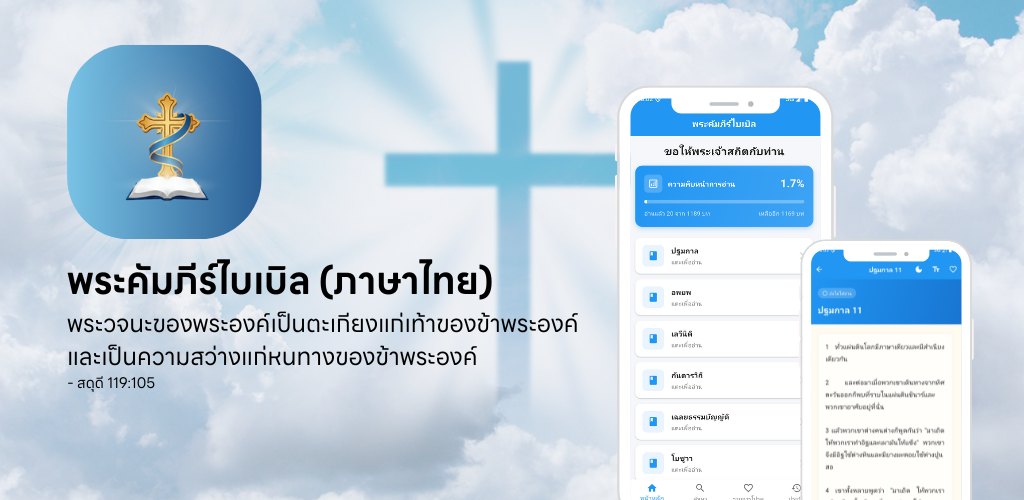
You open your Bible app on the bus, lose signal in the tunnel, and the passage you were halfway through simply will not load. For anyone who reads Scripture on the move, that gap between a connected app and a book you can always open is the whole problem. Thai Bible (พระคัมภีร์ไบเบิล) was built to close it.
Thai Bible is a fully offline reader for the Scripture in Thai. Every book and chapter is bundled inside the app in a local database, so the text opens the instant you tap it — on a plane, in a tunnel, on a mountain trail — with no connection and no sign-in. It greets you each morning with ขอให้พระเจ้าสถิตกับท่าน, "may God be with you," and then stays out of the way so you can read.
The home screen lists the books of the Bible as clean, tappable cards. Choose a book and you get its chapters in order; tap a chapter and the passage opens in a calm reading view with a justified column and generous line spacing. Nothing to download first, nothing to configure — the whole library is on your device from the moment you install.
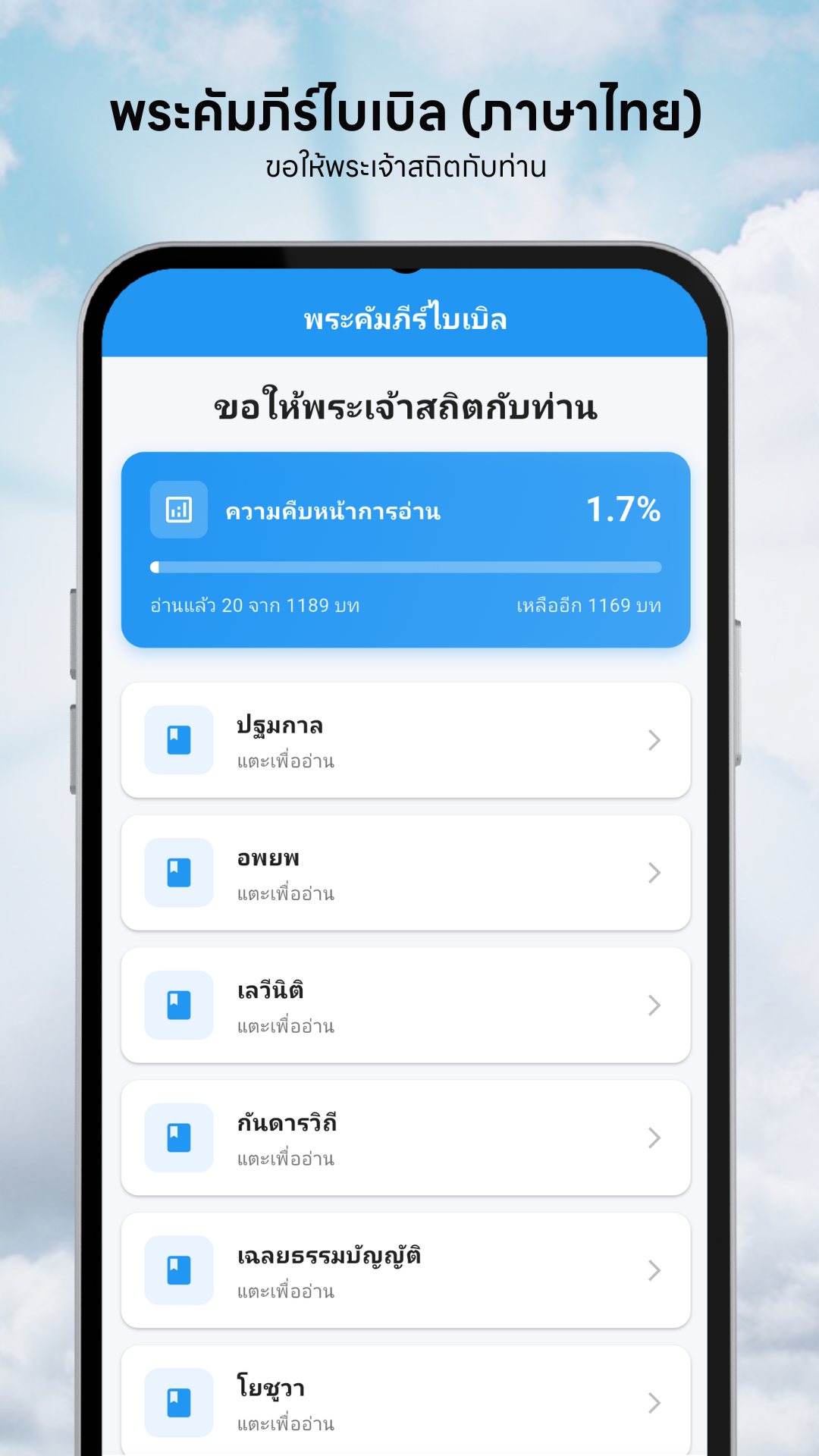
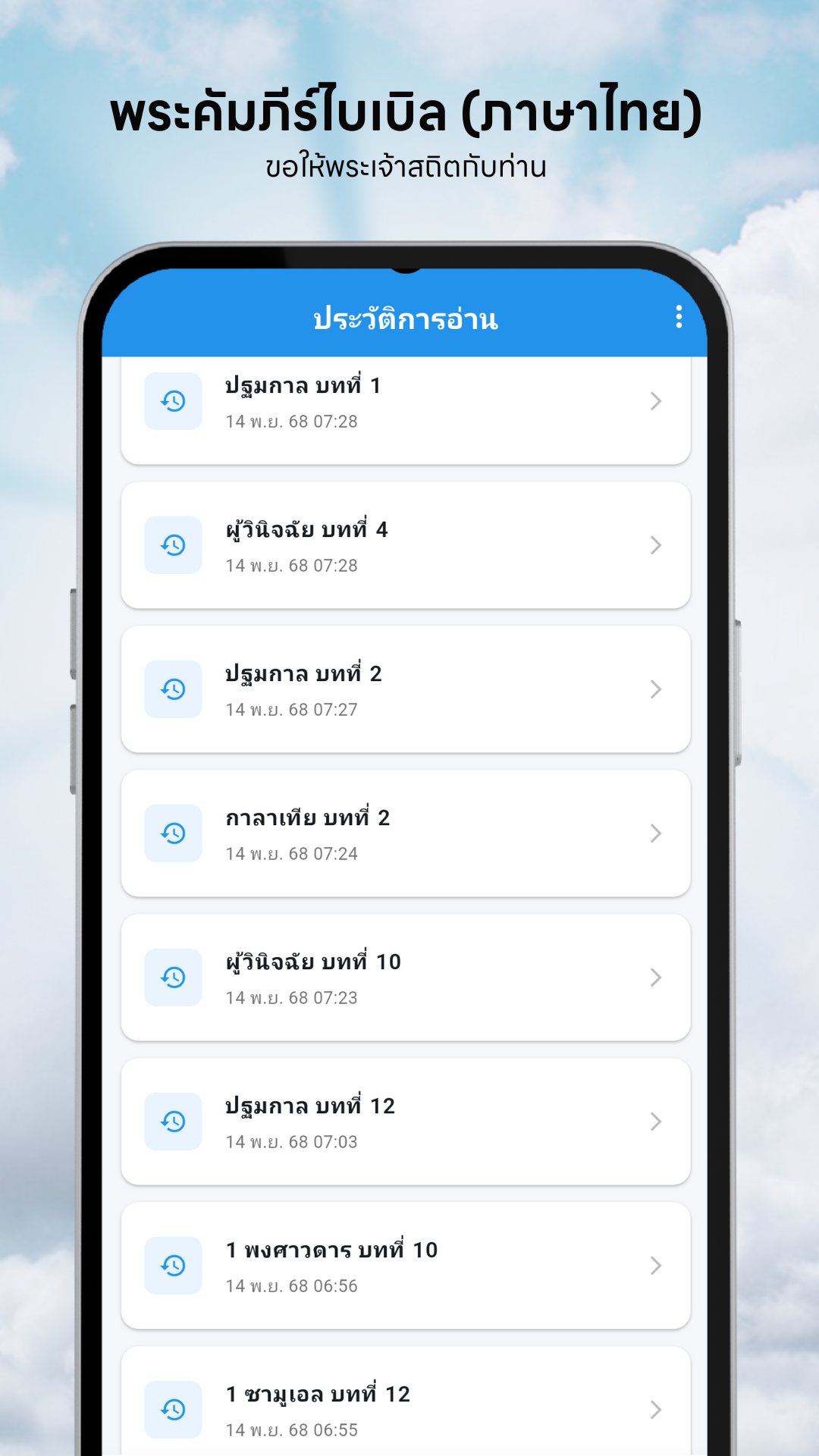
This is the feature that keeps you coming back. A card at the top of the home screen shows how far through the whole Bible you are — a percentage, a progress bar, and a plain count of chapters read out of the total, plus how many are left. You never tick anything manually: the moment you open a chapter, Thai Bible marks it read and advances the bar. Over a year of daily reading, that quiet counter turns "someday" into a visible, finishable goal.
The search tab looks inside the Scripture itself. Type a word or phrase and it scans both chapter titles and the full body text, returning every passage that contains it with a live result count — so a half-remembered line is a few keystrokes away, even offline.
Open any passage and the reading controls sit in the top bar. Drag the font-size slider anywhere from 14 to 28 points and your choice is remembered next time. Switch between a warm sepia day mode and a dark night mode that is kind to the eyes after dark. And because every passage is selectable text, you can press-and-hold to copy a verse straight into a message or your notes.
Thai Bible is free, supported by a single modest banner — and even that is considerate: the app shows no ads on your first reading session of the day, and only begins showing the banner from the second screen you open. It also requests no special permissions — no camera, no location, no contacts — because everything it needs is the text already on your phone.
Yes. The complete Scripture is bundled inside the app as a local database, so every book, chapter and search works with no internet connection and no account.
Each chapter is marked read automatically the moment you open it, and the home screen shows your percentage, chapters read out of the total, and how many remain.
Yes. The search tab looks through both chapter titles and the full passage text and lists every match, all on your device.
It is free. A single banner helps support it, but your first reading session of the day is ad-free and the banner only appears from the second screen onward.