FreeCell Solitaire XP 1990: the classic Windows card game, rebuilt for Android with no ads
 By the NAXTECH team · Published 26 Jan 2026 · Updated 3 Sept 2026 · Hands-on with v1.0
FreeCell Solitaire XP 1990 at a glance
- What it is
- A faithful recreation of the classic Windows FreeCell solitaire game.
- Platform
- Android · plays fully offline, no account, no internet needed.
- Price
- Free with absolutely no ads; an optional in-app donation supports the developer.
- Board
- 8 cascades · 4 free cells · 4 foundations, built Ace to King by suit.
- Deals
- Over 1,000,000 numbered games (1 to 1,000,000), each reproducible by number.
- Best for
- Fans of 90s Windows games and anyone who loves strategic patience.
You remember the game that lived on every office PC in the 1990s — the green table, the four little free cells, the quiet satisfaction of a board solved without luck. Then you go looking for it on your phone and every result is a flashy clone buried under banner ads and pop-ups. That gap between the clean, focused game you remember and the noisy apps on the store is exactly what FreeCell Solitaire XP 1990 was built to close.
This is a deliberate, detail-faithful rebuild of classic Windows FreeCell for Android. It keeps the rules that make FreeCell a game of skill rather than chance, wraps them in a genuine Windows 95 interface, and — importantly — never shows you a single advertisement.
A board that plays by the real FreeCell rules
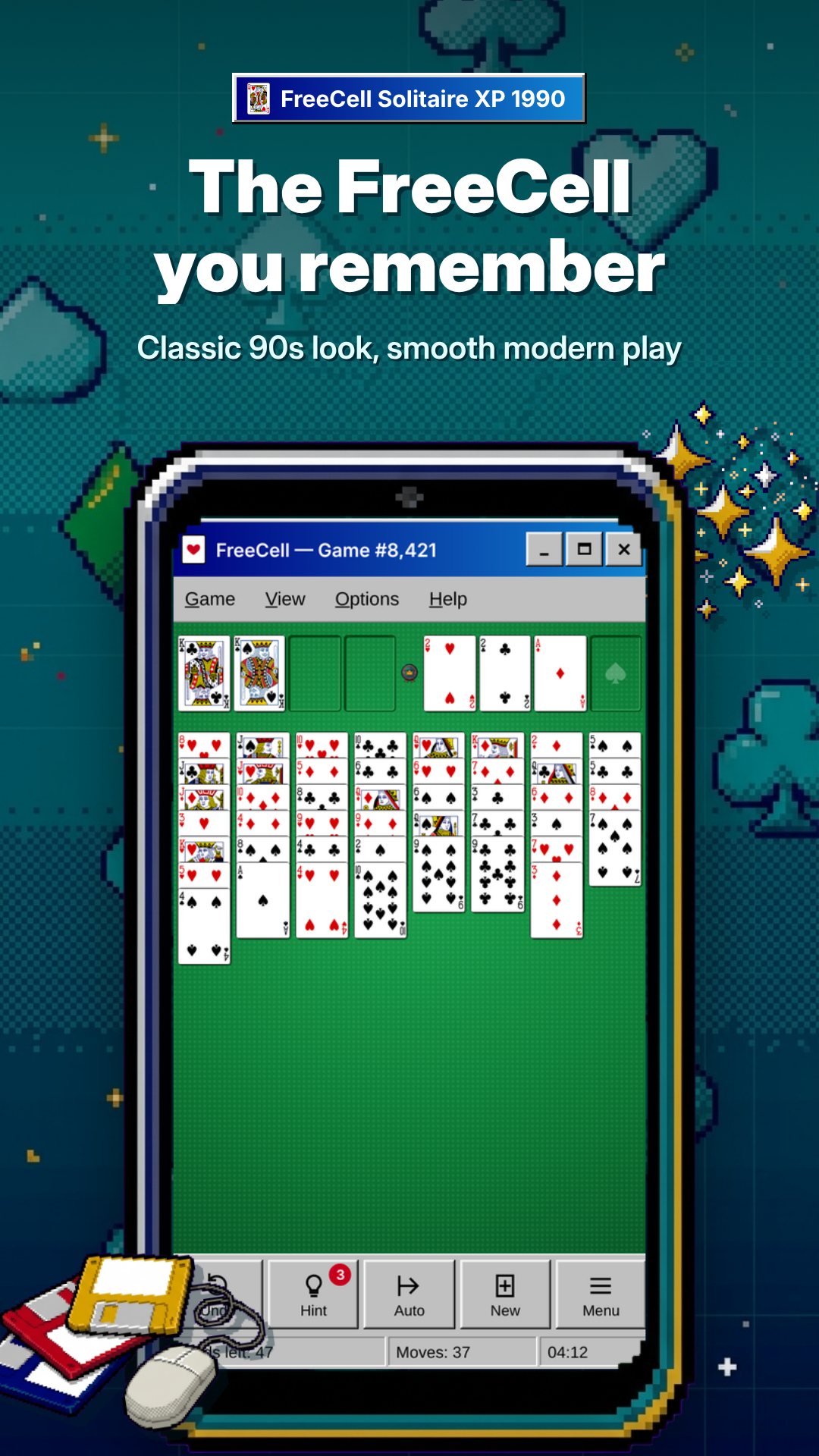
The layout is the one you know: eight cascades deal out the full 52-card deck, with four free cells for temporary storage on the left and four foundations on the right that you build up from Ace to King, one suit each. You stack cards down in alternating colours across the cascades, park an awkward card in a free cell when you need breathing room, and race every suit home. Because almost every deal is solvable with the right sequence of moves, winning comes down to planning — not the shuffle.
Moving a run of cards works the way serious FreeCell players expect, too. The game calculates how many cards you may shift at once from your empty free cells and empty columns — the classic (free cells + 1) × 2^(empty columns) supermove rule — so a well-prepared board lets you relocate a long ordered sequence in a single drag instead of one card at a time.
An authentic Windows 95 interface
The nostalgia is in the chrome, and this app commits to it. There is a proper title bar, a working Game / View / Help menu bar, and the genuine raised-and-sunken 3D borders that defined that era's look. A status bar runs along the bottom showing your current game number and move count, just like the original. Even the table is the right shade of green. If you grew up with CRT monitors and a ball mouse, it will feel immediately, almost physically, familiar.
Two ways to move, and a smart auto-finish
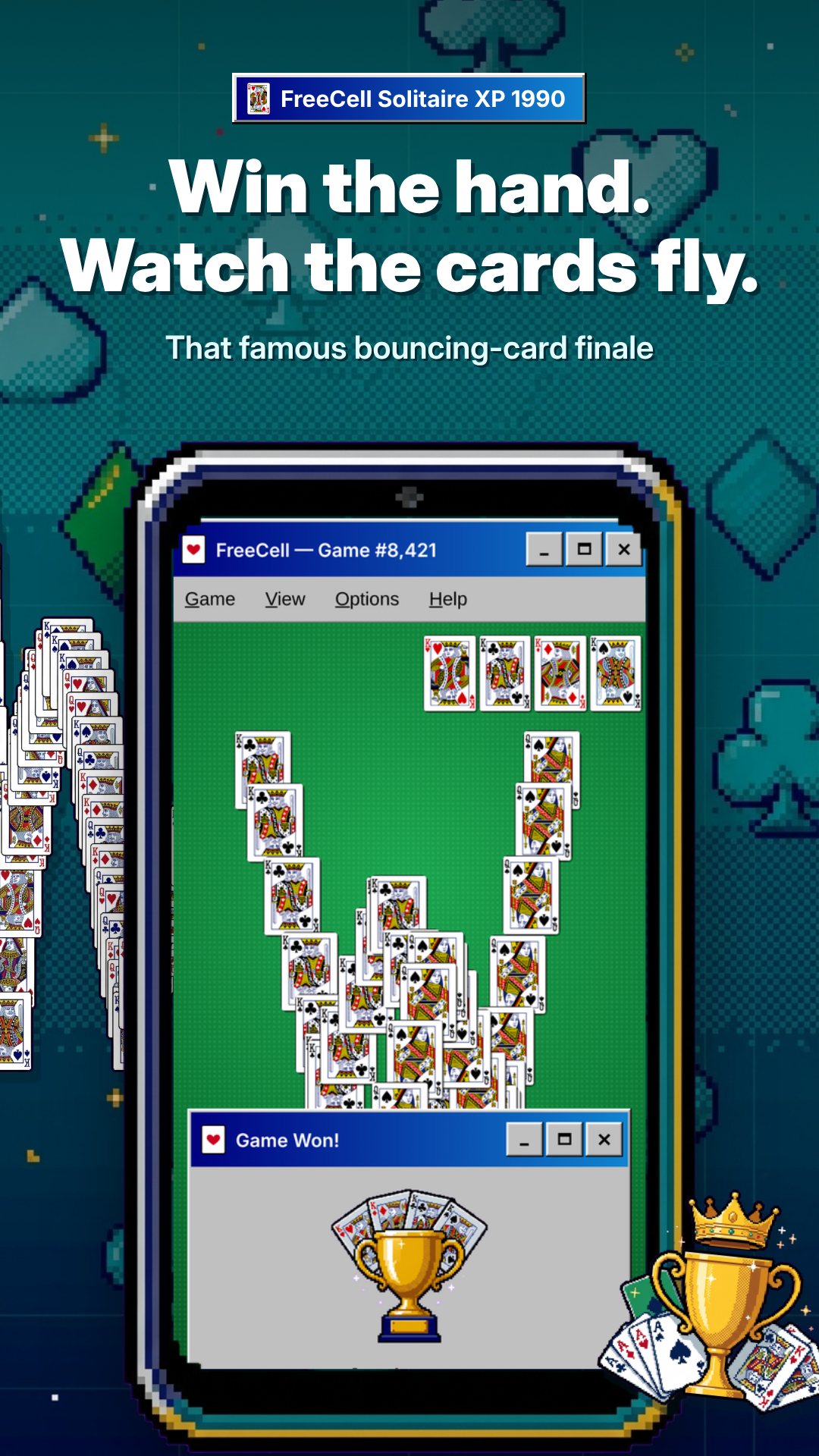
You can play however suits your hands: drag and drop a card or a whole valid sequence onto its destination, or tap to select and tap again to place. When a card is safe to send home, the game's auto-move whisks it to the foundations for you — using a conservative safe-play rule so it never buries a card you still needed below. Clear every suit to King and you are rewarded with the classic bouncing-cards win animation cascading down the screen.
Built for comfort and replay
- Undo — step back through your moves one at a time when a plan goes wrong.
- Select Game — type any number from 1 to 1,000,000 to play, or replay, an exact deal.
- Restart — deal the same game number again from scratch to try a better line.
- Zoom — scale the cards from 70% to 150%, ideal for small screens or older eyes.
- Portrait or landscape — the board re-lays itself to whichever way you hold the phone.
- Keyboard shortcuts — F2 new game, F3 select, F4 restart, Ctrl+Z undo, Ctrl +/–/0 for zoom.
How to play a game of FreeCell
- Open the app and a numbered deal lays out across the eight cascades automatically.
- Build sequences down in alternating colours, dragging or tapping cards between columns.
- Use the four free cells to park a blocking card and open up the board.
- Send Aces and the cards above them to the foundations, Ace to King by suit.
- Clear all four suits to see the bouncing-cards win — then hit F2 for a fresh deal.
No ads — and that is the point
FreeCell Solitaire XP 1990 contains no advertisements at all: no banners, no video ads, no pop-ups. The whole game is free with no locked features and nothing to unlock. It needs no internet connection and no account, so you can play on a plane, in a tunnel or anywhere else. The only in-app purchase is an entirely optional one-time donation to support the developer — the full game is identical whether or not you ever tap it.
Frequently asked questions
Does FreeCell Solitaire XP 1990 have ads?
No. There are no banners, video ads or pop-ups anywhere in the game, and the complete game is free with no locked features.
Can I replay a specific deal?
Yes. Every deal has a number from 1 to 1,000,000; use Select Game to enter one, or Restart to re-deal the game you are on.
Does it work offline?
Yes. The game needs no internet and no account — it runs entirely on your device, so you can play anywhere.
Can I make the cards bigger?
Yes. The View menu zooms the board from 70% to 150%, which helps on small screens or for players who want larger cards.